
Skip
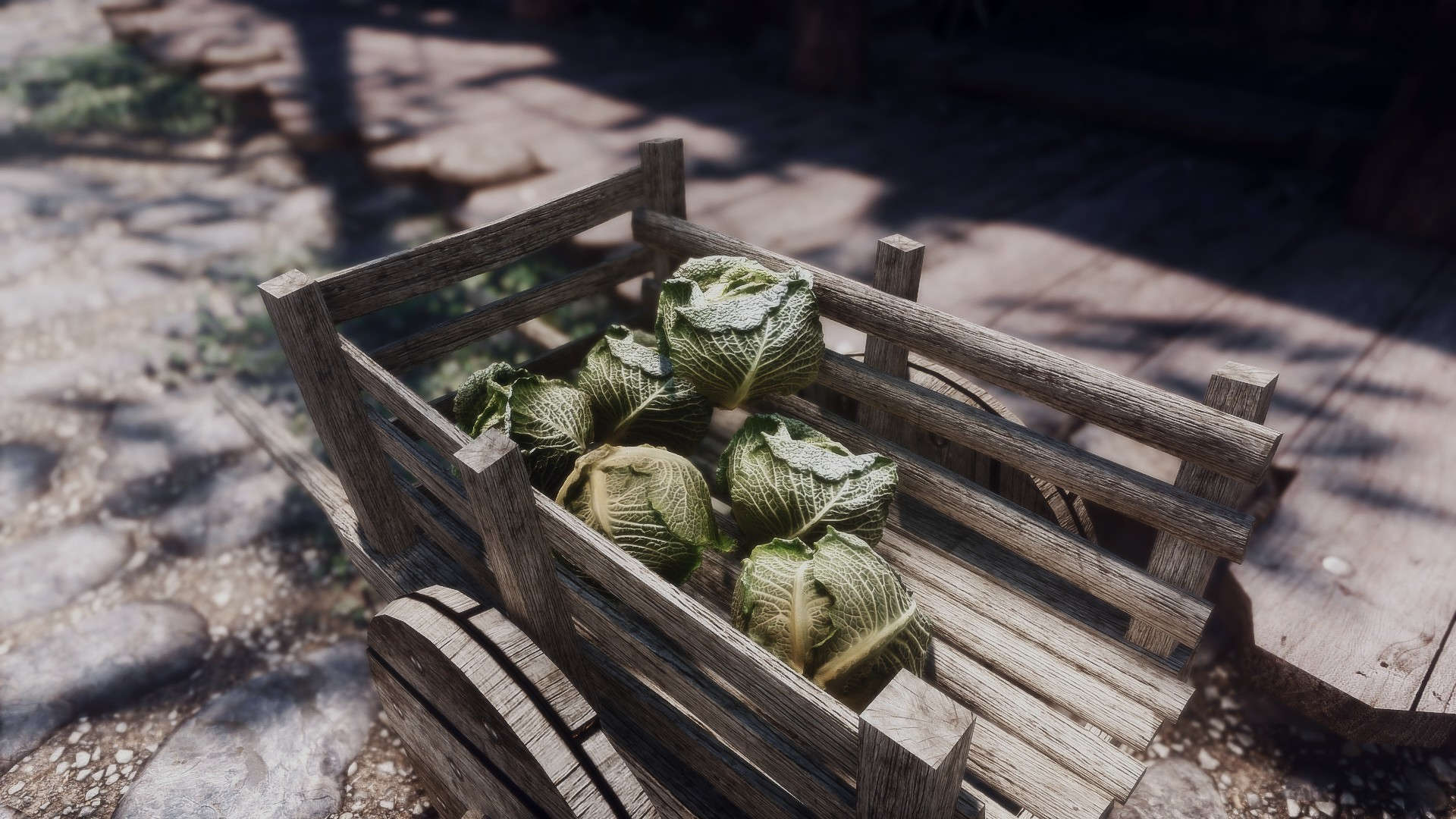
Make sure you install the mods in the following order.
Click on a mod to expand the content
As for the previous step , we will create a separator for our user interface mods.
Right click on OUPUTS select All Mods -> create separator.

Type 5.17 OBJECTS TEXTURES & MODELS


A texture replacement for the ore veins found in mines and around skyrim. This mod also retextures the mined ores and the ingots.
Click here to manually download the mod OR here to automatically download the mod through Mod Organizer 2.
When downloaded go to the folder where the file has been downloaded, cut the file Enhanced Ore Veins - 2K - 9.0.1-1306-9-0-1-1638445071.7z and copy it to your NOLVUS\ARCHIVE\5_VISUALS\5.17_OBJECTS & MODELS directoryNexus mod page here
In Mod Organizer 2 click on add mod button

Browse to NOLVUS\ARCHIVE\5_VISUALS\5.17_OBJECTS & MODELS\Enhanced Ore Veins - 2K - 9.0.1-1306-9-0-1-1638445071.7z and select OK

1. Select options as shown and click on Next
1. Select options as shown and click on Next
CC's Enhanced Ore Veins SSE Setup

2. Select options as shown and click on Next
2. Select options as shown and click on Next
CC's Enhanced Ore Veins SSE Setup

3. Select options as shown and click on Next
3. Select options as shown and click on Next
CC's Enhanced Ore Veins SSE Setup

4. Select options as shown and click on Next
4. Select options as shown and click on Next
CC's Enhanced Ore Veins SSE Setup

5. Select options as shown and click on Next
5. Select options as shown and click on Next
CC's Enhanced Ore Veins SSE Setup

6. Select options as shown and click on Next
6. Select options as shown and click on Next
CC's Enhanced Ore Veins SSE Setup

7. Select options as shown and click on Install
7. Select options as shown and click on Install
CC's Enhanced Ore Veins SSE Setup
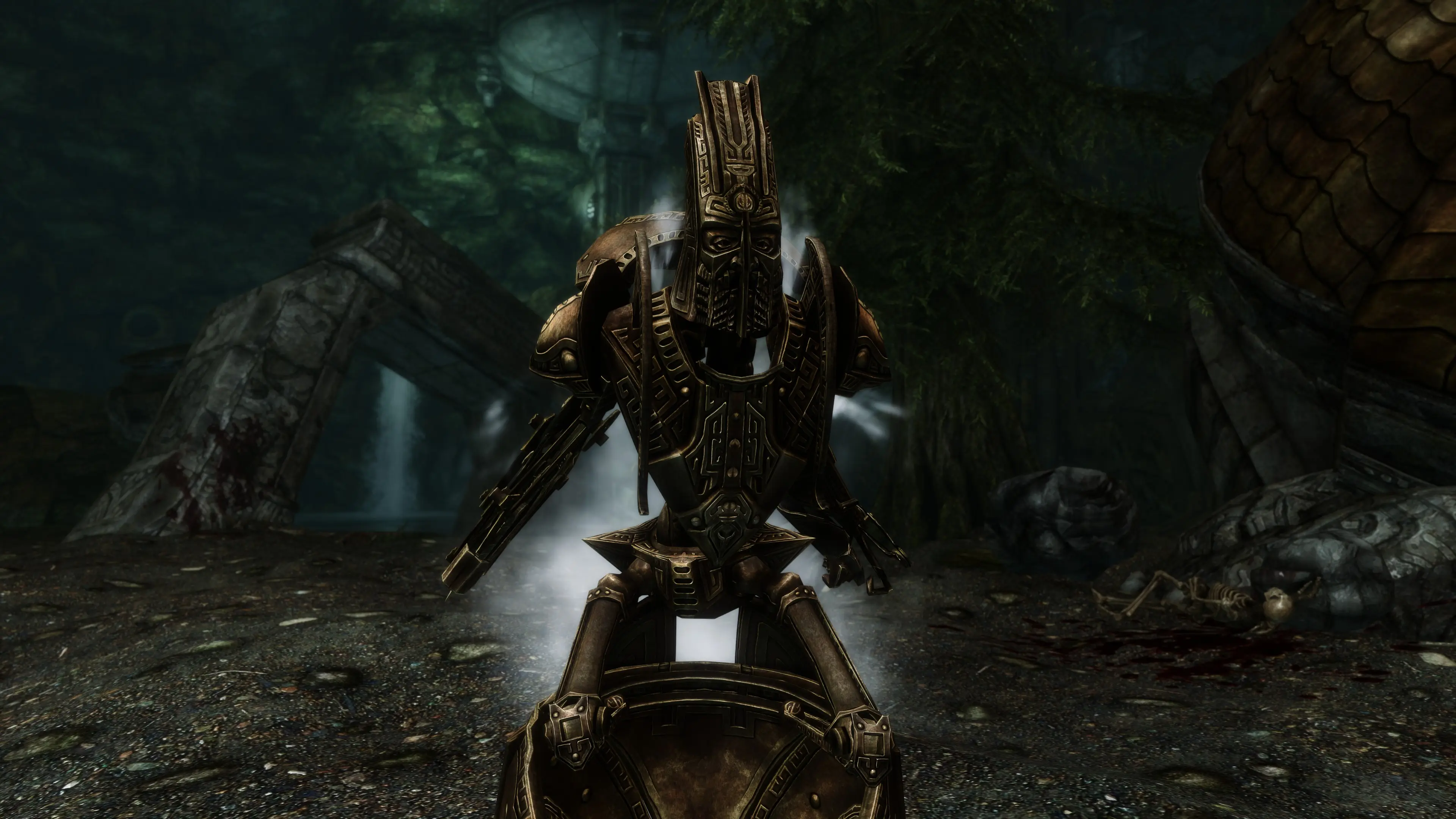
A HD texture replacer for all the Dwemer Automations. Builds on my older works
Click here to manually download the mod OR here to automatically download the mod through Mod Organizer 2.
When downloaded go to the folder where the file has been downloaded, cut the file CC's HD Dwemer Automatons - Remastered - 2K - 1.0-32267-1-0-1580586479.7z and copy it to your NOLVUS\ARCHIVE\5_VISUALS\5.17_OBJECTS & MODELS directoryNexus mod page here
In Mod Organizer 2 click on add mod button
Browse to NOLVUS\ARCHIVE\5_VISUALS\5.17_OBJECTS & MODELS\CC's HD Dwemer Automatons - Remastered - 2K - 1.0-32267-1-0-1580586479.7z and select OK
Fill informations as shown and click on OK
 Drag and drop CC's HD Dwemer Automatons - Remastered above OUTPUTS and check the mod.
A Dragon Priest Mask Retexture Originally by Pondcypress
Click here to manually download the mod OR here to automatically download the mod through Mod Organizer 2.
When downloaded go to the folder where the file has been downloaded, cut the file Apophysis Dragon Priest Masks Loose-5800-1-11SE.rar and copy it to your NOLVUS\ARCHIVE\5_VISUALS\5.17_OBJECTS & MODELS directoryNexus mod page here
In Mod Organizer 2 click on add mod button
Browse to NOLVUS\ARCHIVE\5_VISUALS\5.17_OBJECTS & MODELS\Apophysis Dragon Priest Masks Loose-5800-1-11SE.rar and select OK
Fill informations as shown and click on OK
 Drag and drop Apophysis Dragon Priest Masks above OUTPUTS and check the mod.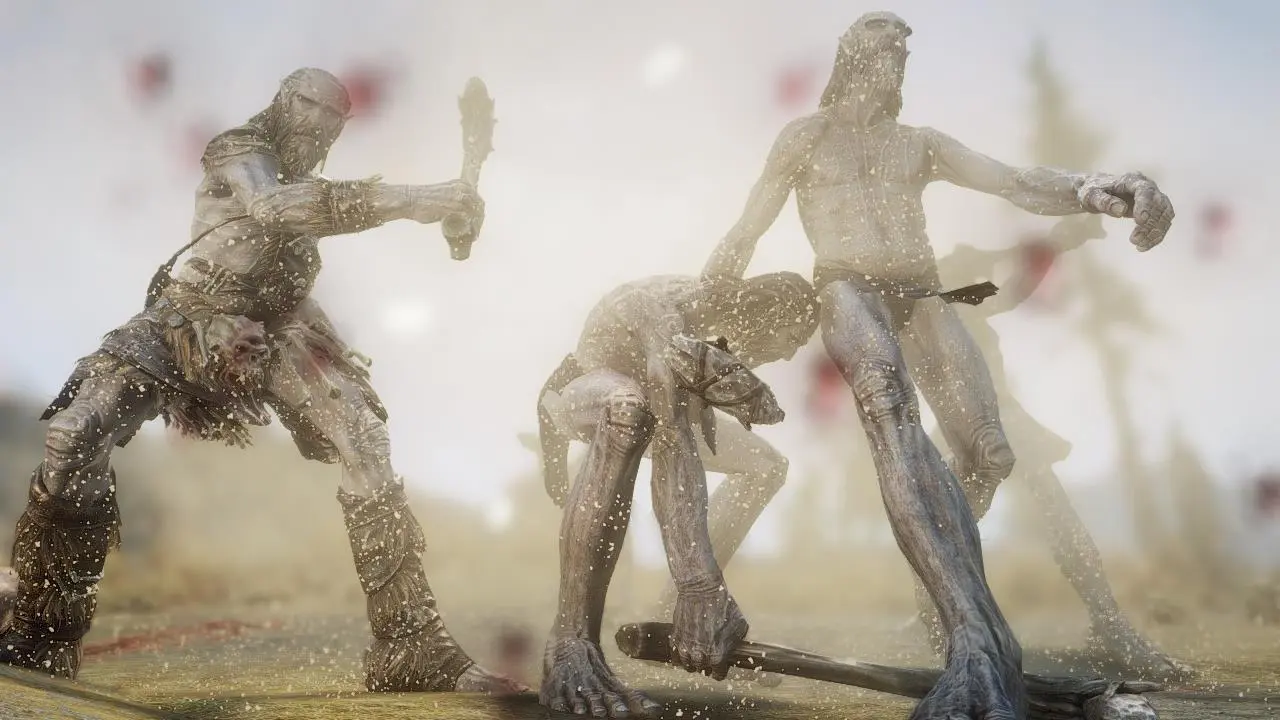
2019 and you didnt retextured THAT? you even mod? - Retexture of the impact dust.
Click here to manually download the mod OR here to automatically download the mod through Mod Organizer 2.
When downloaded go to the folder where the file has been downloaded, cut the file 2K ElSopa HD - Dirt Blast-22342-1-0-1546570565.7z and copy it to your NOLVUS\ARCHIVE\5_VISUALS\5.17_OBJECTS & MODELS directoryNexus mod page here
In Mod Organizer 2 click on add mod button
Browse to NOLVUS\ARCHIVE\5_VISUALS\5.17_OBJECTS & MODELS\2K ElSopa HD - Dirt Blast-22342-1-0-1546570565.7z and select OK
Fill informations as shown and click on OK
 Drag and drop ElSopa HD - Dirt Blast above OUTPUTS and check the mod.
Add diversity with 4200 jewelry variants distributed across culture-specific leveled lists for races and dungeons. Swap any of 1700 rings or bracelets to the left hand and back instantly via right click-even player enchanted and named ones. Incorporates a new system of gem and metal-influenced enchanting based on occultism and the Aedric planets.
Click here to manually download the mod OR here to automatically download the mod through Mod Organizer 2.
When downloaded go to the folder where the file has been downloaded, cut the file Immersive Jewelry SSE 1.05-5336-1-05.rar and copy it to your NOLVUS\ARCHIVE\5_VISUALS\5.17_OBJECTS & MODELS directoryNexus mod page here
In Mod Organizer 2 click on add mod button
Browse to NOLVUS\ARCHIVE\5_VISUALS\5.17_OBJECTS & MODELS\Immersive Jewelry SSE 1.05-5336-1-05.rar and select OK
Fill informations as shown and click on OK
 Drag and drop Immersive Jewelry above OUTPUTS and check the mod.
Double click on the mod, select Filetree tab and hide this file

Add diversity with 4200 jewelry variants distributed across culture-specific leveled lists for races and dungeons. Swap any of 1700 rings or bracelets to the left hand and back instantly via right click-even player enchanted and named ones. Incorporates a new system of gem and metal-influenced enchanting based on occultism and the Aedric planets.
Click here to manually download the mod OR here to automatically download the mod through Mod Organizer 2.
When downloaded go to the folder where the file has been downloaded, cut the file Immersive Jewelry 1.06a-5336-1-06a.7z and copy it to your NOLVUS\ARCHIVE\5_VISUALS\5.17_OBJECTS & MODELS directoryNexus mod page here
In Mod Organizer 2 click on add mod button
Browse to NOLVUS\ARCHIVE\5_VISUALS\5.17_OBJECTS & MODELS\Immersive Jewelry 1.06a-5336-1-06a.7z and select OK
Fill informations as shown and click on OK
 Drag and drop Immersive Jewelry Update above OUTPUTS and check the mod.
This mod patches Pandorable NPCs and Immersive Jewelry to play nice with each other.
Click here to manually download the mod OR here to automatically download the mod through Mod Organizer 2.
When downloaded go to the folder where the file has been downloaded, cut the file Pandorable NPCs - Immersive Jewelry patch-33219-1-0-1583095878.7z and copy it to your NOLVUS\ARCHIVE\5_VISUALS\5.17_OBJECTS & MODELS directoryNexus mod page here
In Mod Organizer 2 click on add mod button
Browse to NOLVUS\ARCHIVE\5_VISUALS\5.17_OBJECTS & MODELS\Pandorable NPCs - Immersive Jewelry patch-33219-1-0-1583095878.7z and select OK
Fill informations as shown and click on OK
 Drag and drop Immersive Jewelry - Pandorable NPCs Patch above OUTPUTS and check the mod.
All-new, hand-crafted HD textures for all ingots, ore, and mine veins, featuring new ingot meshes. Vanilla-styled. 2K & 1K options.
Click here to manually download the mod OR here to automatically download the mod through Mod Organizer 2.
When downloaded go to the folder where the file has been downloaded, cut the file Metallurgy - Ingots Ore and Veins HD 2K (LOOSE)-30738-1-3-1595068703.rar and copy it to your NOLVUS\ARCHIVE\5_VISUALS\5.17_OBJECTS & MODELS directoryNexus mod page here
In Mod Organizer 2 click on add mod button
Browse to NOLVUS\ARCHIVE\5_VISUALS\5.17_OBJECTS & MODELS\Metallurgy - Ingots Ore and Veins HD 2K (LOOSE)-30738-1-3-1595068703.rar and select OK
Fill informations as shown and click on OK
 Drag and drop Metallurgy - Ingots and Ore HD above OUTPUTS and check the mod.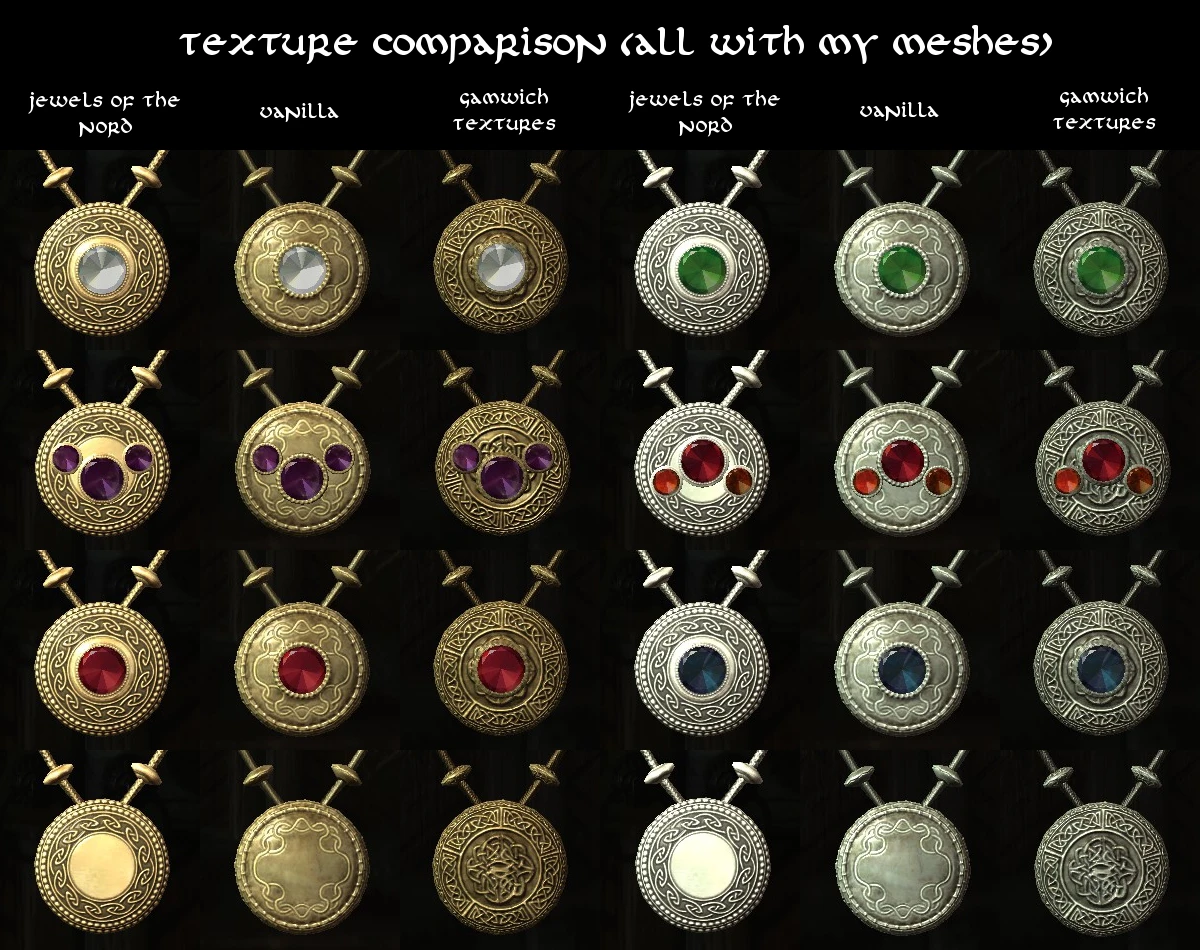
A faithful port of Saerileth excellent Jewelry mod from oldrim.
Click here to manually download the mod OR here to automatically download the mod through Mod Organizer 2.
When downloaded go to the folder where the file has been downloaded, cut the file Gemling Queen Jewelry SE-4294-4-1SE.7z and copy it to your NOLVUS\ARCHIVE\5_VISUALS\5.17_OBJECTS & MODELS directoryNexus mod page here
In Mod Organizer 2 click on add mod button
Browse to NOLVUS\ARCHIVE\5_VISUALS\5.17_OBJECTS & MODELS\Gemling Queen Jewelry SE-4294-4-1SE.7z and select OK

1. Select options as shown and click on Next.
1. Select options as shown and click on Next.
Gemling Queen Jewelry Setup

2. Select options as shown and click on Next.
2. Select options as shown and click on Next.
Gemling Queen Jewelry Setup

3. Select options as shown and click on Install.
3. Select options as shown and click on Install.
Gemling Queen Jewelry Setup
Double click on the mod, select Optional ESPs tab, select the plugin and click on the left arrow.

You should get this result.

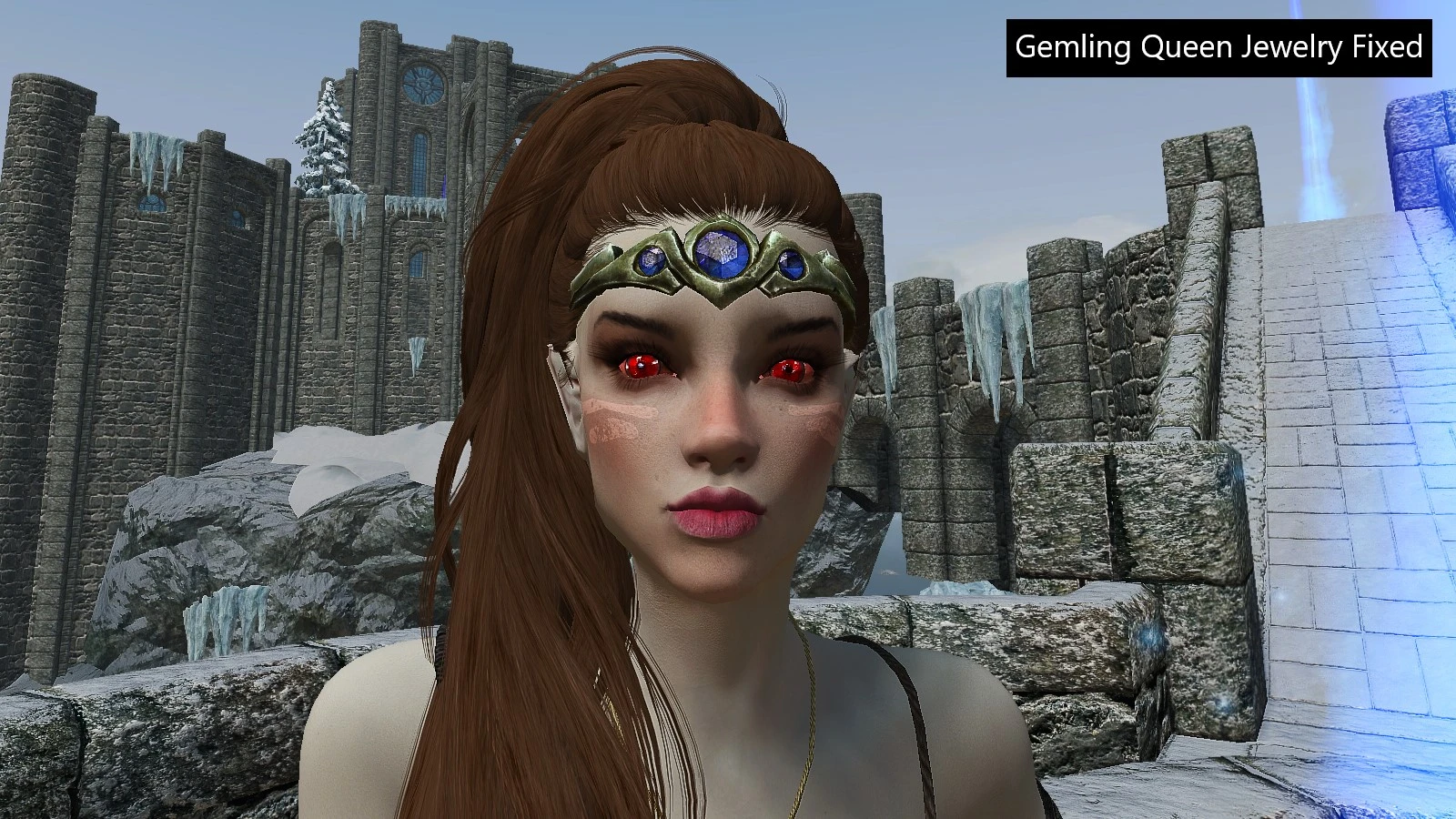
Fixes the problem that circlet mods don't work well with USSEP.
Click here to manually download the mod OR here to automatically download the mod through Mod Organizer 2.
When downloaded go to the folder where the file has been downloaded, cut the file Gemling Queen Jewelry SE USSEP Circlet Fix-35576-1-0-1588574614.zip and copy it to your NOLVUS\ARCHIVE\5_VISUALS\5.17_OBJECTS & MODELS directoryNexus mod page here
In Mod Organizer 2 click on add mod button
Browse to NOLVUS\ARCHIVE\5_VISUALS\5.17_OBJECTS & MODELS\Gemling Queen Jewelry SE USSEP Circlet Fix-35576-1-0-1588574614.zip and select OK
Fill informations as shown and click on OK
 Drag and drop Gemling Queen Jewelry - USSEP Circlet Fix above OUTPUTS and check the mod.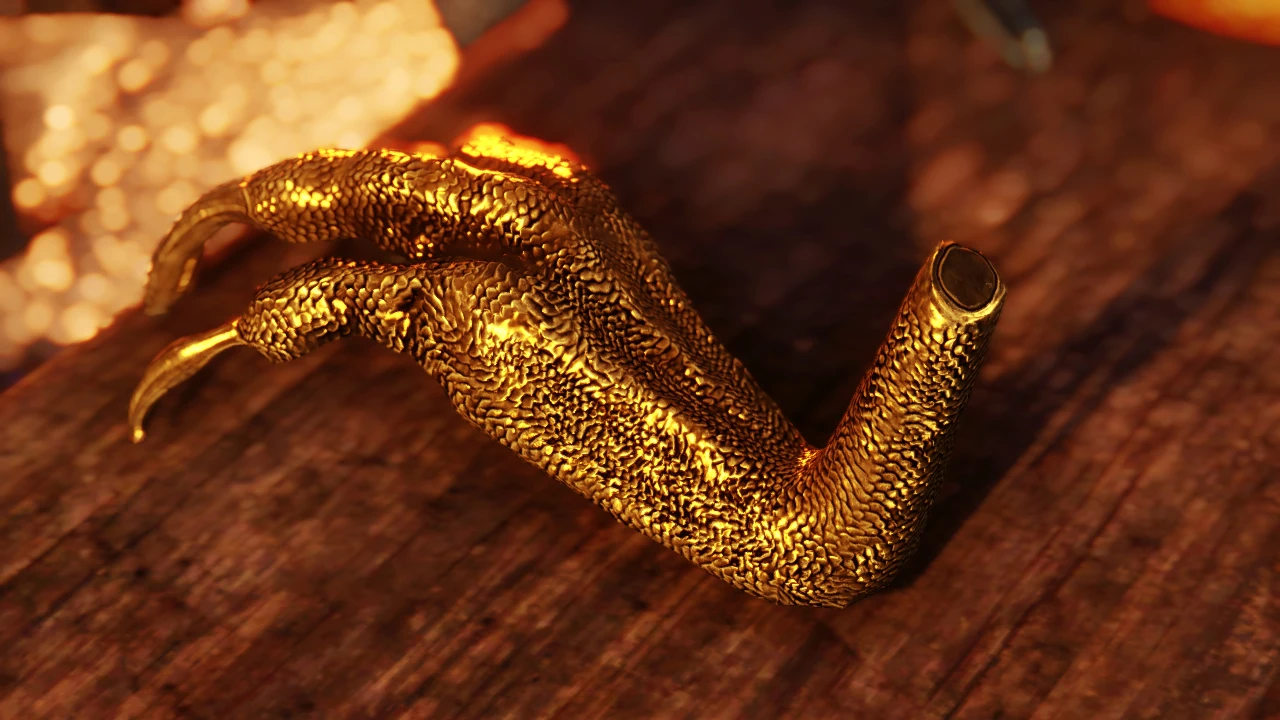
Adds NEW models and textures for vanilla Dragon Claws. Comes in 1k, 2k and 4k Resolutions.
Click here to manually download the mod OR here to automatically download the mod through Mod Organizer 2.
When downloaded go to the folder where the file has been downloaded, cut the file 4k Textures-1394-1-0.rar and copy it to your NOLVUS\ARCHIVE\5_VISUALS\5.17_OBJECTS & MODELS directoryNexus mod page here
In Mod Organizer 2 click on add mod button
Browse to NOLVUS\ARCHIVE\5_VISUALS\5.17_OBJECTS & MODELS\4k Textures-1394-1-0.rar and select OK
Fill informations as shown and click on OK
 Drag and drop JS Dragon Claw above OUTPUTS and check the mod.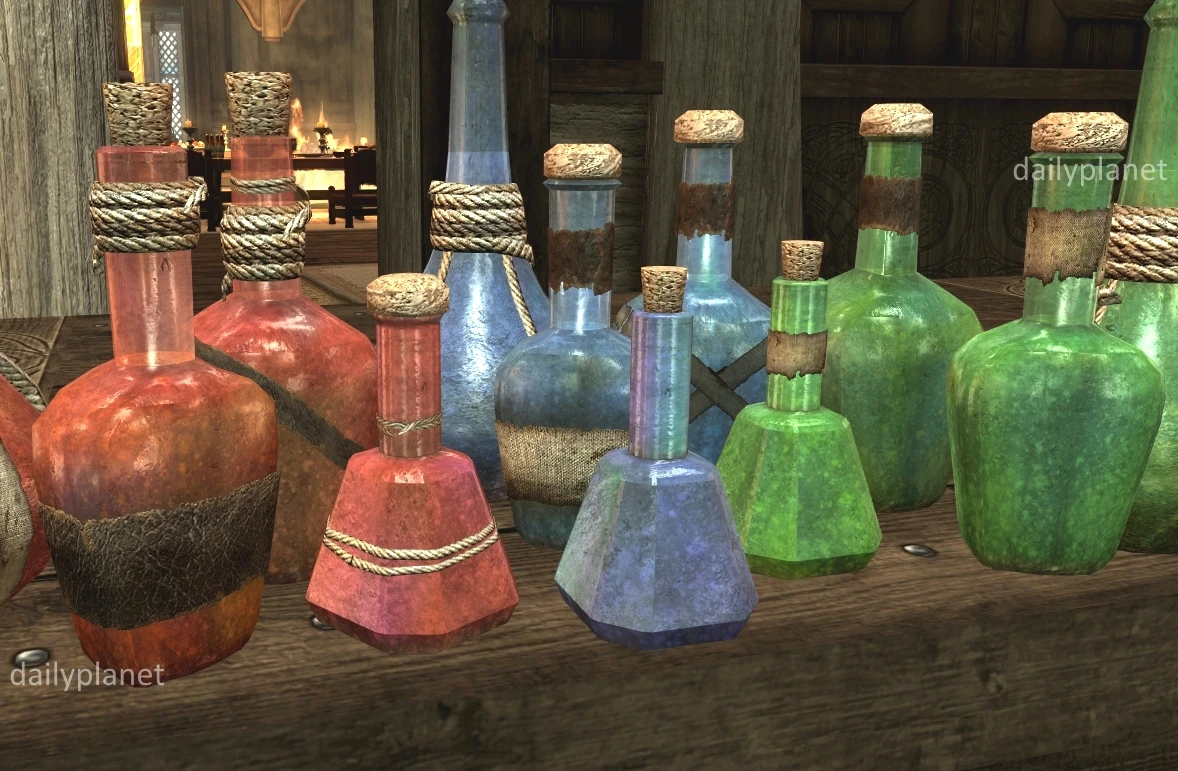
This mod adds subtle, colorful animations to Gamwich's RUSTIC POTIONS and POISONS.
Click here to manually download the mod OR here to automatically download the mod through Mod Organizer 2.
When downloaded go to the folder where the file has been downloaded, cut the file RUSTIC ANIMATED POTIONS and POISONS 2K-2276-1-1.rar and copy it to your NOLVUS\ARCHIVE\5_VISUALS\5.17_OBJECTS & MODELS directoryNexus mod page here
In Mod Organizer 2 click on add mod button
Browse to NOLVUS\ARCHIVE\5_VISUALS\5.17_OBJECTS & MODELS\RUSTIC ANIMATED POTIONS and POISONS 2K-2276-1-1.rar and select OK
Fill informations as shown and click on OK
 Drag and drop Rustic Animated Potions and Poisons above OUTPUTS and check the mod.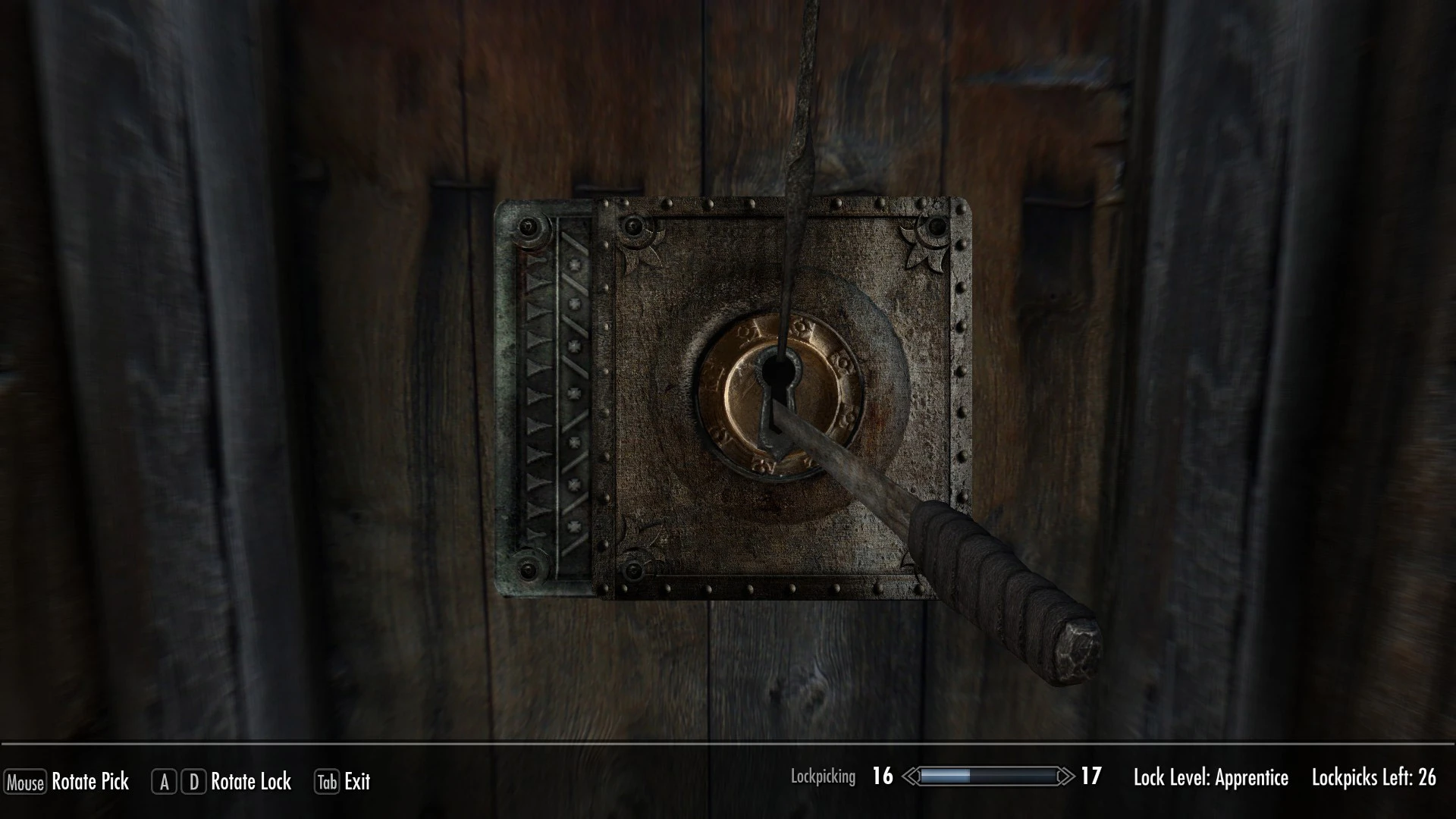
Replacement of vanilla lock.
Click here to manually download the mod OR here to automatically download the mod through Mod Organizer 2.
When downloaded go to the folder where the file has been downloaded, cut the file Lock Retexture 4K-32594-1-1-1582009919.zip and copy it to your NOLVUS\ARCHIVE\5_VISUALS\5.17_OBJECTS & MODELS directoryNexus mod page here
In Mod Organizer 2 click on add mod button
Browse to NOLVUS\ARCHIVE\5_VISUALS\5.17_OBJECTS & MODELS\Lock Retexture 4K-32594-1-1-1582009919.zip and select OK
Fill informations as shown and click on OK
 Drag and drop Lock Retexture above OUTPUTS and check the mod.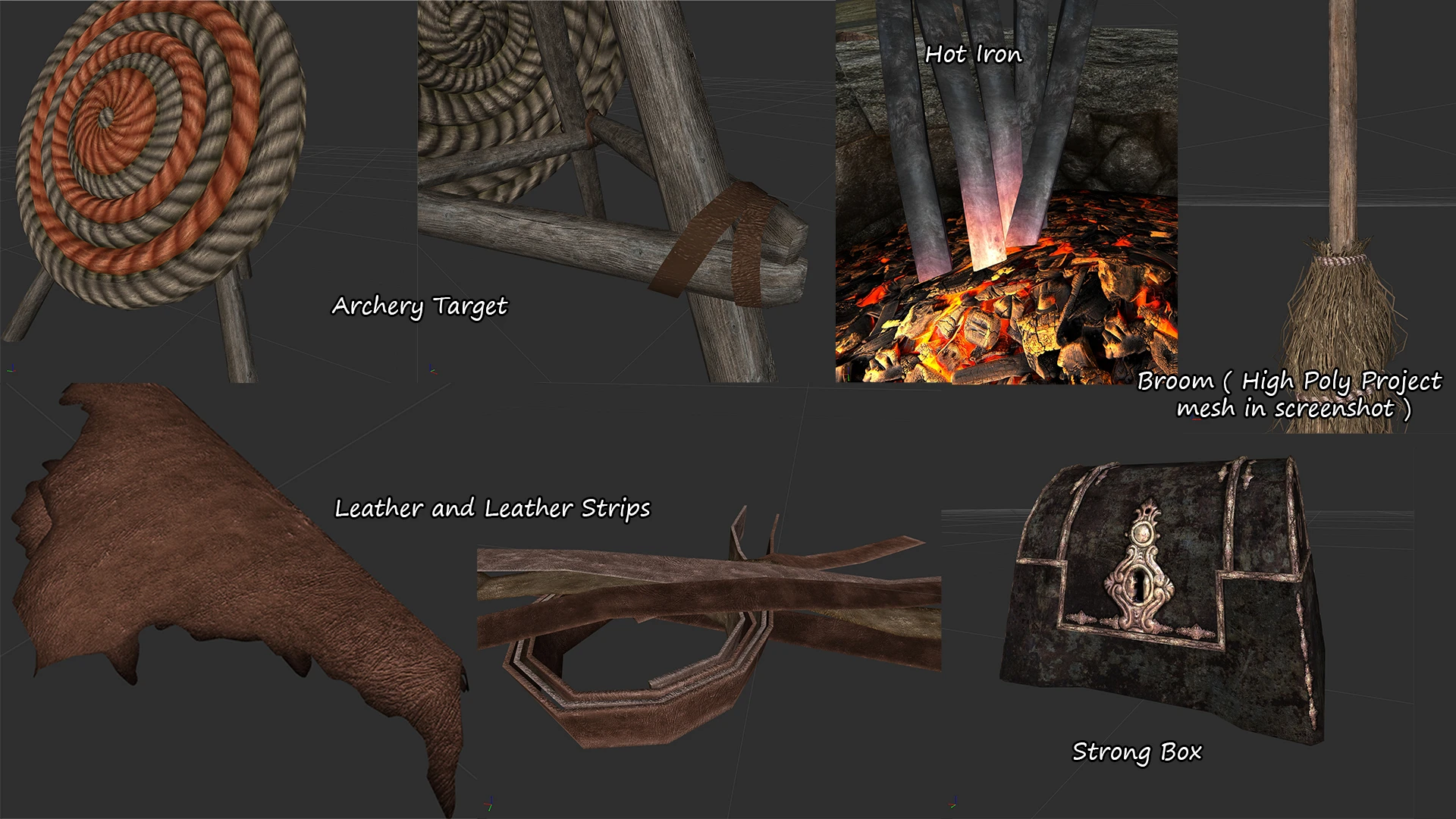
An ongoing project to find and retexture overlooked items throughout Skyrim.
Click here to manually download the mod OR here to automatically download the mod through Mod Organizer 2.
When downloaded go to the folder where the file has been downloaded, cut the file Misc Retexture Project-13578-2-6-1628839759.7z and copy it to your NOLVUS\ARCHIVE\5_VISUALS\5.17_OBJECTS & MODELS directoryNexus mod page here
In Mod Organizer 2 click on add mod button
Browse to NOLVUS\ARCHIVE\5_VISUALS\5.17_OBJECTS & MODELS\Misc Retexture Project-13578-2-6-1628839759.7z and select OK
Fill informations as shown and click on OK
 Drag and drop Misc Retexture Project above OUTPUTS and check the mod.
Double click on the mod, go to Filetree tab and hide these files

Do the same for these files

An ongoing project to find and retexture overlooked items throughout Skyrim.
Click here to manually download the mod OR here to automatically download the mod through Mod Organizer 2.
When downloaded go to the folder where the file has been downloaded, cut the file Retextured SMIM Ingredients-13578-2-2-1583673906.7z and copy it to your NOLVUS\ARCHIVE\5_VISUALS\5.17_OBJECTS & MODELS directoryNexus mod page here
In Mod Organizer 2 click on add mod button
Browse to NOLVUS\ARCHIVE\5_VISUALS\5.17_OBJECTS & MODELS\Retextured SMIM Ingredients-13578-2-2-1583673906.7z and select OK
Fill informations as shown and click on OK
 Drag and drop Misc Retexture Project - Smim Ingredients above OUTPUTS and check the mod.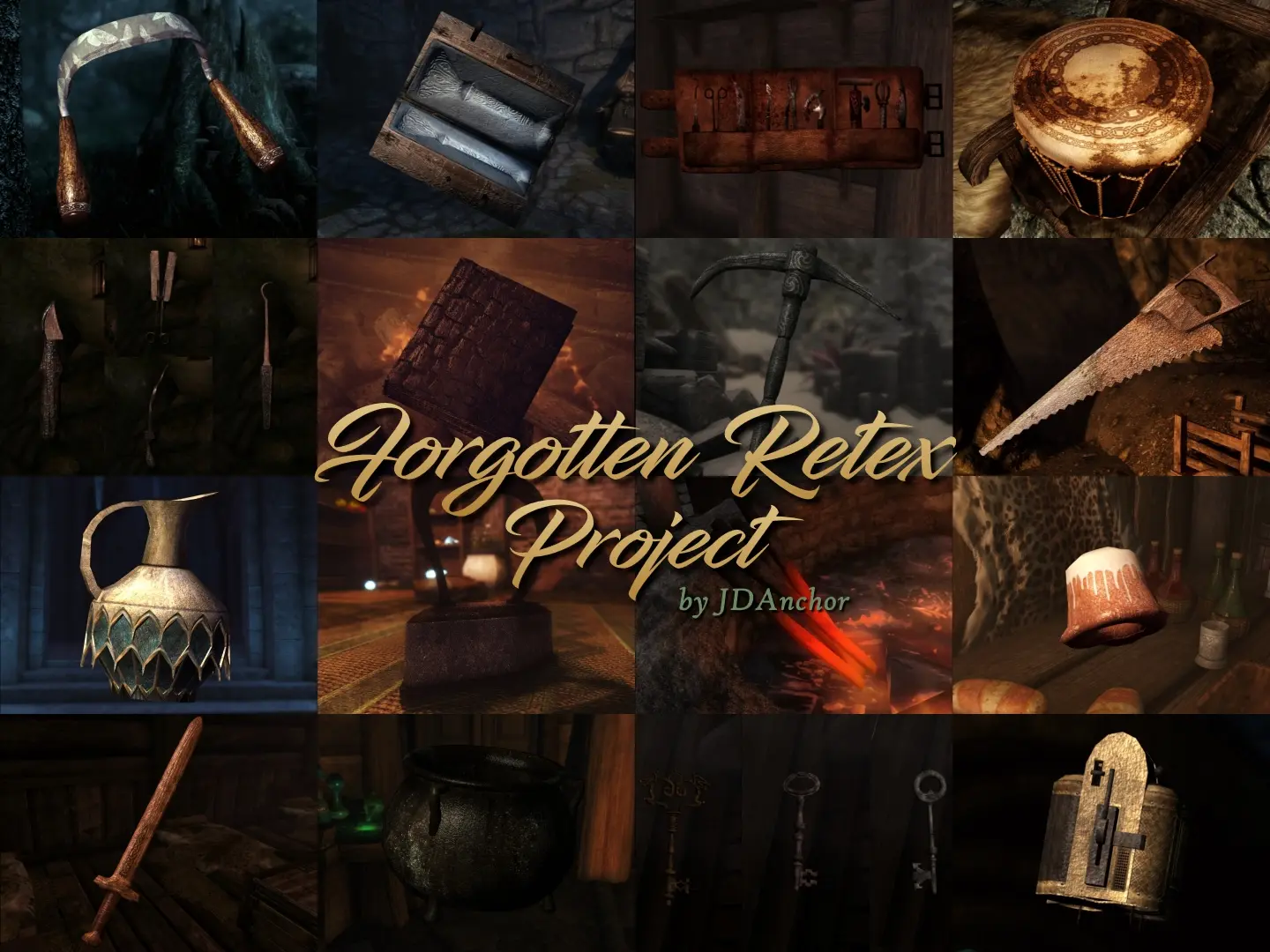
This is an effort at remembering and revisiting the often overlooked objects in the world of Skyrim. This project retextures and provides some new meshes for quest rewards, clutter, and other smaller items to work alongside large landscape and city texture overhaul mods so that your Skyrim can look its best.
Click here to manually download the mod OR here to automatically download the mod through Mod Organizer 2.
When downloaded go to the folder where the file has been downloaded, cut the file Forgotten Retex Project-7849-5-3-1559412759.7z and copy it to your NOLVUS\ARCHIVE\5_VISUALS\5.17_OBJECTS & MODELS directoryNexus mod page here
In Mod Organizer 2 click on add mod button
Browse to NOLVUS\ARCHIVE\5_VISUALS\5.17_OBJECTS & MODELS\Forgotten Retex Project-7849-5-3-1559412759.7z and select OK
Select options as shown and click on Install

Double click on the mod, select Filetree tab, and hide the following files.
 Drag and drop Forgotten Retex Project above OUTPUTS and check the mod.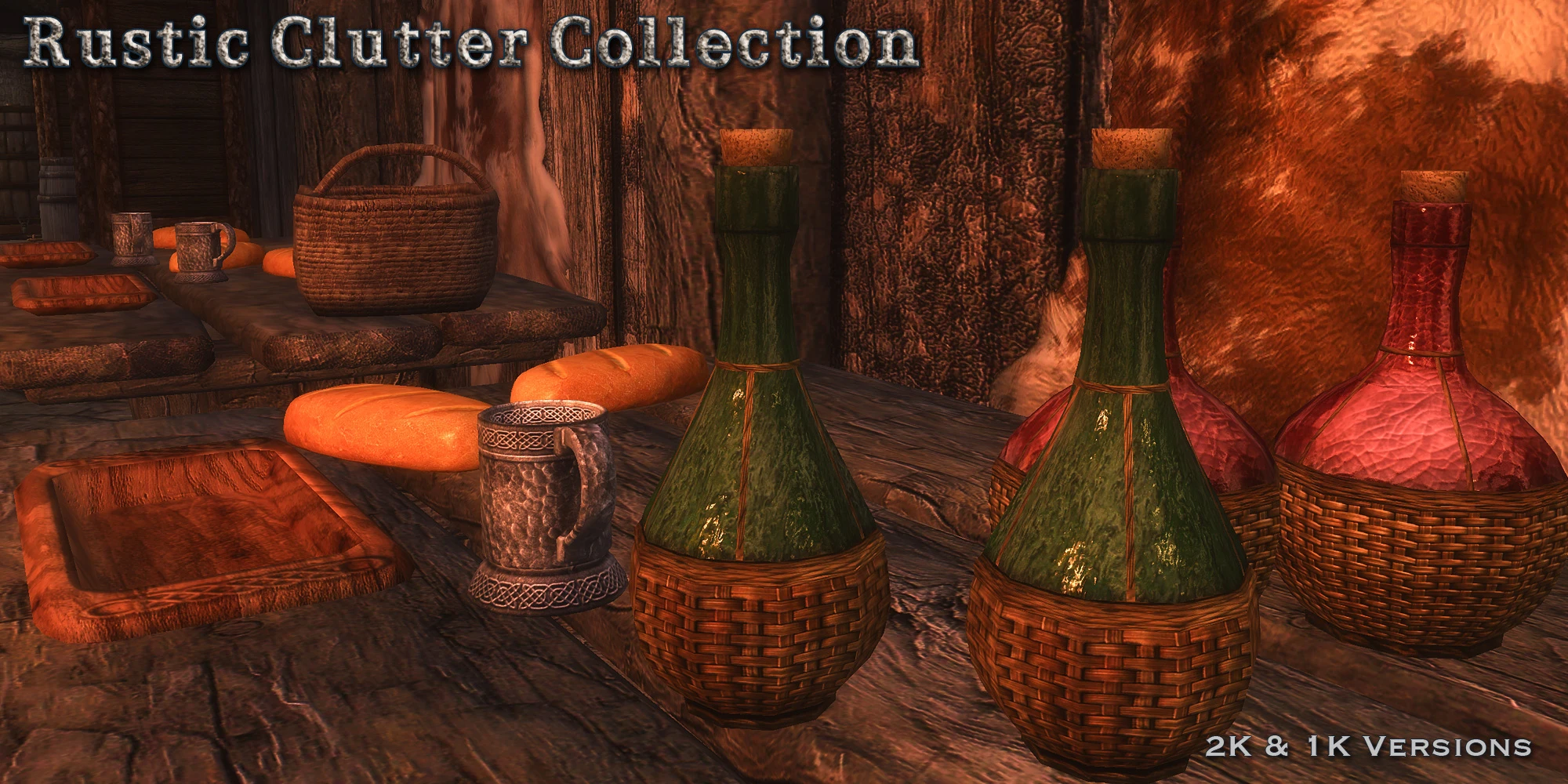
This is a collection of my Rustic clutter item retextures. The mod includes RUSTIC DINNERWARE, RUSTIC POTTERY, and RUSTIC SILVERWARE. There are also a few other clutter items like mead bottles, wine bottles, the satchel, knapsack, coin purse, strongbox, safe, prisoner cage, and the dwemer lexicon cubes. 2K and 1K versions available.
Click here to manually download the mod OR here to automatically download the mod through Mod Organizer 2.
When downloaded go to the folder where the file has been downloaded, cut the file RUSTIC CLUTTER COLLECTION - Special Edition - 2K-5795-1-0.7z and copy it to your NOLVUS\ARCHIVE\5_VISUALS\5.17_OBJECTS & MODELS directoryNexus mod page here
In Mod Organizer 2 click on add mod button
Browse to NOLVUS\ARCHIVE\5_VISUALS\5.17_OBJECTS & MODELS\RUSTIC CLUTTER COLLECTION - Special Edition - 2K-5795-1-0.7z and select OK
Fill informations as shown and click on OK
 Drag and drop Rustic Clutter Collection above OUTPUTS and check the mod.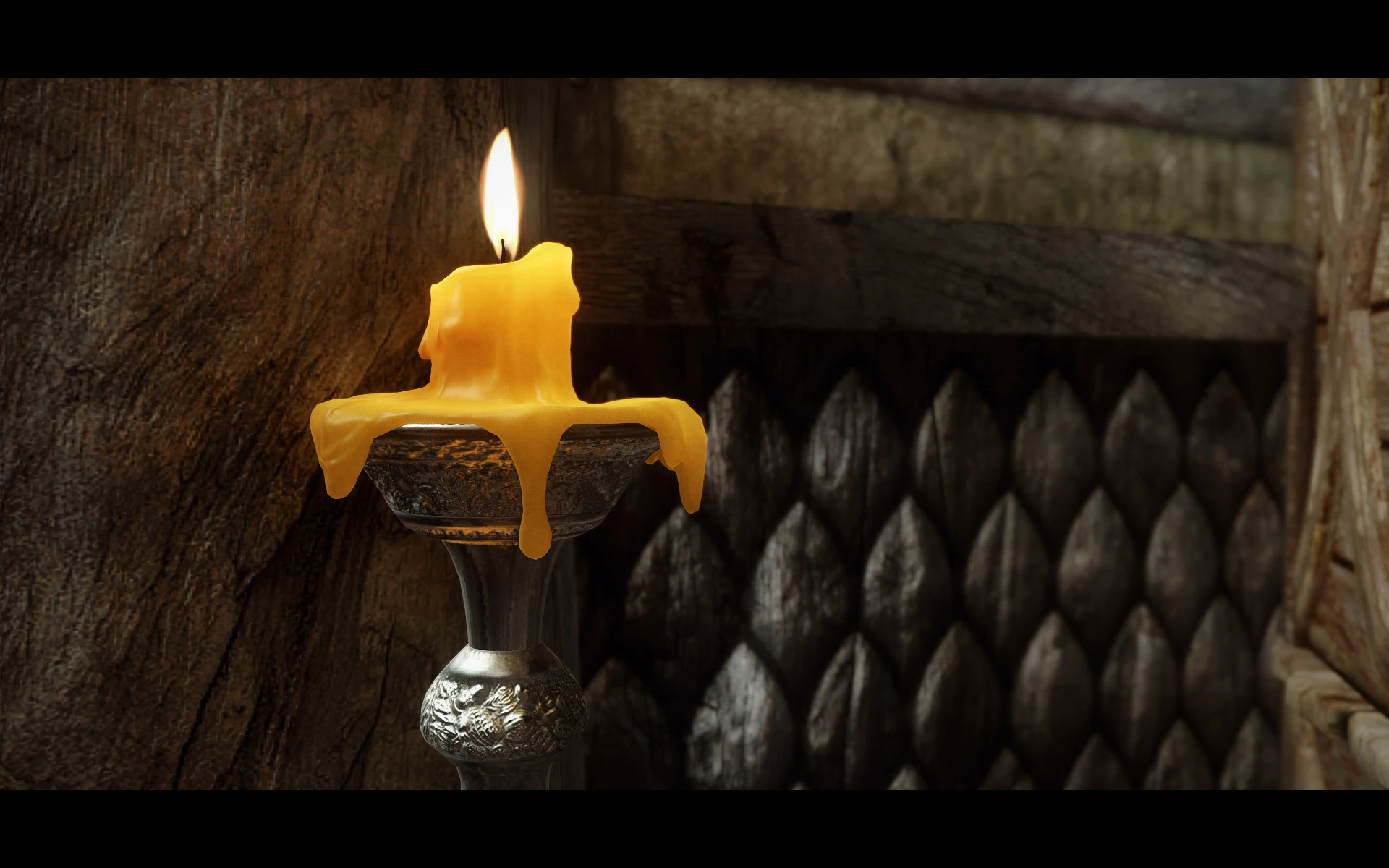
HQ meshes for a glazed pottery with a new 4K/2K textures. HQ meshes for in-game silverware with a new HQ candles. Realistic apples, tomatoes, potatoes, and a common bed pillows, plus HQ meshes for a common plates.
Click here to manually download the mod OR here to automatically download the mod through Mod Organizer 2.
When downloaded go to the folder where the file has been downloaded, cut the file Rudy HQ - Miscellaneous SE-19867-1-02-1605037093.rar and copy it to your NOLVUS\ARCHIVE\5_VISUALS\5.17_OBJECTS & MODELS directoryNexus mod page here
In Mod Organizer 2 click on add mod button
Browse to NOLVUS\ARCHIVE\5_VISUALS\5.17_OBJECTS & MODELS\Rudy HQ - Miscellaneous SE-19867-1-02-1605037093.rar and select OK

1. Select options as shown and click on Next
1. Select options as shown and click on Next
Rudy HQ - Miscellaneous SE Setup

2. Select options as shown and click on Next
2. Select options as shown and click on Next
Rudy HQ - Miscellaneous SE Setup

3. Select options as shown and click on Next
3. Select options as shown and click on Next
Rudy HQ - Miscellaneous SE Setup

4. Select options as shown and click on Next
4. Select options as shown and click on Next
Rudy HQ - Miscellaneous SE Setup

5. Select options as shown and click on Next
5. Select options as shown and click on Next
Rudy HQ - Miscellaneous SE Setup

6. Select options as shown and click on Install
6. Select options as shown and click on Install
Rudy HQ - Miscellaneous SE Setup
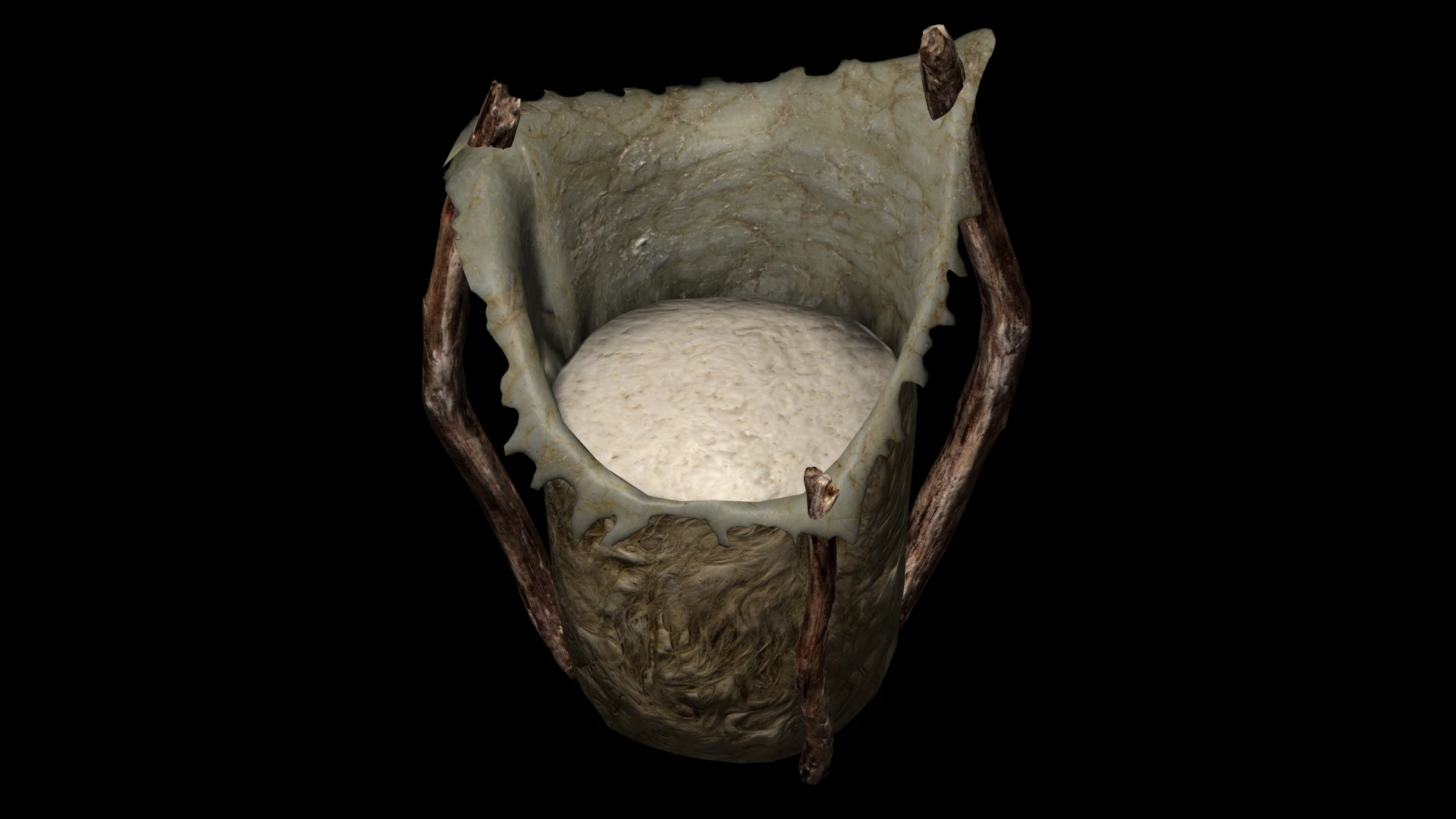
Replacer models for various objects
Click here to manually download the mod OR here to automatically download the mod through Mod Organizer 2.
When downloaded go to the folder where the file has been downloaded, cut the file Skyrim 3D Misc - Butterchurn-20829-1-0-1-1544303771.rar and copy it to your NOLVUS\ARCHIVE\5_VISUALS\5.17_OBJECTS & MODELS directoryNexus mod page here
In Mod Organizer 2 click on add mod button
Browse to NOLVUS\ARCHIVE\5_VISUALS\5.17_OBJECTS & MODELS\Skyrim 3D Misc - Butterchurn-20829-1-0-1-1544303771.rar and select OK
Fill informations as shown and click on OK
 Drag and drop Skyrim 3D Misc - Butterchurn above OUTPUTS and check the mod.
Replacer models for various objects
Click here to manually download the mod OR here to automatically download the mod through Mod Organizer 2.
When downloaded go to the folder where the file has been downloaded, cut the file Skyrim 3D Misc - Chopping Block and Axe-20829-1-0-0-1544302219.rar and copy it to your NOLVUS\ARCHIVE\5_VISUALS\5.17_OBJECTS & MODELS directoryNexus mod page here
In Mod Organizer 2 click on add mod button
Browse to NOLVUS\ARCHIVE\5_VISUALS\5.17_OBJECTS & MODELS\Skyrim 3D Misc - Chopping Block and Axe-20829-1-0-0-1544302219.rar and select OK
Fill informations as shown and click on OK
 Drag and drop Skyrim 3D Misc - Chopping Block and Axe above OUTPUTS and check the mod.
Replacer models for various objects
Click here to manually download the mod OR here to automatically download the mod through Mod Organizer 2.
When downloaded go to the folder where the file has been downloaded, cut the file Skyrim 3D Misc - Mammoth Cheese-20829-1-0-1-1540796457.rar and copy it to your NOLVUS\ARCHIVE\5_VISUALS\5.17_OBJECTS & MODELS directoryNexus mod page here
In Mod Organizer 2 click on add mod button
Browse to NOLVUS\ARCHIVE\5_VISUALS\5.17_OBJECTS & MODELS\Skyrim 3D Misc - Mammoth Cheese-20829-1-0-1-1540796457.rar and select OK
Fill informations as shown and click on OK
 Drag and drop Skyrim 3D Misc - Mammoth Cheese above OUTPUTS and check the mod.
Replacer models for various objects
Click here to manually download the mod OR here to automatically download the mod through Mod Organizer 2.
When downloaded go to the folder where the file has been downloaded, cut the file Skyrim 3D Misc - Traps-20829-1-0-0-1546893371.rar and copy it to your NOLVUS\ARCHIVE\5_VISUALS\5.17_OBJECTS & MODELS directoryNexus mod page here
In Mod Organizer 2 click on add mod button
Browse to NOLVUS\ARCHIVE\5_VISUALS\5.17_OBJECTS & MODELS\Skyrim 3D Misc - Traps-20829-1-0-0-1546893371.rar and select OK
Fill informations as shown and click on OK
 Drag and drop Skyrim 3D Misc - Traps above OUTPUTS and check the mod.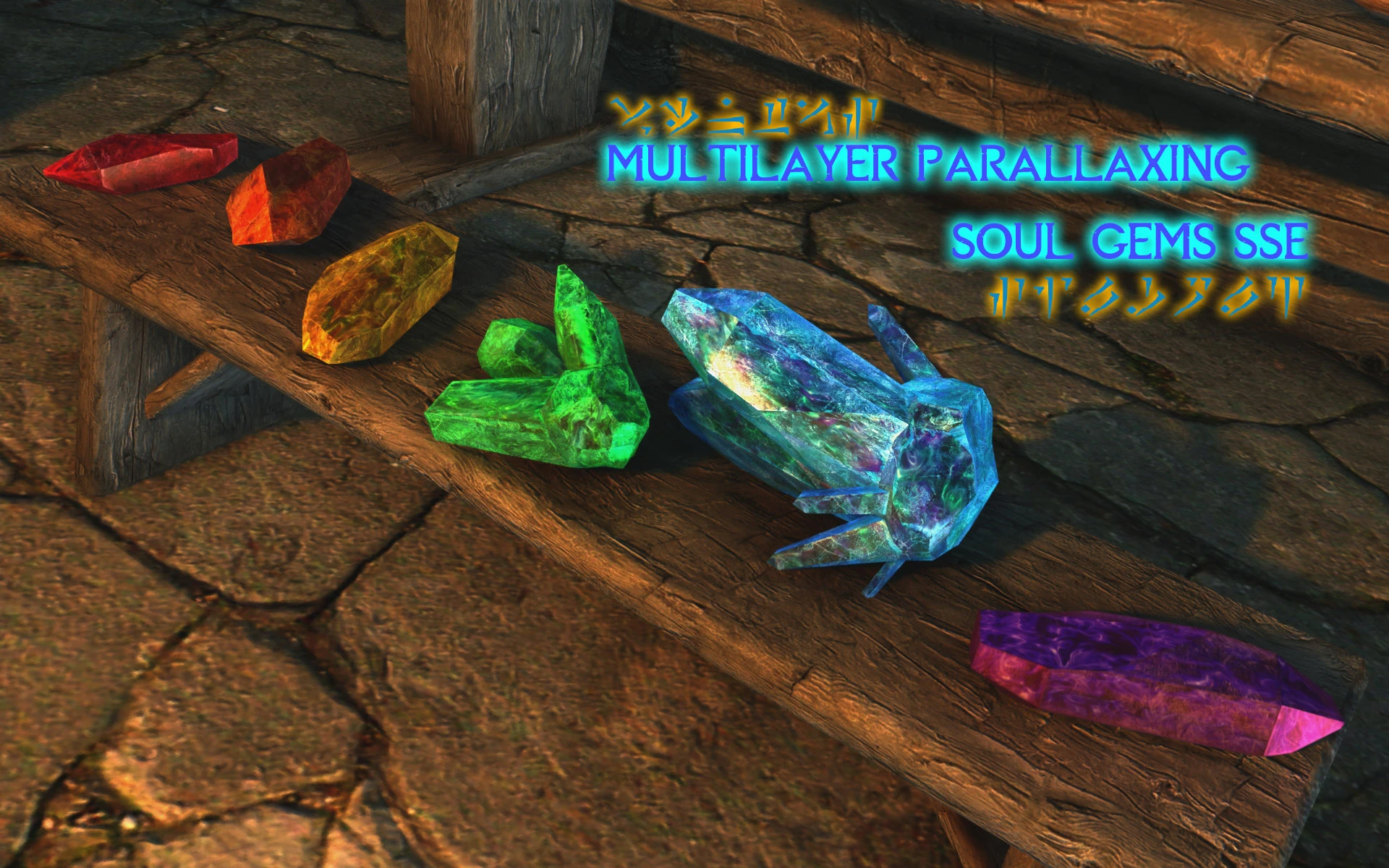
Animus-absorbent morpholiths sorted by diffuse reflection spectral frequency
Click here to manually download the mod OR here to automatically download the mod through Mod Organizer 2.
When downloaded go to the folder where the file has been downloaded, cut the file MLP Soul Gems SSE-25709-1-1557615562.7z and copy it to your NOLVUS\ARCHIVE\5_VISUALS\5.17_OBJECTS & MODELS directoryNexus mod page here
In Mod Organizer 2 click on add mod button
Browse to NOLVUS\ARCHIVE\5_VISUALS\5.17_OBJECTS & MODELS\MLP Soul Gems SSE-25709-1-1557615562.7z and select OK
Fill informations as shown and click on OK
 Drag and drop Multilayer Parallax Soul Gems above OUTPUTS and check the mod.
Animus-absorbent morpholiths sorted by diffuse reflection spectral frequency
Click here to manually download the mod OR here to automatically download the mod through Mod Organizer 2.
When downloaded go to the folder where the file has been downloaded, cut the file ENBLights Patch-25709-1-1570288666.7z and copy it to your NOLVUS\ARCHIVE\5_VISUALS\5.17_OBJECTS & MODELS directoryNexus mod page here
In Mod Organizer 2 click on add mod button
Browse to NOLVUS\ARCHIVE\5_VISUALS\5.17_OBJECTS & MODELS\ENBLights Patch-25709-1-1570288666.7z and select OK
Fill informations as shown and click on OK
 Drag and drop Multilayer Parallax Soul Gems - ENB Light Patch above OUTPUTS and check the mod.
Animus-absorbent morpholiths sorted by diffuse reflection spectral frequency
Click here to manually download the mod OR here to automatically download the mod through Mod Organizer 2.
When downloaded go to the folder where the file has been downloaded, cut the file Immersive Sounds Compendium ESPFE Patch-25709-1-1557671747.7z and copy it to your NOLVUS\ARCHIVE\5_VISUALS\5.17_OBJECTS & MODELS directoryNexus mod page here
In Mod Organizer 2 click on add mod button
Browse to NOLVUS\ARCHIVE\5_VISUALS\5.17_OBJECTS & MODELS\Immersive Sounds Compendium ESPFE Patch-25709-1-1557671747.7z and select OK
Fill informations as shown and click on OK
 Drag and drop Multilayer Parallax Soul Gens - Immersive Sounds Compendium Patch above OUTPUTS and check the mod.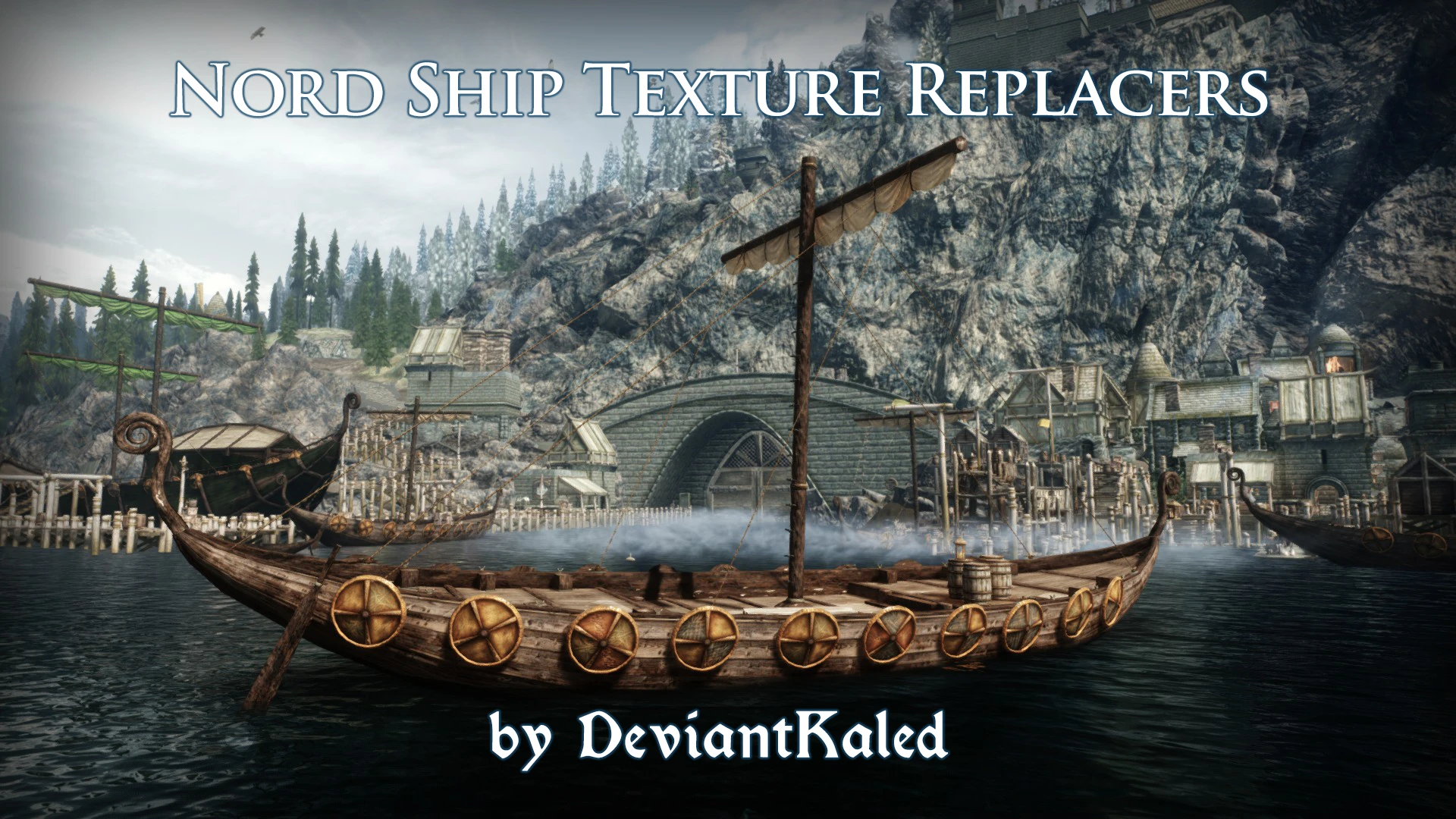
A very simple mod that applies custom, more realistic textures to the vanilla ship models.
Click here to manually download the mod OR here to automatically download the mod through Mod Organizer 2.
When downloaded go to the folder where the file has been downloaded, cut the file DeviantKaled's Nord Ship Texture Replacers-12817-1-1.zip and copy it to your NOLVUS\ARCHIVE\5_VISUALS\5.17_OBJECTS & MODELS directoryNexus mod page here
In Mod Organizer 2 click on add mod button
Browse to NOLVUS\ARCHIVE\5_VISUALS\5.17_OBJECTS & MODELS\DeviantKaled's Nord Ship Texture Replacers-12817-1-1.zip and select OK
Fill informations as shown and click on OK
 Drag and drop DeviantKaled's Nord Ship Texture Replacers above OUTPUTS and check the mod.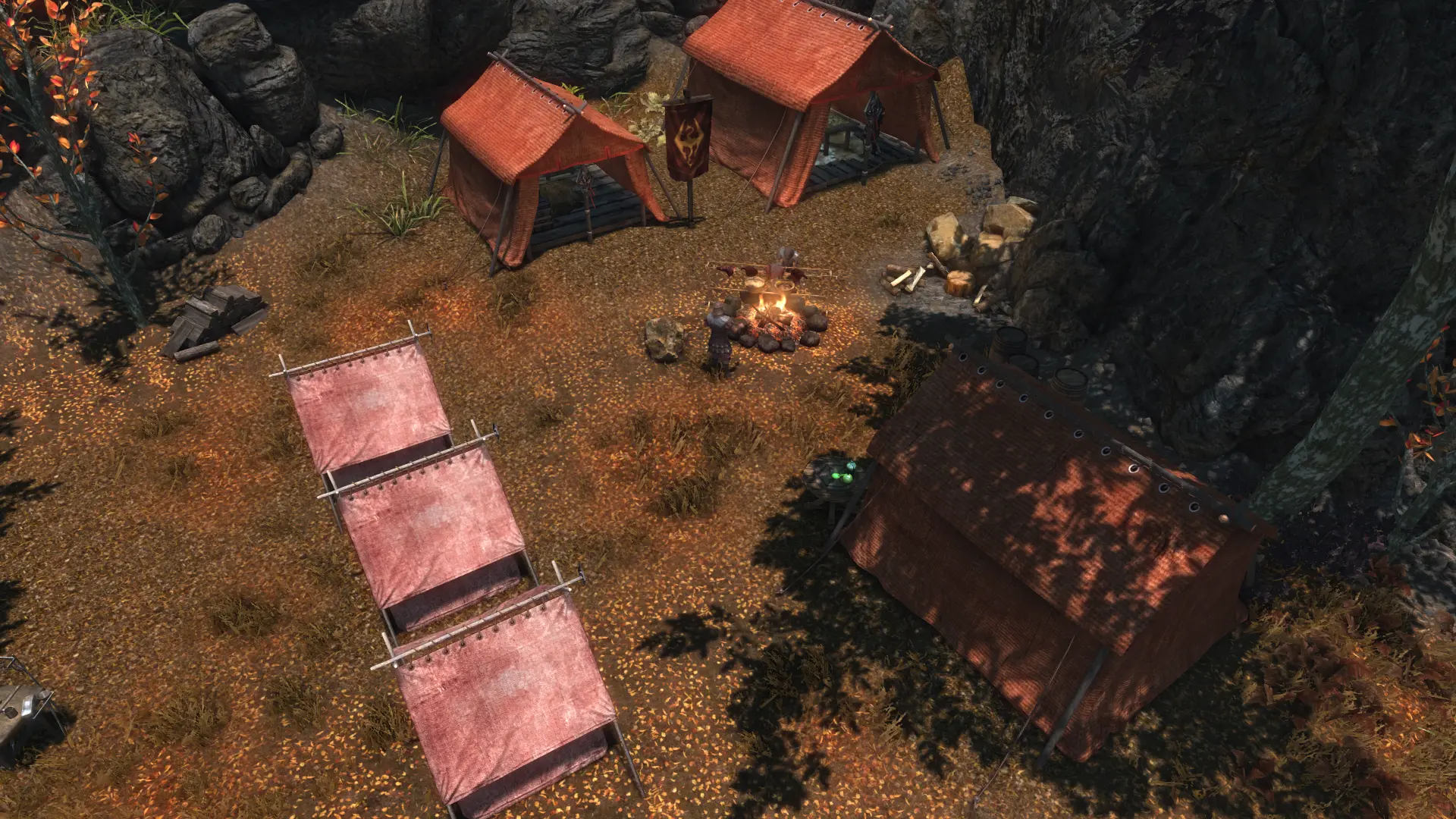
Retextures the Imperial large and small tents.
Click here to manually download the mod OR here to automatically download the mod through Mod Organizer 2.
When downloaded go to the folder where the file has been downloaded, cut the file 2K Imperial Tents-16962-1-3-1625144375.7z and copy it to your NOLVUS\ARCHIVE\5_VISUALS\5.17_OBJECTS & MODELS directoryNexus mod page here
In Mod Organizer 2 click on add mod button
Browse to NOLVUS\ARCHIVE\5_VISUALS\5.17_OBJECTS & MODELS\2K Imperial Tents-16962-1-3-1625144375.7z and select OK
Fill informations as shown and click on OK
 Drag and drop Imperial Tents Retexture above OUTPUTS and check the mod.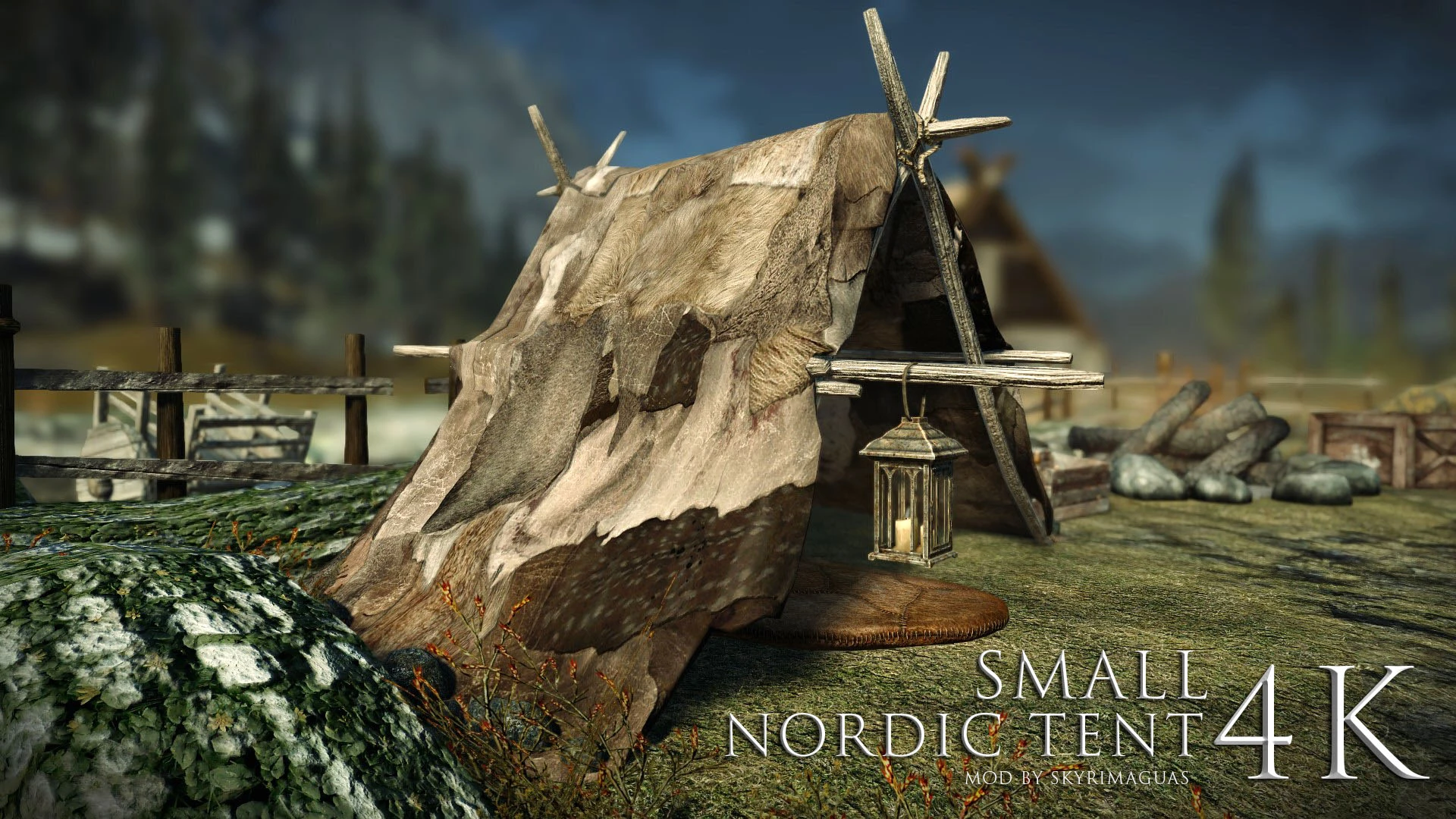
High quality 4k retexture and mesh UV remapping of the small Nordic Tents. Also available in 2k
Click here to manually download the mod OR here to automatically download the mod through Mod Organizer 2.
When downloaded go to the folder where the file has been downloaded, cut the file Small Nordic Tent 4K-36854-1-0-1591279431.zip and copy it to your NOLVUS\ARCHIVE\5_VISUALS\5.17_OBJECTS & MODELS directoryNexus mod page here
In Mod Organizer 2 click on add mod button
Browse to NOLVUS\ARCHIVE\5_VISUALS\5.17_OBJECTS & MODELS\Small Nordic Tent 4K-36854-1-0-1591279431.zip and select OK
Fill informations as shown and click on OK
 Drag and drop Nordic Tents Retexture above OUTPUTS and check the mod.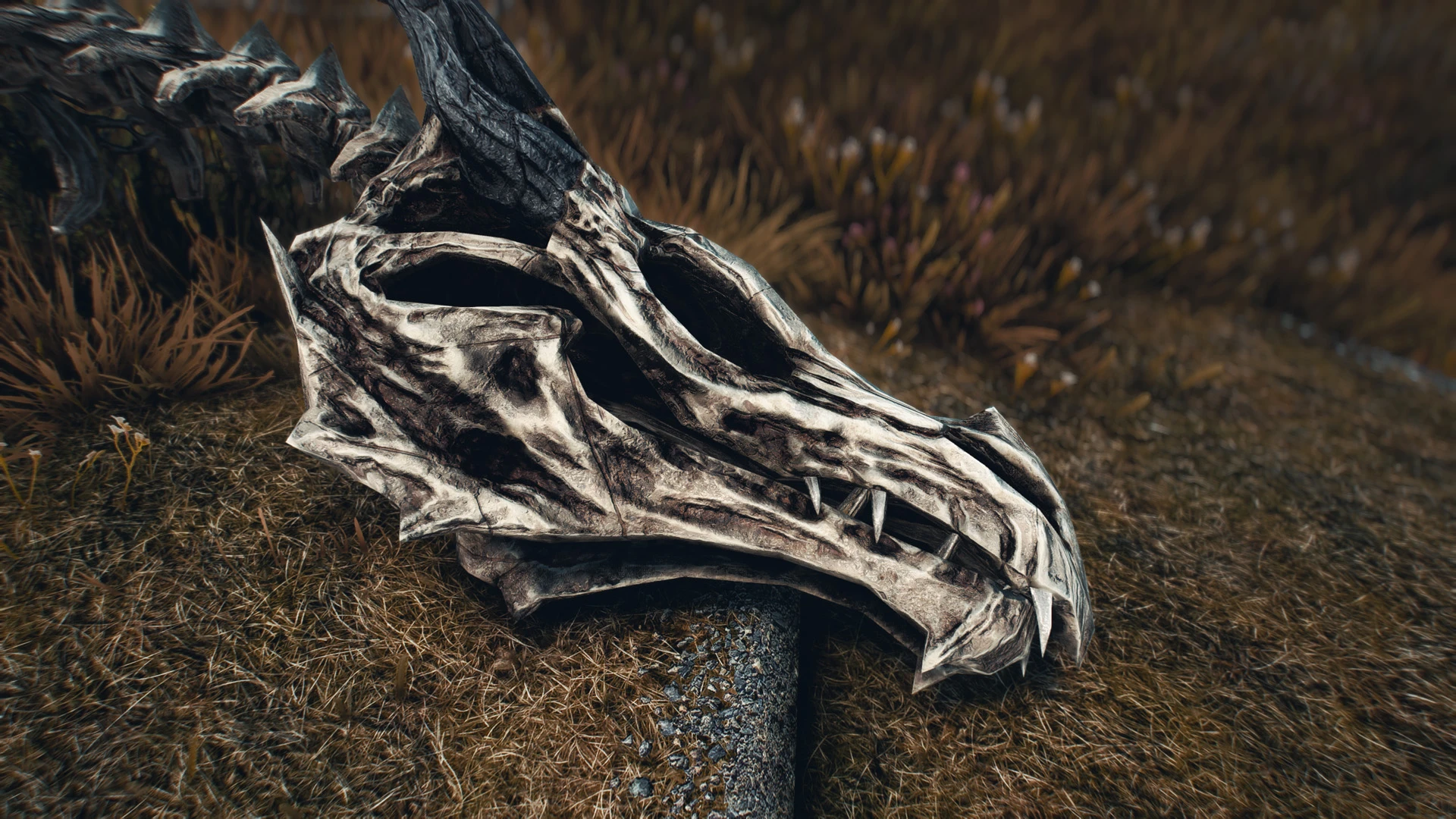
High resolution (up to 8k) retexture of dragon bones.
Also includes the two misc items dragon bones and dragon scales.
Click here to manually download the mod OR here to automatically download the mod through Mod Organizer 2.
When downloaded go to the folder where the file has been downloaded, cut the file Frankly HD Dragonbones 4k-2k-25099-1-0-1555458166.7z and copy it to your NOLVUS\ARCHIVE\5_VISUALS\5.17_OBJECTS & MODELS directoryNexus mod page here
In Mod Organizer 2 click on add mod button
Browse to NOLVUS\ARCHIVE\5_VISUALS\5.17_OBJECTS & MODELS\Frankly HD Dragonbones 4k-2k-25099-1-0-1555458166.7z and select OK
Fill informations as shown and click on OK
 Drag and drop Frankly HD Dragonbones above OUTPUTS and check the mod.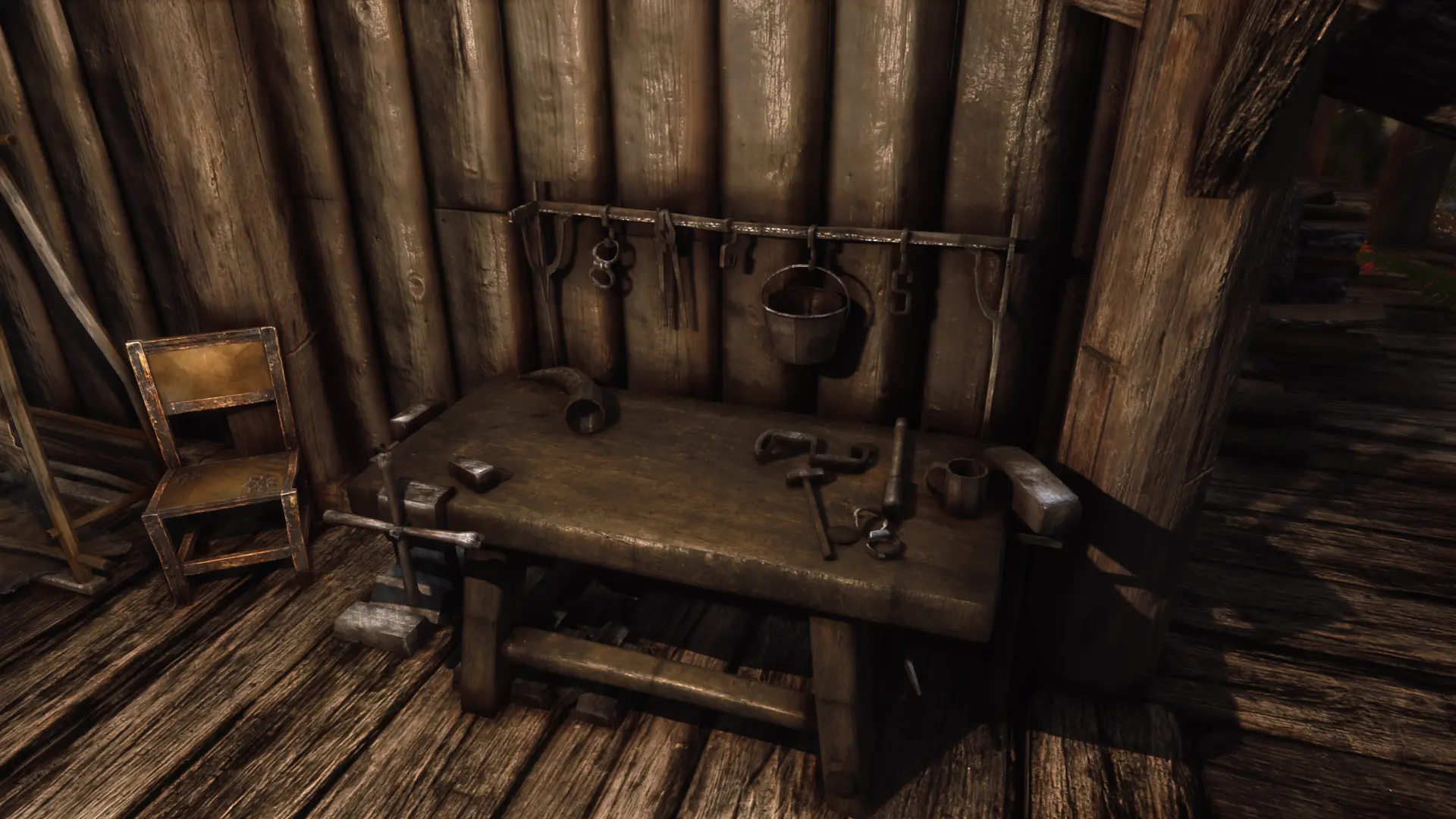
New high poly mesh and texture for the workbench
Click here to manually download the mod OR here to automatically download the mod through Mod Organizer 2.
When downloaded go to the folder where the file has been downloaded, cut the file Workbench-23164-1-4-1549546524.7z and copy it to your NOLVUS\ARCHIVE\5_VISUALS\5.17_OBJECTS & MODELS directoryNexus mod page here
In Mod Organizer 2 click on add mod button
Browse to NOLVUS\ARCHIVE\5_VISUALS\5.17_OBJECTS & MODELS\Workbench-23164-1-4-1549546524.7z and select OK
Fill informations as shown and click on OK
 Drag and drop Renthal's Workbench above OUTPUTS and check the mod.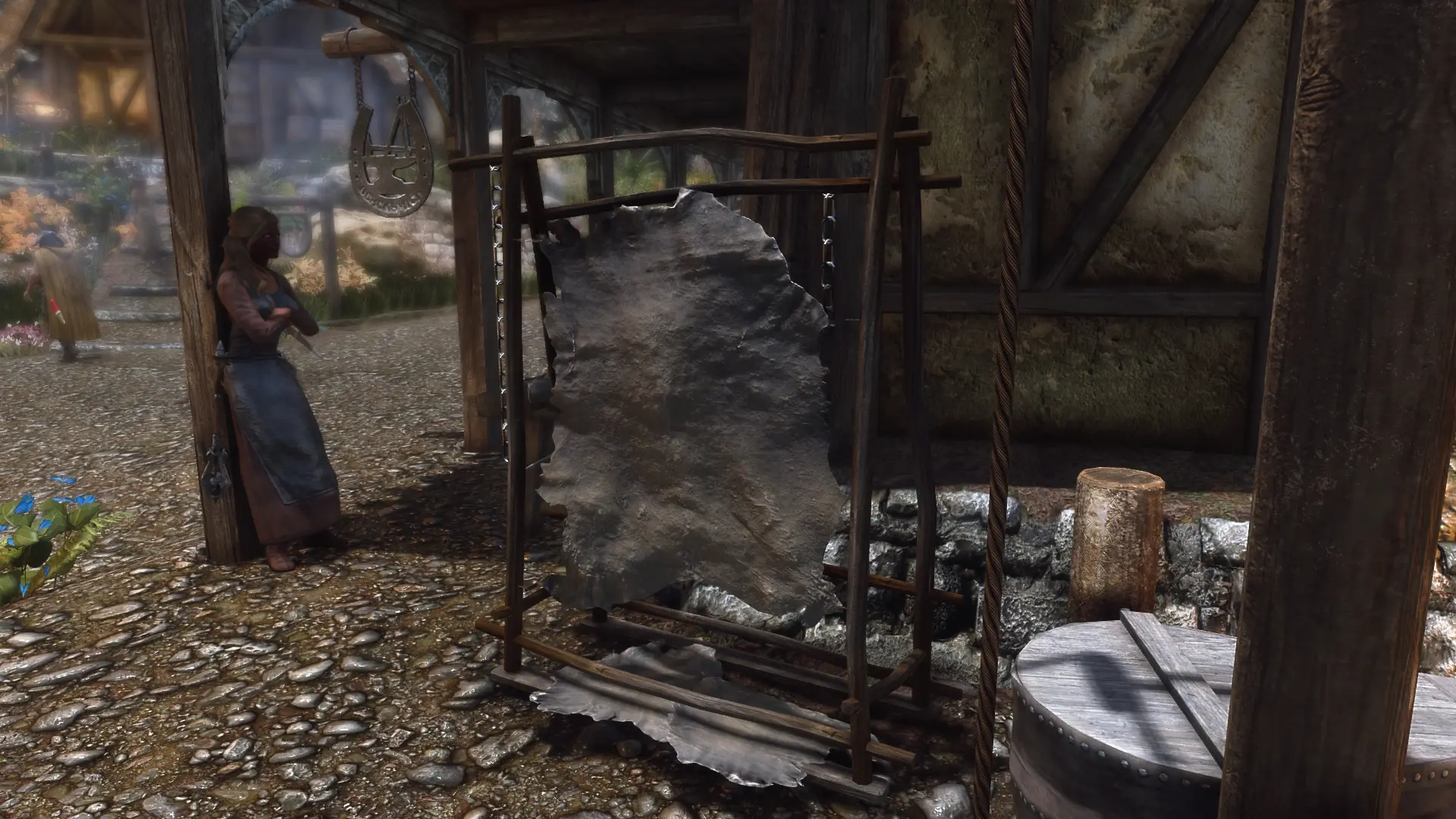
New high poly tanning rack with new textures
Click here to manually download the mod OR here to automatically download the mod through Mod Organizer 2.
When downloaded go to the folder where the file has been downloaded, cut the file Tanningrack-23189-1-0-1549569384.7z and copy it to your NOLVUS\ARCHIVE\5_VISUALS\5.17_OBJECTS & MODELS directoryNexus mod page here
In Mod Organizer 2 click on add mod button
Browse to NOLVUS\ARCHIVE\5_VISUALS\5.17_OBJECTS & MODELS\Tanningrack-23189-1-0-1549569384.7z and select OK
Fill informations as shown and click on OK
 Drag and drop Renthal's Tanning rack above OUTPUTS and check the mod.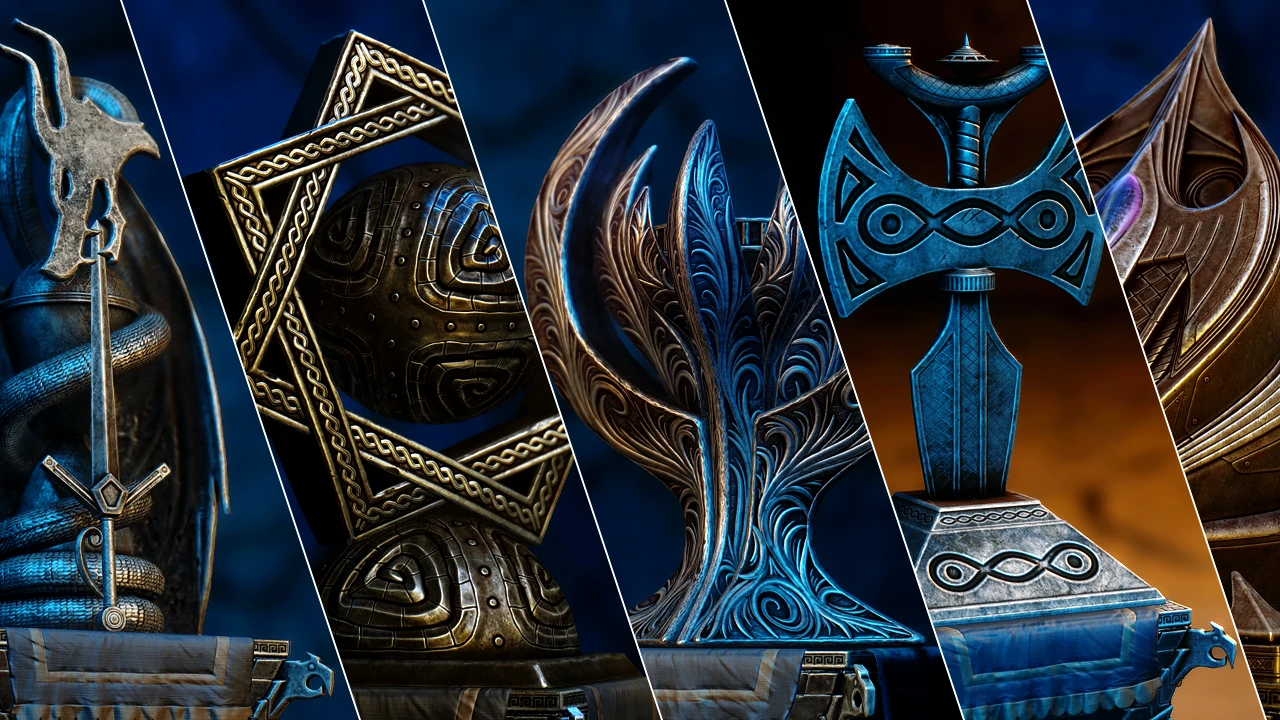
Replaces vanilla divine shrines with completely remade, higher resolution versions. Comes in 2k and 4k.
Click here to manually download the mod OR here to automatically download the mod through Mod Organizer 2.
When downloaded go to the folder where the file has been downloaded, cut the file JS Shrines of the Divines SE - 2K-33394-1-3-1652146205.7z and copy it to your NOLVUS\ARCHIVE\5_VISUALS\5.17_OBJECTS & MODELS directoryNexus mod page here
In Mod Organizer 2 click on add mod button
Browse to NOLVUS\ARCHIVE\5_VISUALS\5.17_OBJECTS & MODELS\JS Shrines of the Divines SE - 2K-33394-1-3-1652146205.7z and select OK
Fill informations as shown and click on OK
 Drag and drop JS Shrines of the Divines above OUTPUTS and check the mod.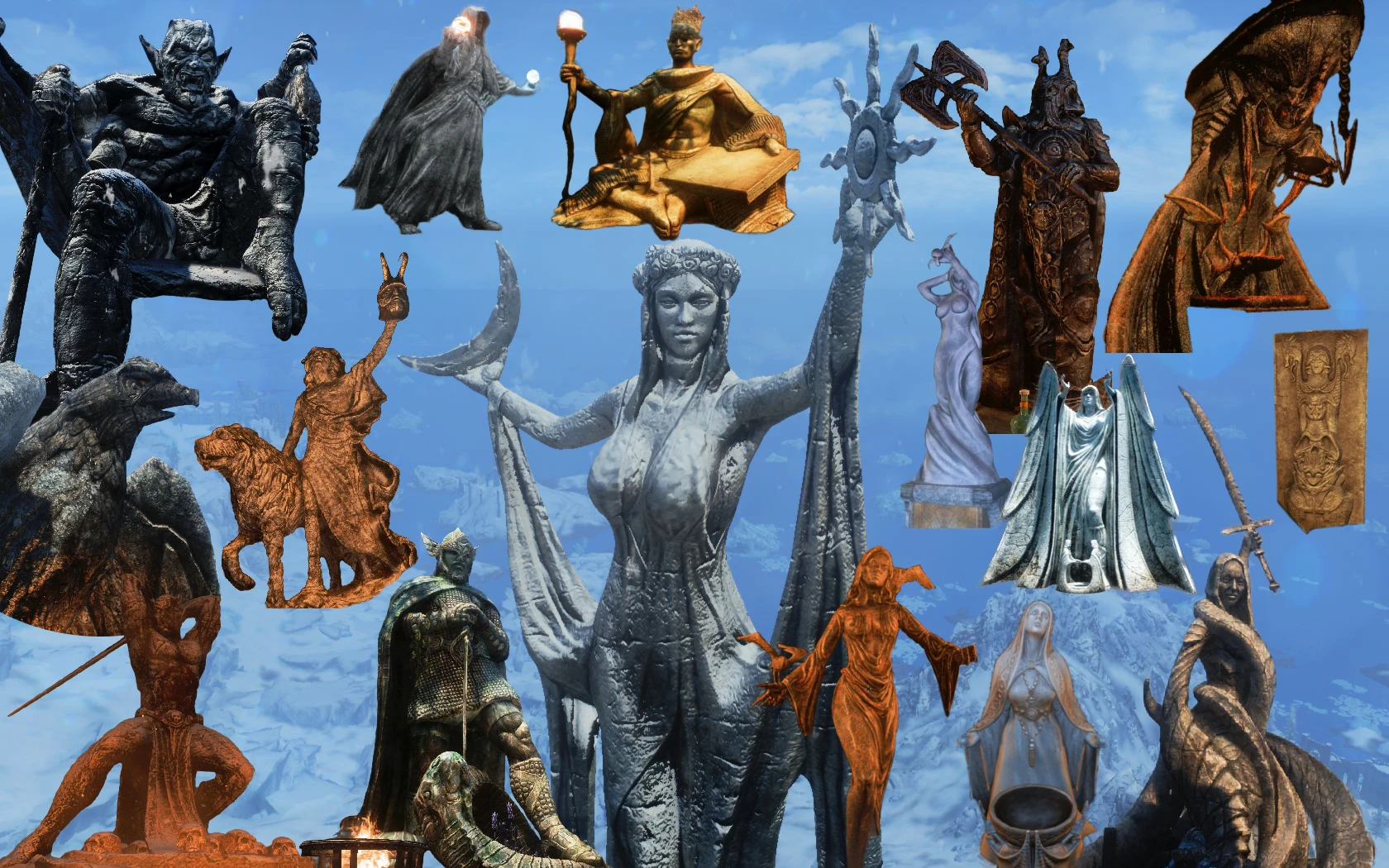
All Statues of Skyrim remade in HD
Click here to manually download the mod OR here to automatically download the mod through Mod Organizer 2.
When downloaded go to the folder where the file has been downloaded, cut the file SSoS - Installer Fix-3375-v1-5.7z and copy it to your NOLVUS\ARCHIVE\5_VISUALS\5.17_OBJECTS & MODELS directoryNexus mod page here
In Mod Organizer 2 click on add mod button
Browse to NOLVUS\ARCHIVE\5_VISUALS\5.17_OBJECTS & MODELS\SSoS - Installer Fix-3375-v1-5.7z and select OK

1. Select options as shown and click on Next
1. Select options as shown and click on Next
Stunning Statues of Skyrim Setup

2. Select options as shown and click on Next
2. Select options as shown and click on Next
Stunning Statues of Skyrim Setup

3. Select options as shown and click on Next
3. Select options as shown and click on Next
Stunning Statues of Skyrim Setup

4. Select options as shown and click on Next
4. Select options as shown and click on Next
Stunning Statues of Skyrim Setup

5. Select options as shown and click on Next
5. Select options as shown and click on Next
Stunning Statues of Skyrim Setup

6. Select options as shown and click on Next
6. Select options as shown and click on Next
Stunning Statues of Skyrim Setup

7. Select options as shown and click on Next
7. Select options as shown and click on Next
Stunning Statues of Skyrim Setup

8. Select options as shown and click on Next
8. Select options as shown and click on Next
Stunning Statues of Skyrim Setup

9. Select options as shown and click on Next
9. Select options as shown and click on Next
Stunning Statues of Skyrim Setup

10. Select options as shown and click on Next
10. Select options as shown and click on Next
Stunning Statues of Skyrim Setup

11. Select options as shown and click on Next
11. Select options as shown and click on Next
Stunning Statues of Skyrim Setup

12. Select options as shown and click on Next
12. Select options as shown and click on Next
Stunning Statues of Skyrim Setup

13. Select options as shown and click on Next
13. Select options as shown and click on Next
Stunning Statues of Skyrim Setup

14. Select options as shown and click on Next
14. Select options as shown and click on Next
Stunning Statues of Skyrim Setup

15. Select options as shown and click on Next
15. Select options as shown and click on Next
Stunning Statues of Skyrim Setup

16. Select options as shown and click on Next
16. Select options as shown and click on Next
Stunning Statues of Skyrim Setup

17. Select options as shown and click on Next
17. Select options as shown and click on Next
Stunning Statues of Skyrim Setup

18. Select options as shown and click on Install
18. Select options as shown and click on Install
Stunning Statues of Skyrim Setup
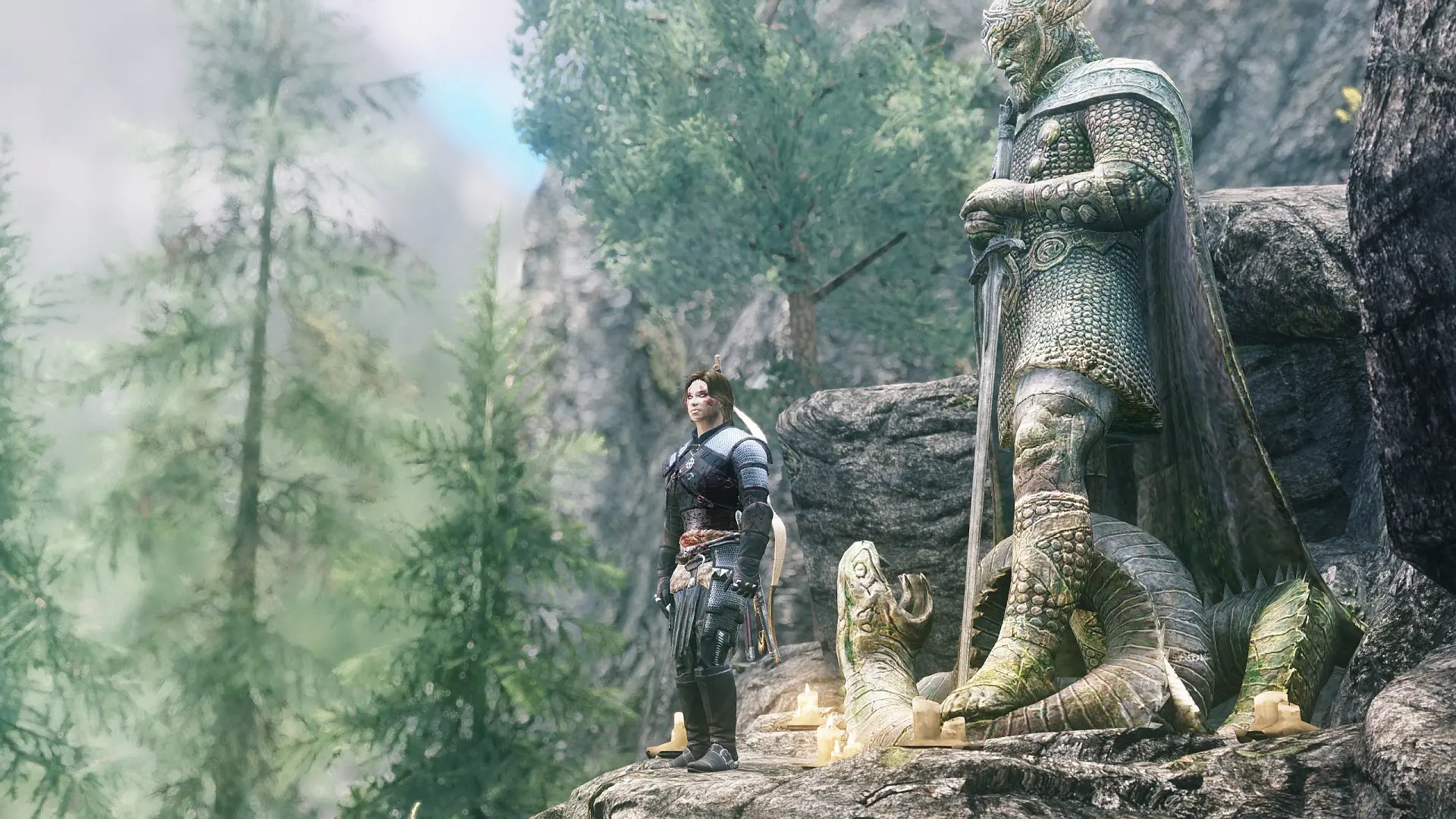
A simple mesh replacer (no esp) that gives the statue of Talos a Greatsword rather than that toothpick he was holding - for a more warrior-like Talos statue. Optional HD (hi-poly) statue mesh and 5 sword options.
Click here to manually download the mod OR here to automatically download the mod through Mod Organizer 2.
When downloaded go to the folder where the file has been downloaded, cut the file LeanWolf's Better-Shaped Talos with Greatsword SSE-4752-1-3b.7z and copy it to your NOLVUS\ARCHIVE\5_VISUALS\5.17_OBJECTS & MODELS directoryNexus mod page here
In Mod Organizer 2 click on add mod button
Browse to NOLVUS\ARCHIVE\5_VISUALS\5.17_OBJECTS & MODELS\LeanWolf's Better-Shaped Talos with Greatsword SSE-4752-1-3b.7z and select OK
1. Select options as shown and click on Install.
 Drag and drop LeanWolf's Better-Shaped Talos with Greatsword above OUTPUTS and check the mod.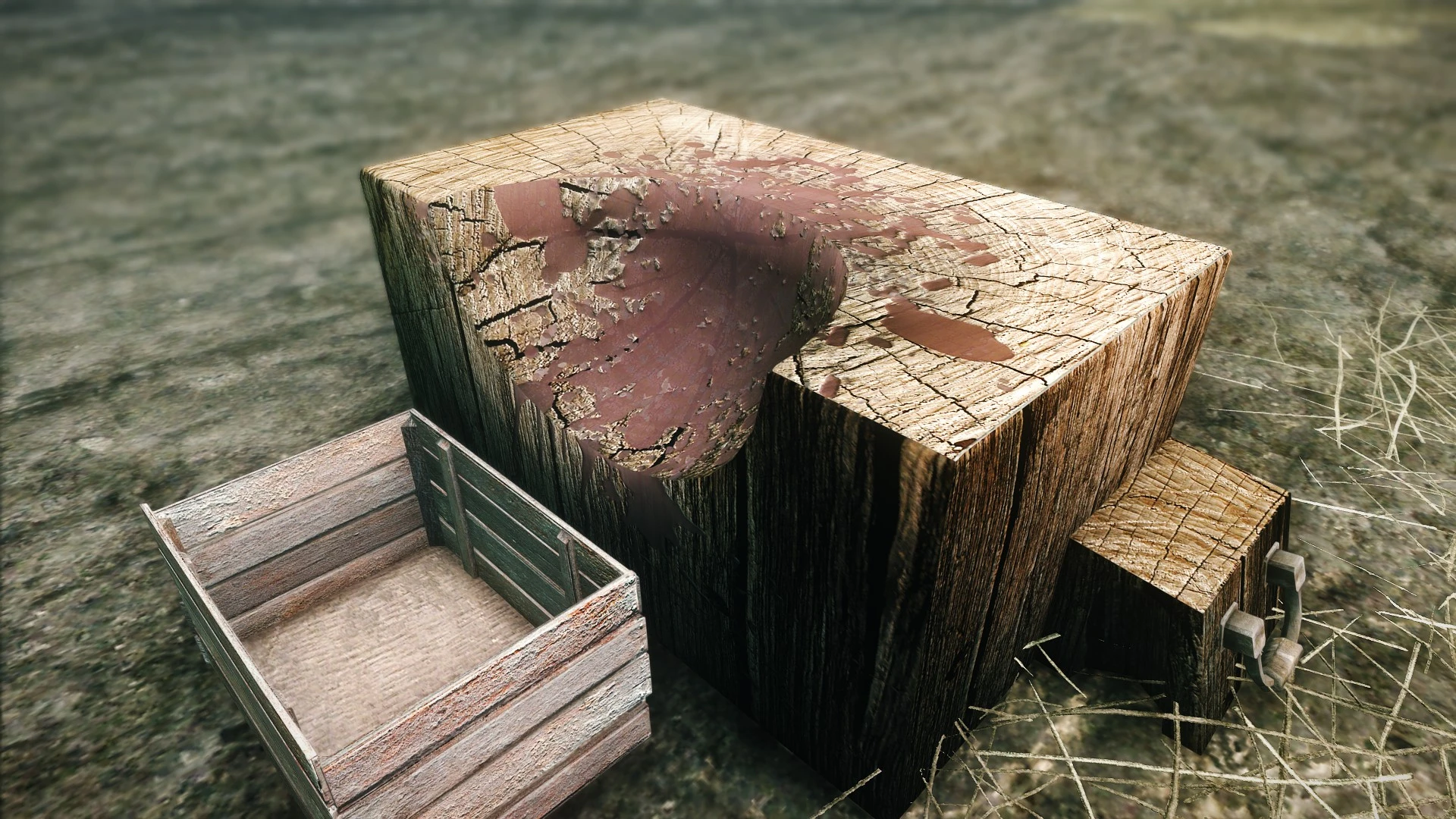
HD textures for the executioners chopping block.
Click here to manually download the mod OR here to automatically download the mod through Mod Organizer 2.
When downloaded go to the folder where the file has been downloaded, cut the file HD Executioners Block SE-22674-1-1-1547839024.7z and copy it to your NOLVUS\ARCHIVE\5_VISUALS\5.17_OBJECTS & MODELS directoryNexus mod page here
In Mod Organizer 2 click on add mod button
Browse to NOLVUS\ARCHIVE\5_VISUALS\5.17_OBJECTS & MODELS\HD Executioners Block SE-22674-1-1-1547839024.7z and select OK
Fill informations as shown and click on OK
 Drag and drop HD Executioners Block above OUTPUTS and check the mod.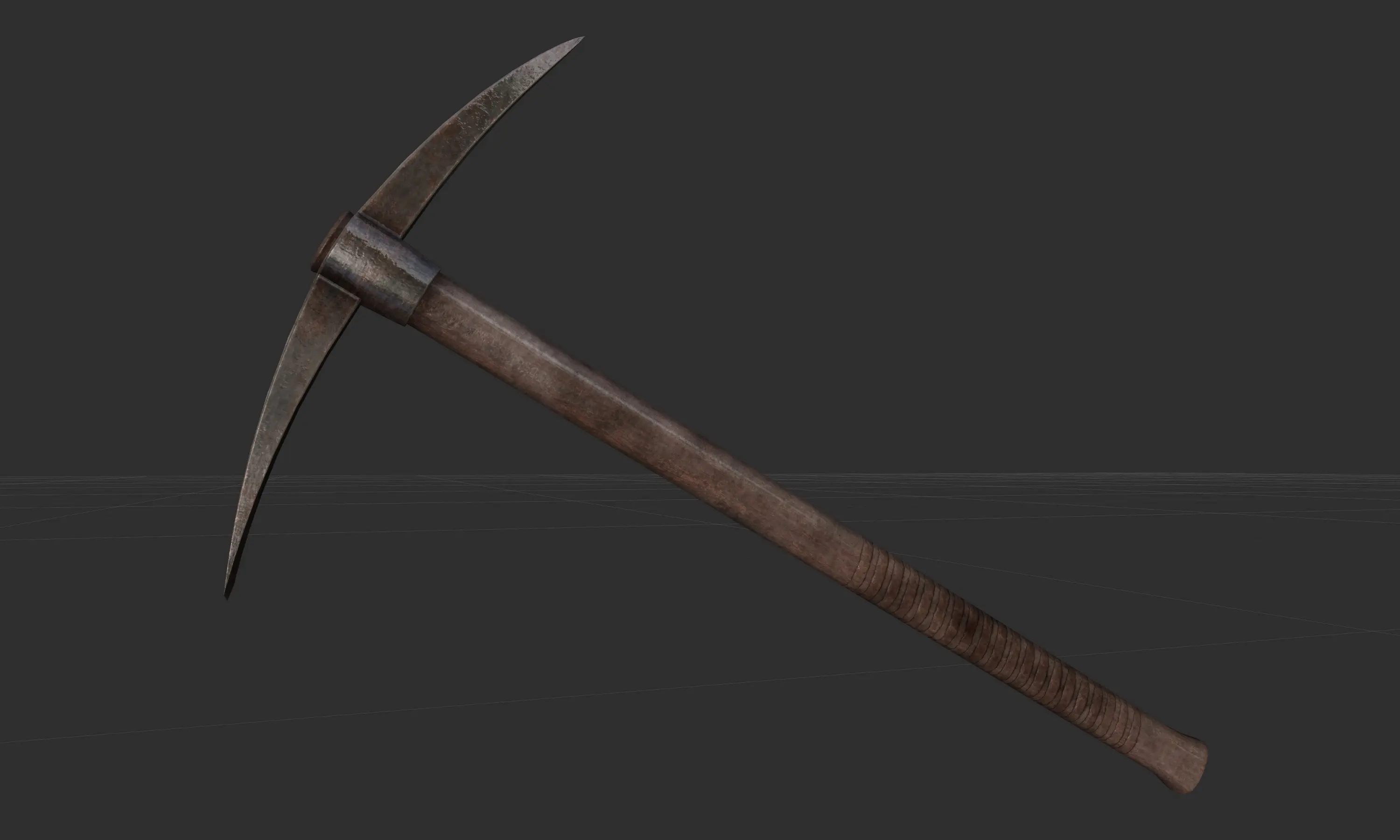
Replaces the vanilla pickaxe with a new model made from scratch.
Click here to manually download the mod OR here to automatically download the mod through Mod Organizer 2.
When downloaded go to the folder where the file has been downloaded, cut the file Pickaxe Redone-22589-2-1555947594.7z and copy it to your NOLVUS\ARCHIVE\5_VISUALS\5.17_OBJECTS & MODELS directoryNexus mod page here
In Mod Organizer 2 click on add mod button
Browse to NOLVUS\ARCHIVE\5_VISUALS\5.17_OBJECTS & MODELS\Pickaxe Redone-22589-2-1555947594.7z and select OK
Fill informations as shown and click on OK
 Drag and drop Pickaxe Redone above OUTPUTS and check the mod.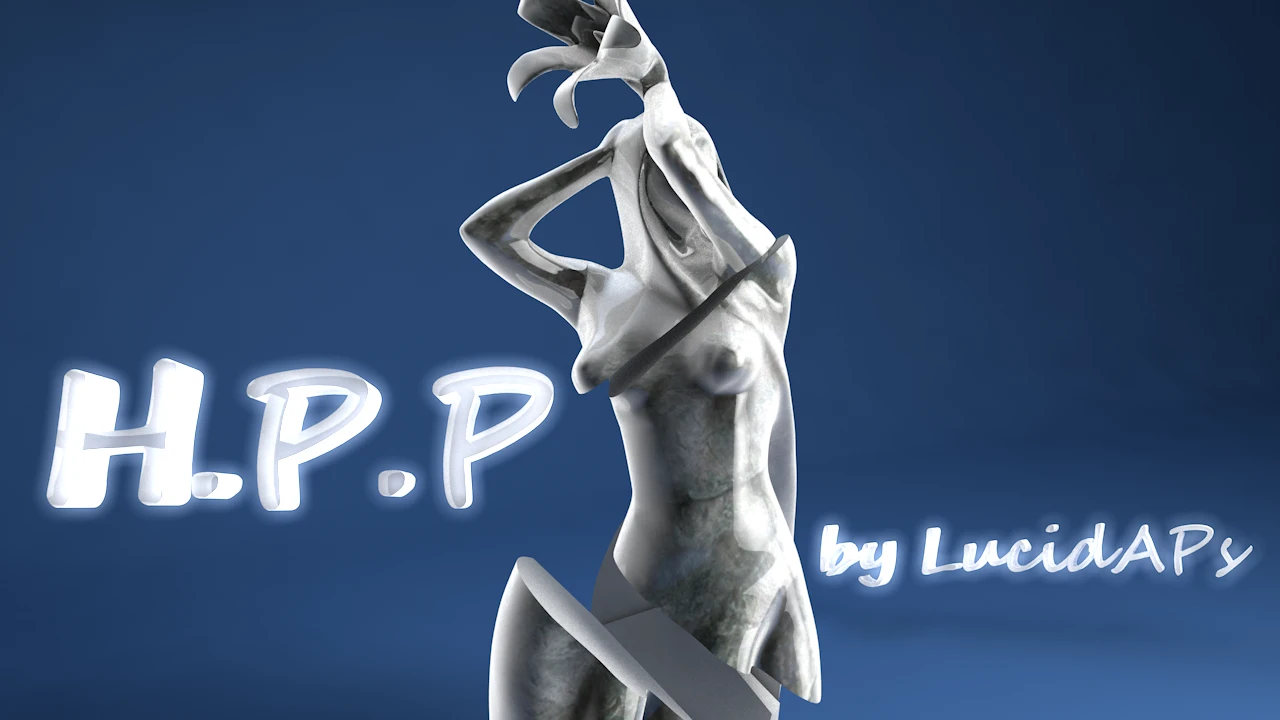
An on going process to improve the models of the game with more polygons , UV edits or just replace them all together. SMIM was the inspiration and the lack of similar mods led me to make this.
Click here to manually download the mod OR here to automatically download the mod through Mod Organizer 2.
When downloaded go to the folder where the file has been downloaded, cut the file High Poly Project-12029-v5-3-1634909383.zip and copy it to your NOLVUS\ARCHIVE\5_VISUALS\5.17_OBJECTS & MODELS directoryNexus mod page here
In Mod Organizer 2 click on add mod button
Browse to NOLVUS\ARCHIVE\5_VISUALS\5.17_OBJECTS & MODELS\High Poly Project-12029-v5-3-1634909383.zip and select OK

1. Select options as shown and click on Next
1. Select options as shown and click on Next
High Poly Project Setup

2. Select options as shown and click on Next
2. Select options as shown and click on Next
High Poly Project Setup

3. Select options as shown and click on Next
3. Select options as shown and click on Next
High Poly Project Setup

4. Select options as shown and click on Next
4. Select options as shown and click on Next
High Poly Project Setup

5. Select options as shown and click on Next.
5. Select options as shown and click on Next.
High Poly Project Setup

6. Select options as shown and click on Install
6. Select options as shown and click on Install
High Poly Project Setup
Double click on the mod, select Filtree tab and hide these files.

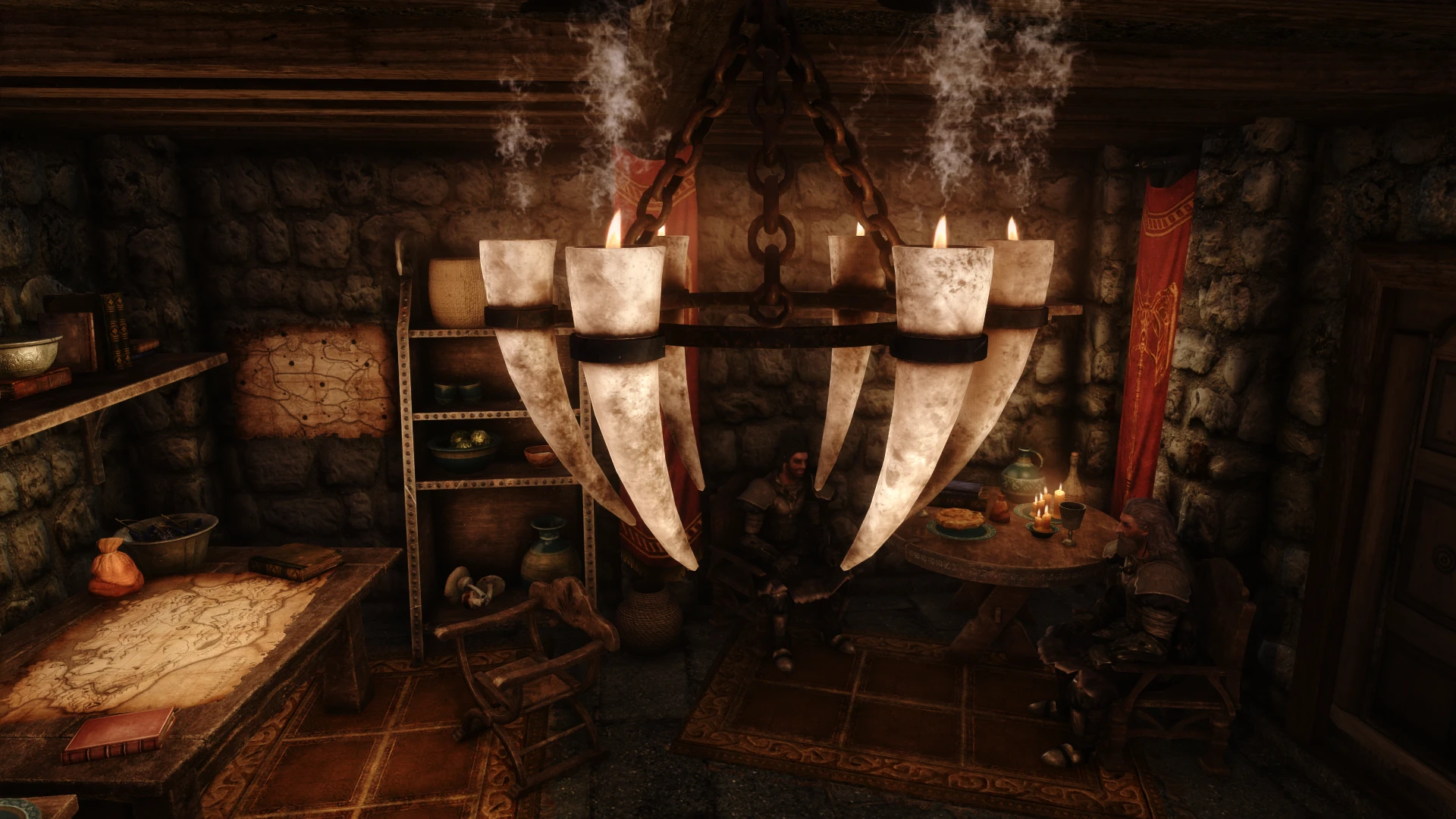
Custom made medieval style 3d model replacers for the nordic candlehorns, the imperial sconces, the ruin candles and the lanterns of Skyrim.
Click here to manually download the mod OR here to automatically download the mod through Mod Organizer 2.
When downloaded go to the folder where the file has been downloaded, cut the file Medieval Candlehorns and Sconces-24324-2-0-0-1561629898.7z and copy it to your NOLVUS\ARCHIVE\5_VISUALS\5.17_OBJECTS & MODELS directoryNexus mod page here
In Mod Organizer 2 click on add mod button
Browse to NOLVUS\ARCHIVE\5_VISUALS\5.17_OBJECTS & MODELS\Medieval Candlehorns and Sconces-24324-2-0-0-1561629898.7z and select OK

1. Select options as shown and click on Next.
1. Select options as shown and click on Next.
Medieval Candlehorns and Sconces Setup

2. Select options as shown and click on Install.
2. Select options as shown and click on Install.
Medieval Candlehorns and Sconces Setup
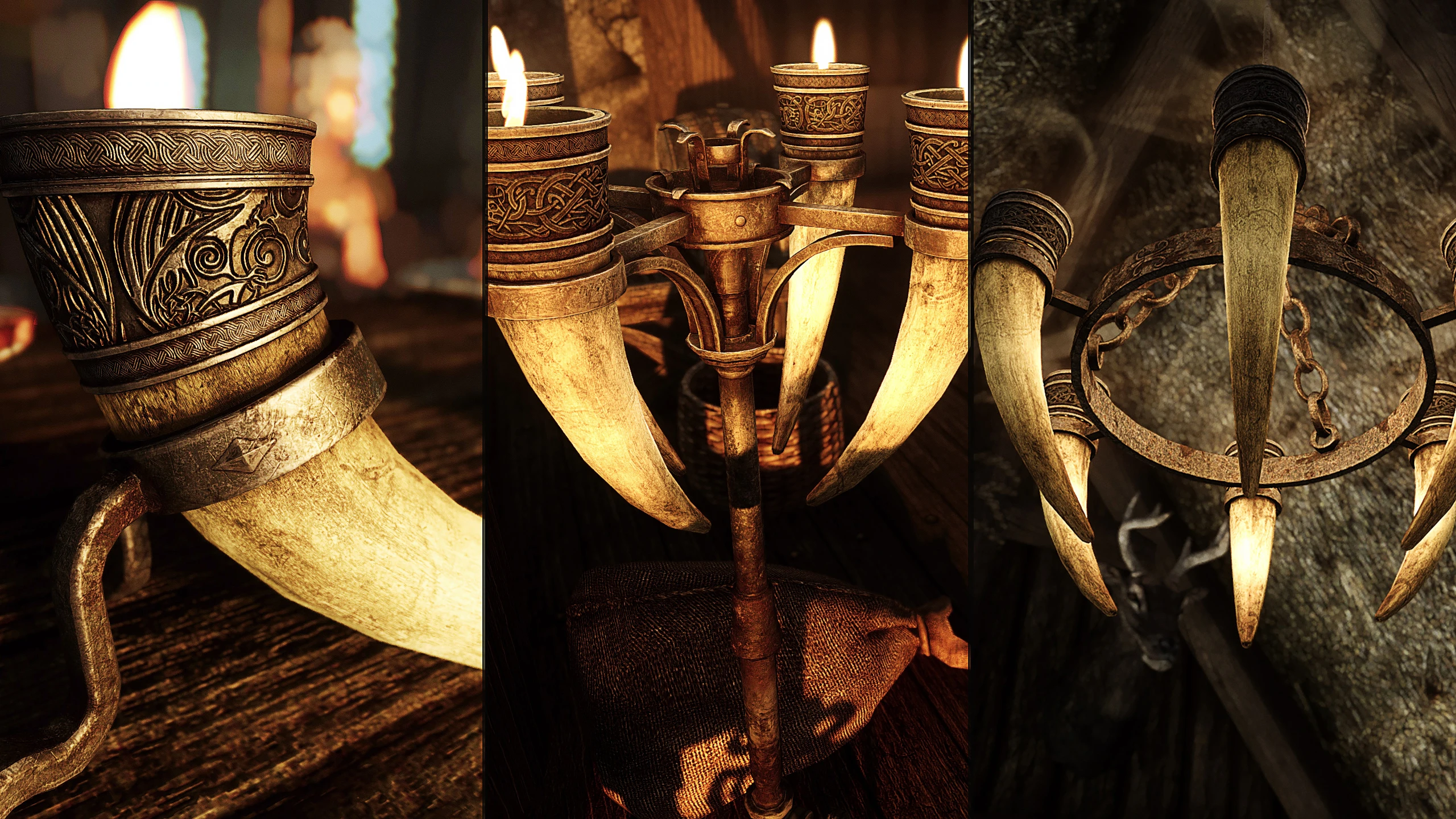
New custom meshes and custom textures for the game's horn candles
Click here to manually download the mod OR here to automatically download the mod through Mod Organizer 2.
When downloaded go to the folder where the file has been downloaded, cut the file SD's Horn Candles SE 2k-40192-1-0-1599485503.zip and copy it to your NOLVUS\ARCHIVE\5_VISUALS\5.17_OBJECTS & MODELS directoryNexus mod page here
In Mod Organizer 2 click on add mod button
Browse to NOLVUS\ARCHIVE\5_VISUALS\5.17_OBJECTS & MODELS\SD's Horn Candles SE 2k-40192-1-0-1599485503.zip and select OK
Fill informations as shown and click on OK
 Drag and drop SD's Horn Candles above OUTPUTS and check the mod.
New custom meshes and custom textures for the game's horn candles
Click here to manually download the mod OR here to automatically download the mod through Mod Organizer 2.
When downloaded go to the folder where the file has been downloaded, cut the file SD's Horn Candles SE - STAC Patch (subtle version)-40192-1-0-1599498494.7z and copy it to your NOLVUS\ARCHIVE\5_VISUALS\5.17_OBJECTS & MODELS directoryNexus mod page here
In Mod Organizer 2 click on add mod button
Browse to NOLVUS\ARCHIVE\5_VISUALS\5.17_OBJECTS & MODELS\SD's Horn Candles SE - STAC Patch (subtle version)-40192-1-0-1599498494.7z and select OK
Fill informations as shown and click on OK
 Drag and drop SD's Horn Candles - Smoking Torch and Candles Patch above OUTPUTS and check the mod.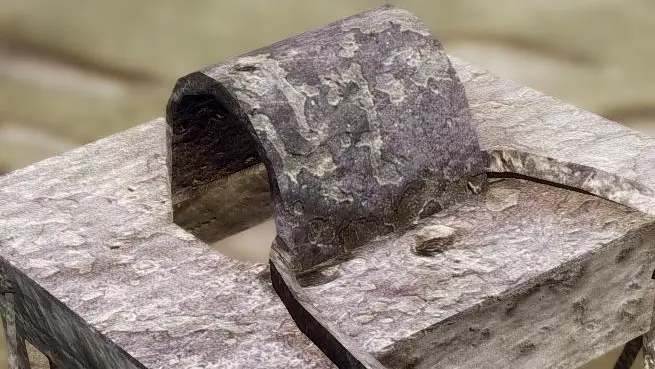
Retexture FOR VANILLA AND WEARABLE LANTERNS, Iron and Rusty, from 2K to 512 AIO.
Click here to manually download the mod OR here to automatically download the mod through Mod Organizer 2.
When downloaded go to the folder where the file has been downloaded, cut the file HD Vanilla Lanterns-22120-1-0-1545687893.7z and copy it to your NOLVUS\ARCHIVE\5_VISUALS\5.17_OBJECTS & MODELS directoryNexus mod page here
In Mod Organizer 2 click on add mod button
Browse to NOLVUS\ARCHIVE\5_VISUALS\5.17_OBJECTS & MODELS\HD Vanilla Lanterns-22120-1-0-1545687893.7z and select OK
1. Select options as shown and click on Install.
 Drag and drop HD Vanilla Lanterns above OUTPUTS and check the mod.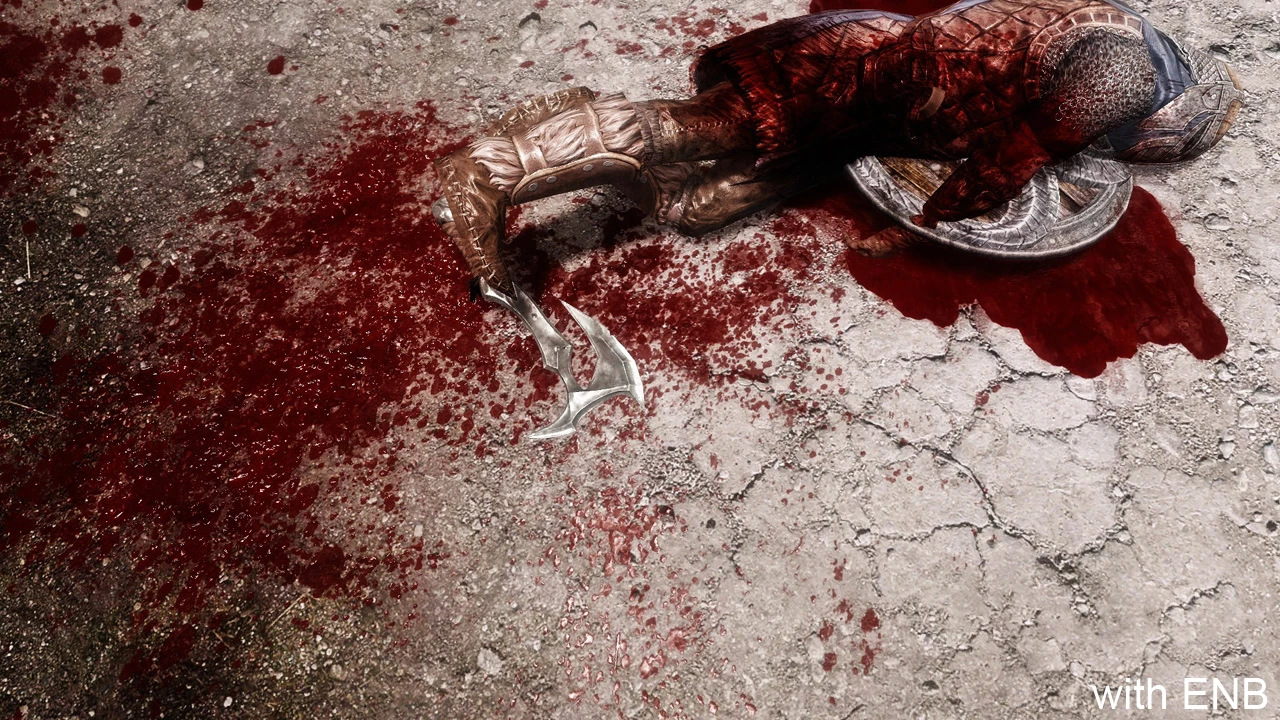
A blood overhaul mod
Click here to manually download the mod OR here to automatically download the mod through Mod Organizer 2.
When downloaded go to the folder where the file has been downloaded, cut the file Enhanced Blood Textures-2357-4-0-1639547261.7z and copy it to your NOLVUS\ARCHIVE\5_VISUALS\5.17_OBJECTS & MODELS directoryNexus mod page here
In Mod Organizer 2 click on add mod button
Browse to NOLVUS\ARCHIVE\5_VISUALS\5.17_OBJECTS & MODELS\Enhanced Blood Textures-2357-4-0-1639547261.7z and select OK

1. Select options as shown and click on Next.
1. Select options as shown and click on Next.
Enhanced Blood Textures Setup

2. Select options as shown and click on Next.
2. Select options as shown and click on Next.
Enhanced Blood Textures Setup

3. Select options as shown and click on Install.
3. Select options as shown and click on Install.
Enhanced Blood Textures Setup
A blood overhaul mod
Click here to manually download the mod OR here to automatically download the mod through Mod Organizer 2.
When downloaded go to the folder where the file has been downloaded, cut the file enb square test alpha test test file v31-2357-test2020v31-1601252523.zip and copy it to your NOLVUS\ARCHIVE\5_VISUALS\5.17_OBJECTS & MODELS directoryNexus mod page here
In Mod Organizer 2 click on add mod button
Browse to NOLVUS\ARCHIVE\5_VISUALS\5.17_OBJECTS & MODELS\enb square test alpha test test file v31-2357-test2020v31-1601252523.zip and select OK
Fill informations as shown and click on Manual.

Set options as shown and click OK.
 Drag and drop Enhanced Blood Textures - ENB Square Alpha Fix above OUTPUTS and check the mod.
An assortment of compatibility patches for Immersive Sounds Compendium.
Click here to manually download the mod OR here to automatically download the mod through Mod Organizer 2.
When downloaded go to the folder where the file has been downloaded, cut the file ISC Enhanced Blood Textures Patch-2951-3-72.zip and copy it to your NOLVUS\ARCHIVE\5_VISUALS\5.17_OBJECTS & MODELS directoryNexus mod page here
In Mod Organizer 2 click on add mod button
Browse to NOLVUS\ARCHIVE\5_VISUALS\5.17_OBJECTS & MODELS\ISC Enhanced Blood Textures Patch-2951-3-72.zip and select OK
Fill informations as shown and click OK
 Drag and drop Enhanced Blood Textures - Immersive Sound Compendium Patch above OUTPUTS and check the mod.
Patch for AOS and Enhanced Blood Textures.
Click here to manually download the mod OR here to automatically download the mod through Mod Organizer 2.
When downloaded go to the folder where the file has been downloaded, cut the file Compatibility Patch for Enhanced Blood Textures-12466-RELZ-1591106427.7z and copy it to your NOLVUS\ARCHIVE\5_VISUALS\5.17_OBJECTS & MODELS directoryNexus mod page here
In Mod Organizer 2 click on add mod button
Browse to NOLVUS\ARCHIVE\5_VISUALS\5.17_OBJECTS & MODELS\Compatibility Patch for Enhanced Blood Textures-12466-RELZ-1591106427.7z and select OK
Fill informations as shown and click on OK
 Drag and drop Enhanced Blood Textures - Audio Overhaul Patch above OUTPUTS and check the mod.
Improved neck gorecap texture
Click here to manually download the mod OR here to automatically download the mod through Mod Organizer 2.
When downloaded go to the folder where the file has been downloaded, cut the file GORECAP-16440-2-2.rar and copy it to your NOLVUS\ARCHIVE\5_VISUALS\5.17_OBJECTS & MODELS directoryNexus mod page here
In Mod Organizer 2 click on add mod button
Browse to NOLVUS\ARCHIVE\5_VISUALS\5.17_OBJECTS & MODELS\GORECAP-16440-2-2.rar and select OK
Fill informations as shown and click OK
 Drag and drop Gorecap above OUTPUTS and check the mod.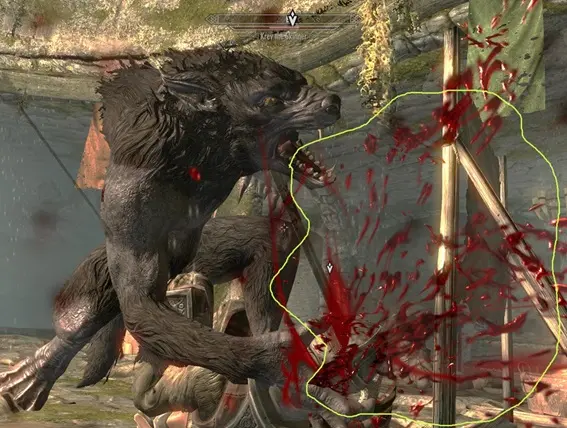
Replaces the amount of blood from the melee attacks common with the amount of blood from the melee attacks of the Werewolves.
Click here to manually download the mod OR here to automatically download the mod through Mod Organizer 2.
When downloaded go to the folder where the file has been downloaded, cut the file More Blood-19602-1-0.rar and copy it to your NOLVUS\ARCHIVE\5_VISUALS\5.17_OBJECTS & MODELS directoryNexus mod page here
In Mod Organizer 2 click on add mod button
Browse to NOLVUS\ARCHIVE\5_VISUALS\5.17_OBJECTS & MODELS\More Blood-19602-1-0.rar and select OK
Fill informations as shown and click on OK
 Drag and drop More Bloodshed above OUTPUTS and check the mod.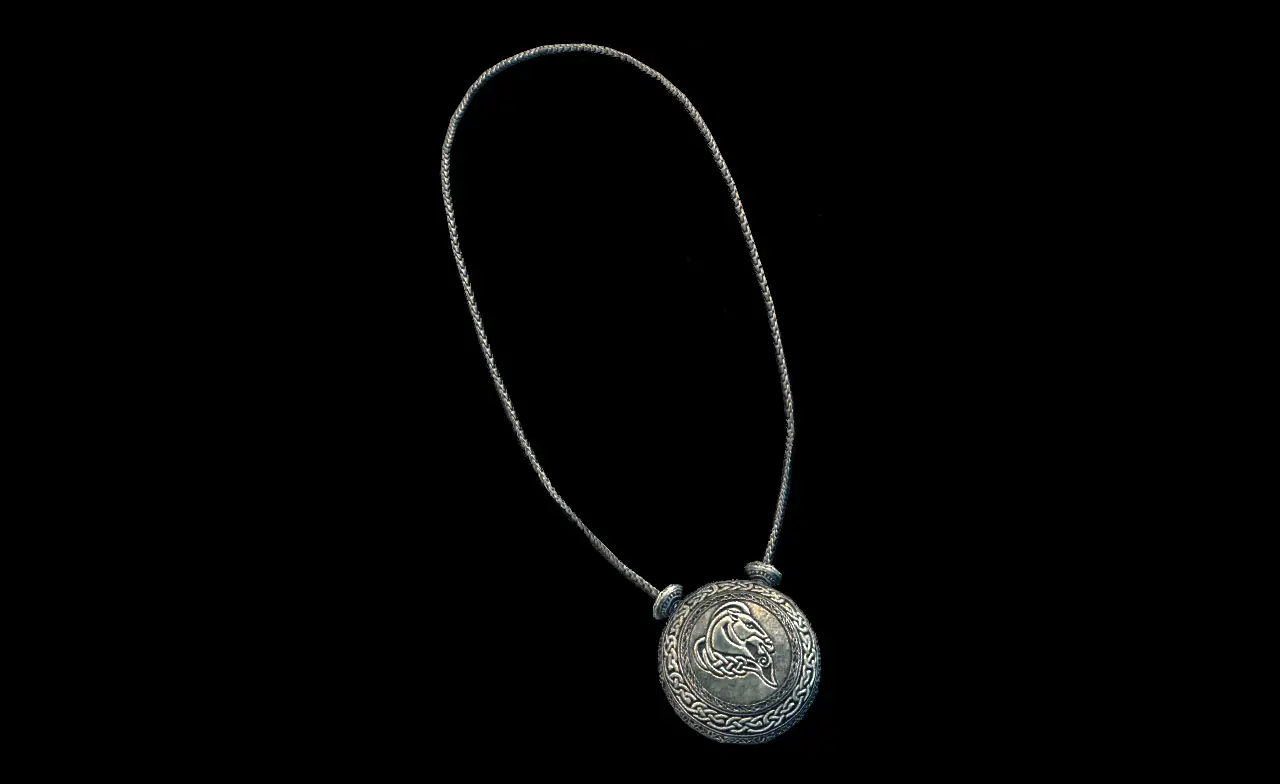
This mod adds a lot of amulet (and a few rings) to Skyrim and gives these amulets to some named NPCs.
Click here to manually download the mod OR here to automatically download the mod through Mod Organizer 2.
When downloaded go to the folder where the file has been downloaded, cut the file Amulets of Skyrim SSE-487-4-061.7z and copy it to your NOLVUS\ARCHIVE\5_VISUALS\5.17_OBJECTS & MODELS directoryNexus mod page here
In Mod Organizer 2 click on add mod button
Browse to NOLVUS\ARCHIVE\5_VISUALS\5.17_OBJECTS & MODELS\Amulets of Skyrim SSE-487-4-061.7z and select OK
Fill informations as shown and click on OK
 Drag and drop Amulets of Skyrim above OUTPUTS and check the mod.
On the right pane (plugins) check this plugin

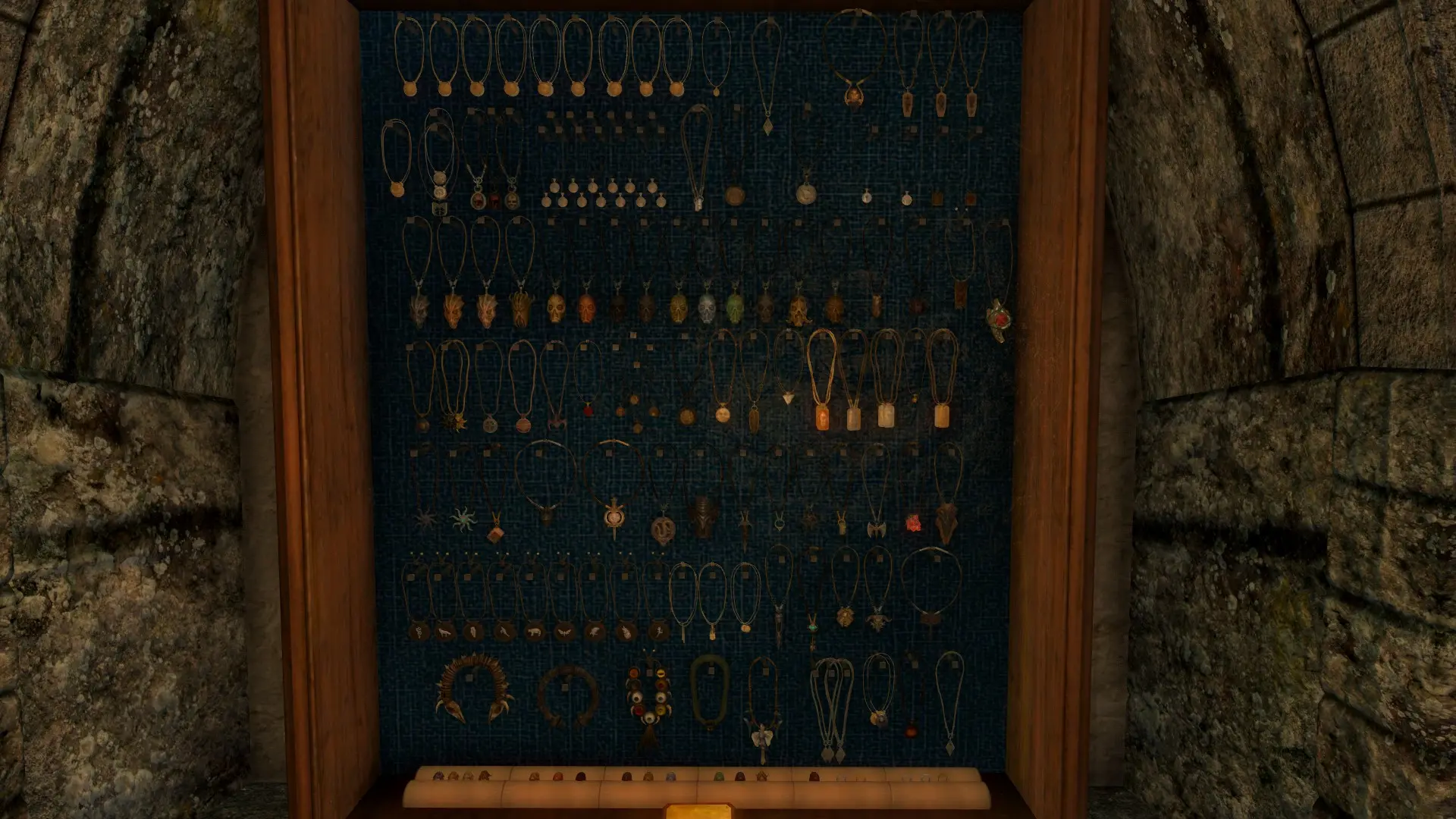
Attempts to fix some issues and typos as well as make some tweaks for the mod Amulets of Skyrim SSE by uni_SL.
Click here to manually download the mod OR here to automatically download the mod through Mod Organizer 2.
When downloaded go to the folder where the file has been downloaded, cut the file Amulets of Skyrim - Tweaks and Fixes (Legacy of the Dragonborn Version)-31814-1-7-1580961751.7z and copy it to your NOLVUS\ARCHIVE\5_VISUALS\5.17_OBJECTS & MODELS directoryNexus mod page here
In Mod Organizer 2 click on add mod button
Browse to NOLVUS\ARCHIVE\5_VISUALS\5.17_OBJECTS & MODELS\Amulets of Skyrim - Tweaks and Fixes (Legacy of the Dragonborn Version)-31814-1-7-1580961751.7z and select OK
Fill informations as shown and click on OK
 Drag and drop Amulets of Skyrim - Tweaks and Fixes above OUTPUTS and check the mod.
On the right pane (plugins) uncheck Amulet Of Skyrim - TWeaks and Fixes.esp

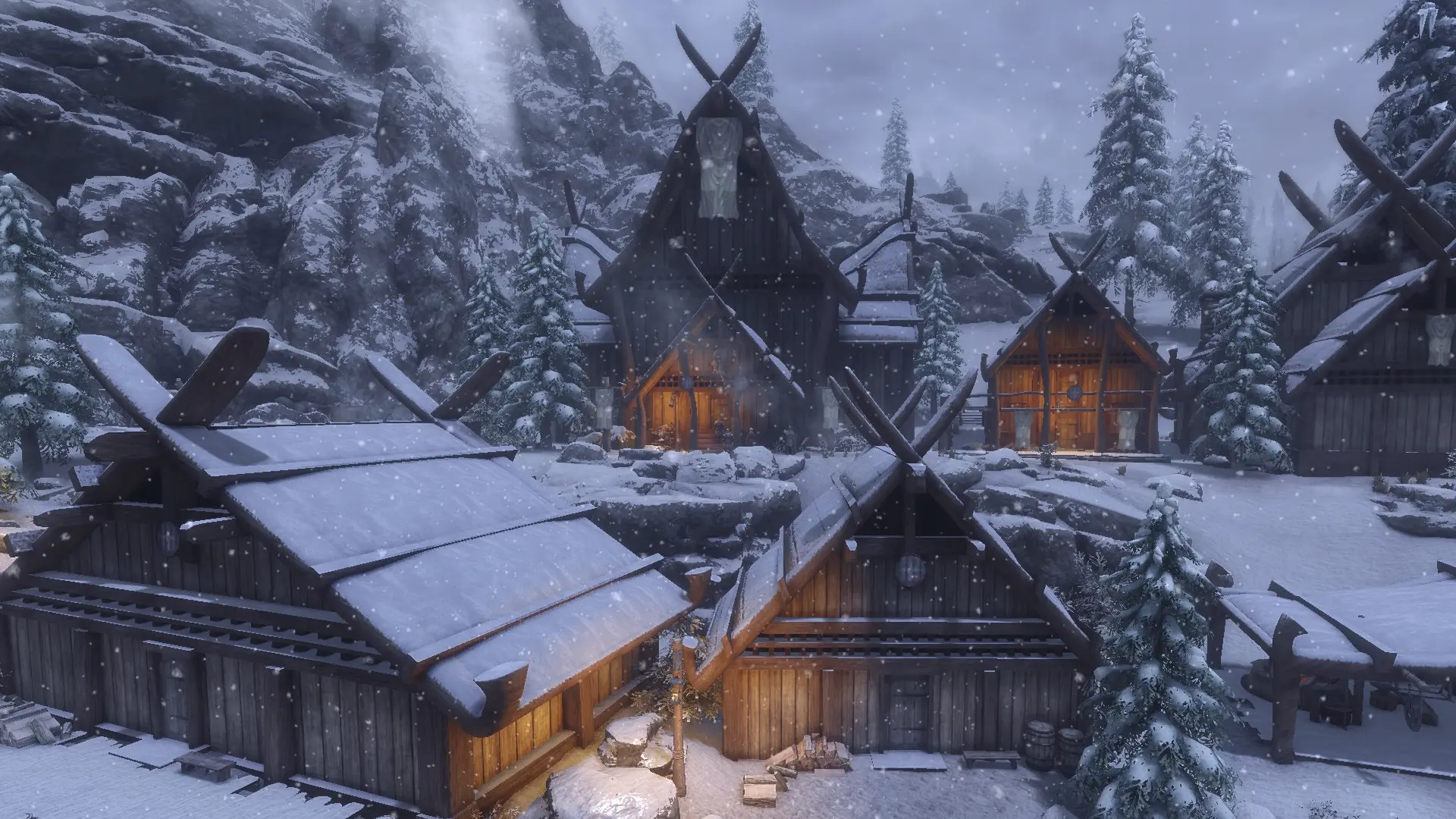
Moves five added amulets in Dawnstar interiors to new locations.
Click here to manually download the mod OR here to automatically download the mod through Mod Organizer 2.
When downloaded go to the folder where the file has been downloaded, cut the file COTN Dawnstar - Amulets of Skyrim Patch-30885-1-0-1575910111.7z and copy it to your NOLVUS\ARCHIVE\5_VISUALS\5.17_OBJECTS & MODELS directoryNexus mod page here
In Mod Organizer 2 click on add mod button
Browse to NOLVUS\ARCHIVE\5_VISUALS\5.17_OBJECTS & MODELS\COTN Dawnstar - Amulets of Skyrim Patch-30885-1-0-1575910111.7z and select OK
Fill informations as shown and click on OK
 Drag and drop Amulets of Skyrim - Cities of the North - Dawnstar Patch above OUTPUTS and check the mod.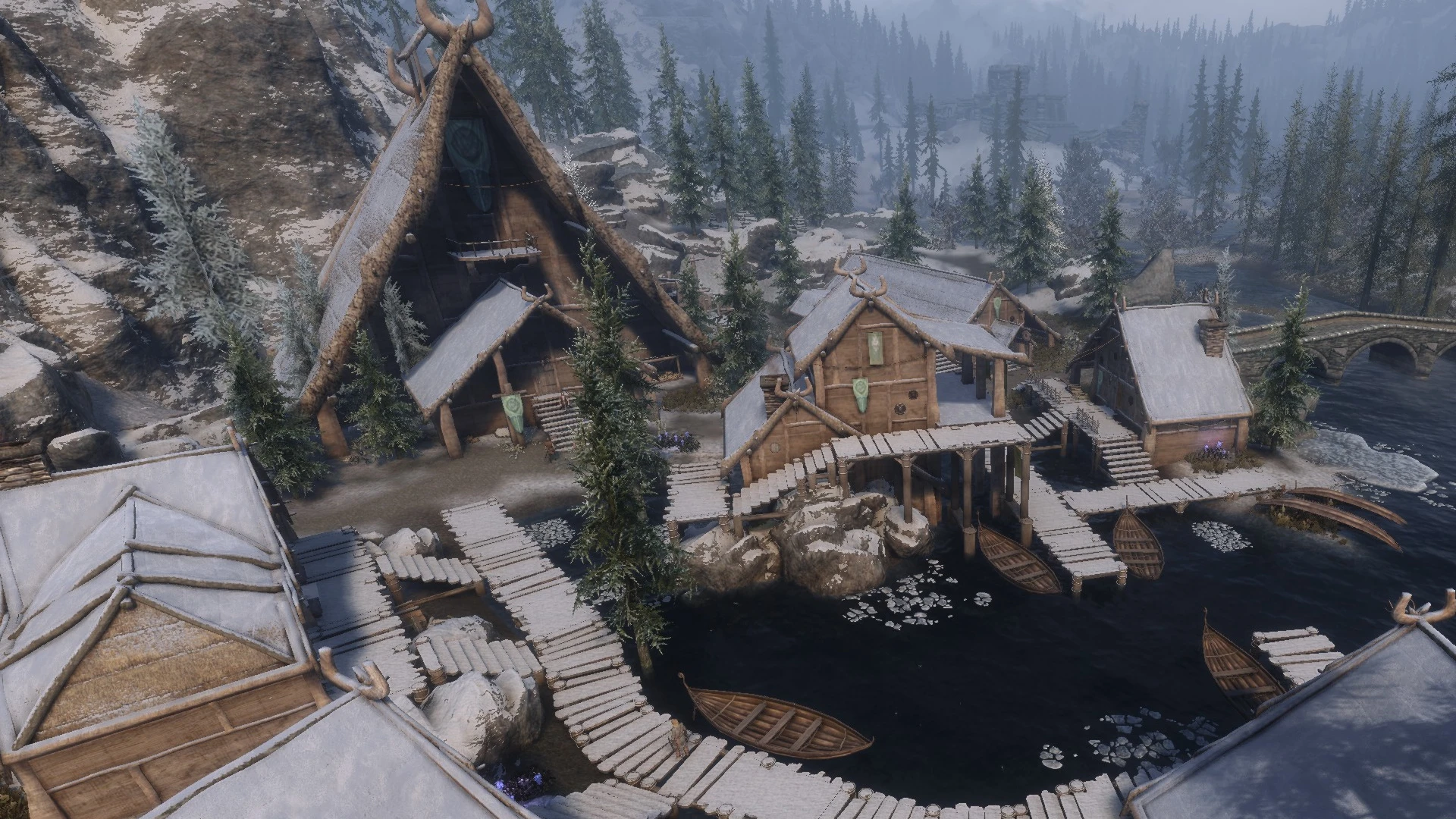
Shifts the locations of three placed amulets to match the new interiors.
Click here to manually download the mod OR here to automatically download the mod through Mod Organizer 2.
When downloaded go to the folder where the file has been downloaded, cut the file COTN Morthal - Amulets of Skyrim-34228-1-0-1585756293.7z and copy it to your NOLVUS\ARCHIVE\5_VISUALS\5.17_OBJECTS & MODELS directoryNexus mod page here
In Mod Organizer 2 click on add mod button
Browse to NOLVUS\ARCHIVE\5_VISUALS\5.17_OBJECTS & MODELS\COTN Morthal - Amulets of Skyrim-34228-1-0-1585756293.7z and select OK
Fill informations as shown and click on OK
 Drag and drop Amulets of Skyrim - Cities of the North - Morthal Patch above OUTPUTS and check the mod.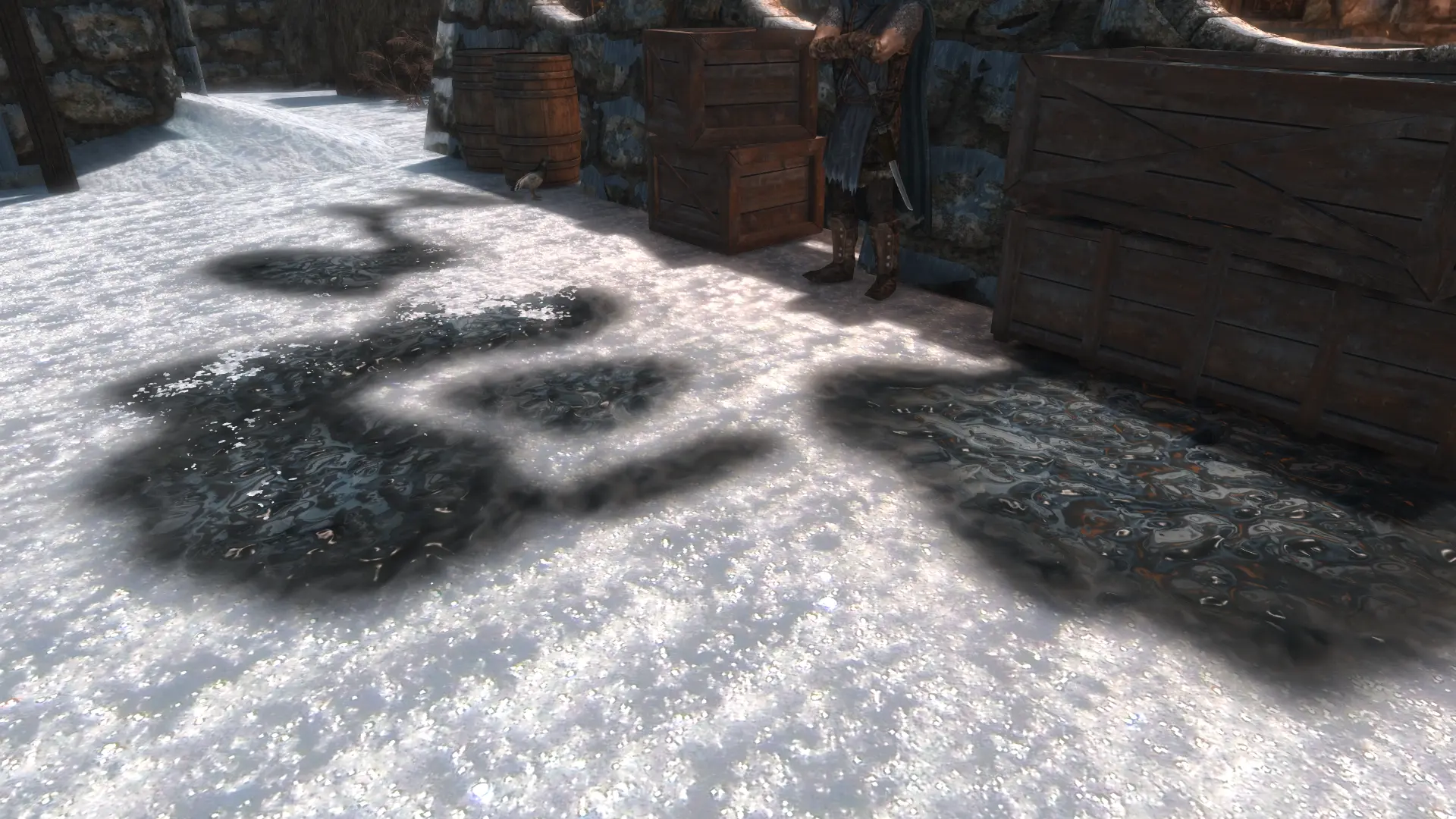
This mod drastically improves on the default puddle decals.
Click here to manually download the mod OR here to automatically download the mod through Mod Organizer 2.
When downloaded go to the folder where the file has been downloaded, cut the file 4K Puddle-33456-1-0-1583758820.7z and copy it to your NOLVUS\ARCHIVE\5_VISUALS\5.17_OBJECTS & MODELS directoryNexus mod page here
In Mod Organizer 2 click on add mod button
Browse to NOLVUS\ARCHIVE\5_VISUALS\5.17_OBJECTS & MODELS\4K Puddle-33456-1-0-1583758820.7z and select OK
Fill informations as shown and click on OK
 Drag and drop HQ Puddles above OUTPUTS and check the mod.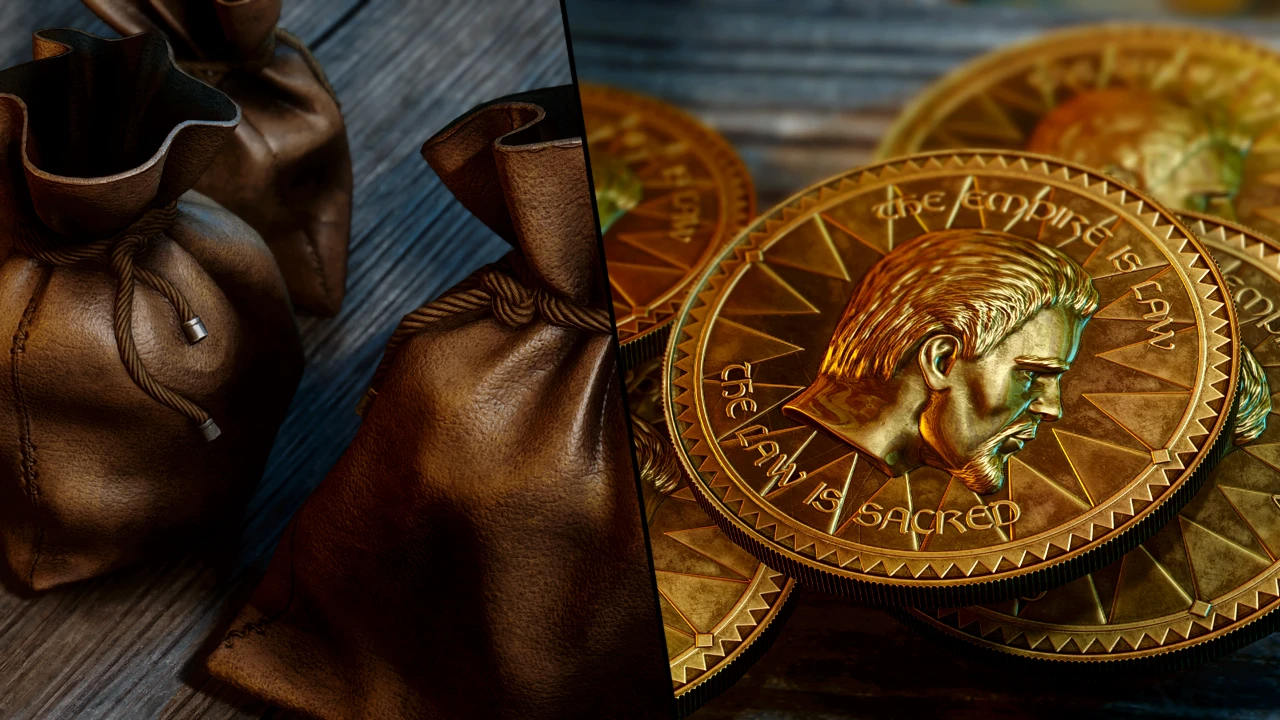
A complete re-creation of Septims, Coin Purses and Coin Piles.
Click here to manually download the mod OR here to automatically download the mod through Mod Organizer 2.
When downloaded go to the folder where the file has been downloaded, cut the file JS Purses and Septims SE - FOMOD-37306-1-2-1626039809.rar and copy it to your NOLVUS\ARCHIVE\5_VISUALS\5.17_OBJECTS & MODELS directoryNexus mod page here
In Mod Organizer 2 click on add mod button
Browse to NOLVUS\ARCHIVE\5_VISUALS\5.17_OBJECTS & MODELS\JS Purses and Septims SE - FOMOD-37306-1-2-1626039809.rar and select OK

1. Select options as shown and click on Next.
1. Select options as shown and click on Next.
JS Purses and Septims SE Setup

2. Select options as shown and click on Install.
2. Select options as shown and click on Install.
JS Purses and Septims SE Setup

This mod replaces and adds more unique and diverse textures, than the usual 3 used by the vanilla game, to spider webs, cobwebs and egg sacs placements throughout the entire game world.
Click here to manually download the mod OR here to automatically download the mod through Mod Organizer 2.
When downloaded go to the folder where the file has been downloaded, cut the file WEBS SE x2048-4873-4-0.7z and copy it to your NOLVUS\ARCHIVE\5_VISUALS\5.17_OBJECTS & MODELS directoryNexus mod page here
In Mod Organizer 2 click on add mod button
Browse to NOLVUS\ARCHIVE\5_VISUALS\5.17_OBJECTS & MODELS\WEBS SE x2048-4873-4-0.7z and select OK
Fill informations as shown and click on OK
 Drag and drop WEBS SE above OUTPUTS and check the mod.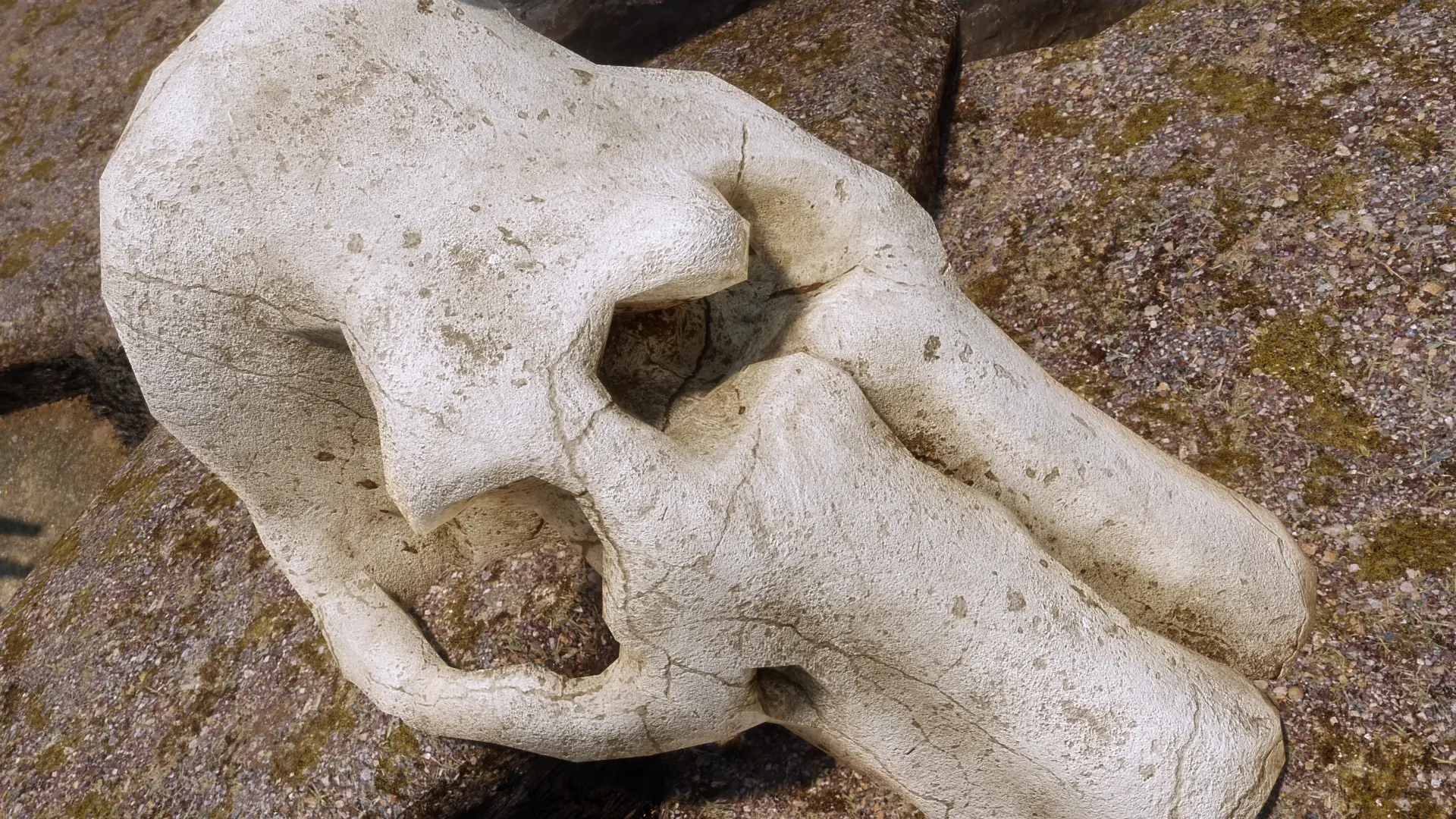
Best mammoth skeleton retexture ever! Now with permission from the author! Let's gooooooo!!! :D
Click here to manually download the mod OR here to automatically download the mod through Mod Organizer 2.
When downloaded go to the folder where the file has been downloaded, cut the file Unreal 4K Mammoth Skeleton ReTexture-39356-1-0-1597342395.7z and copy it to your NOLVUS\ARCHIVE\5_VISUALS\5.17_OBJECTS & MODELS directoryNexus mod page here
In Mod Organizer 2 click on add mod button
Browse to NOLVUS\ARCHIVE\5_VISUALS\5.17_OBJECTS & MODELS\Unreal 4K Mammoth Skeleton ReTexture-39356-1-0-1597342395.7z and select OK
Fill informations as shown and click on OK
 Drag and drop Unreal Mammoth Skeleton ReTexture above OUTPUTS and check the mod.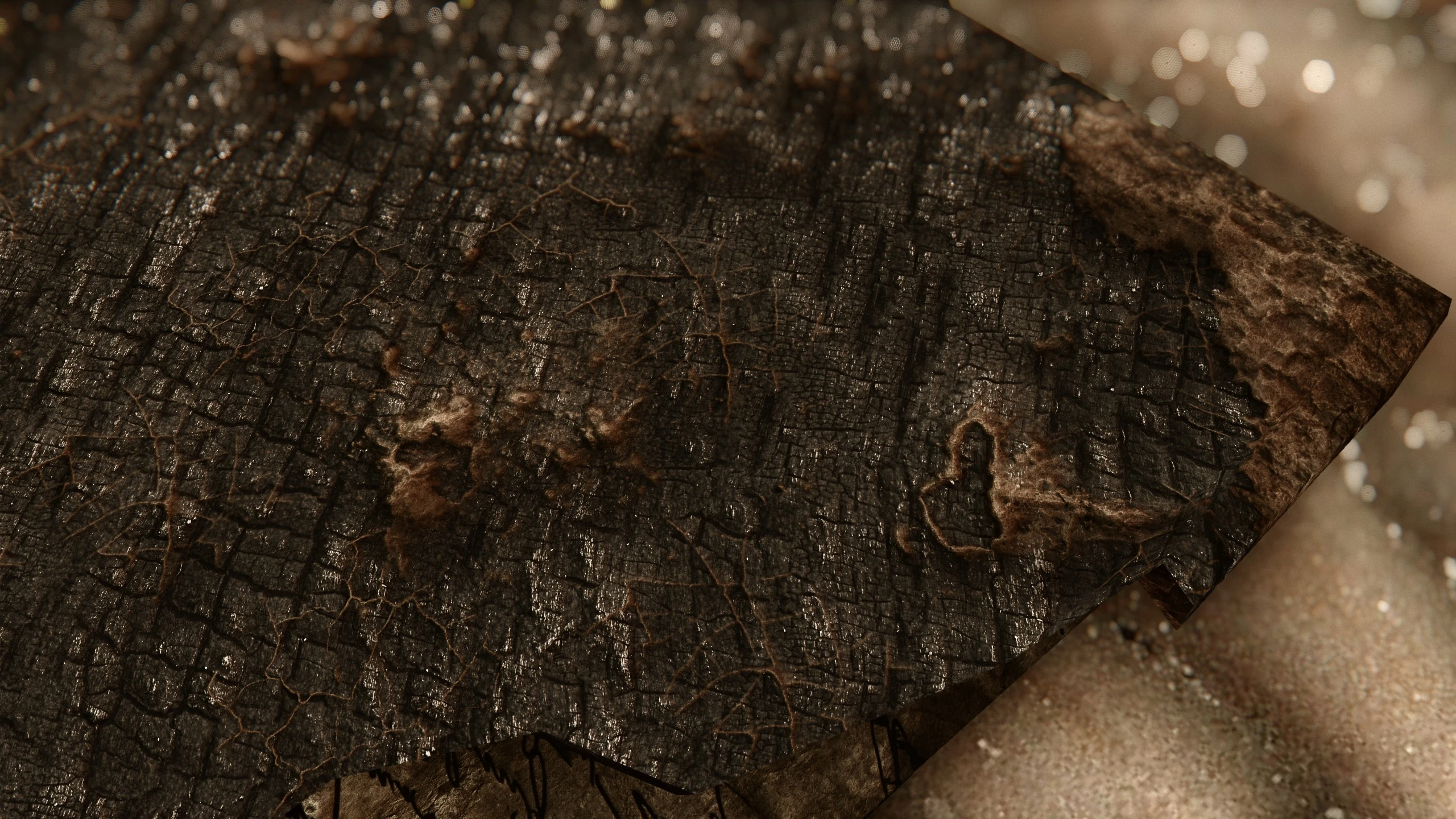
The long awaited sequel to the ruined book.....I mean not really but I couldn't think of another intro.
I will burn you...I will burn the heart out of you!
4k as usual. 2k cause i'm nice. 1k cause I too enjoy potatoes!
Click here to manually download the mod OR here to automatically download the mod through Mod Organizer 2.
When downloaded go to the folder where the file has been downloaded, cut the file Burned Book 4k-37573-1-0-1592852910.7z and copy it to your NOLVUS\ARCHIVE\5_VISUALS\5.17_OBJECTS & MODELS directoryNexus mod page here
In Mod Organizer 2 click on add mod button
Browse to NOLVUS\ARCHIVE\5_VISUALS\5.17_OBJECTS & MODELS\Burned Book 4k-37573-1-0-1592852910.7z and select OK
Fill informations as shown and click on OK
 Drag and drop Burned Book above OUTPUTS and check the mod.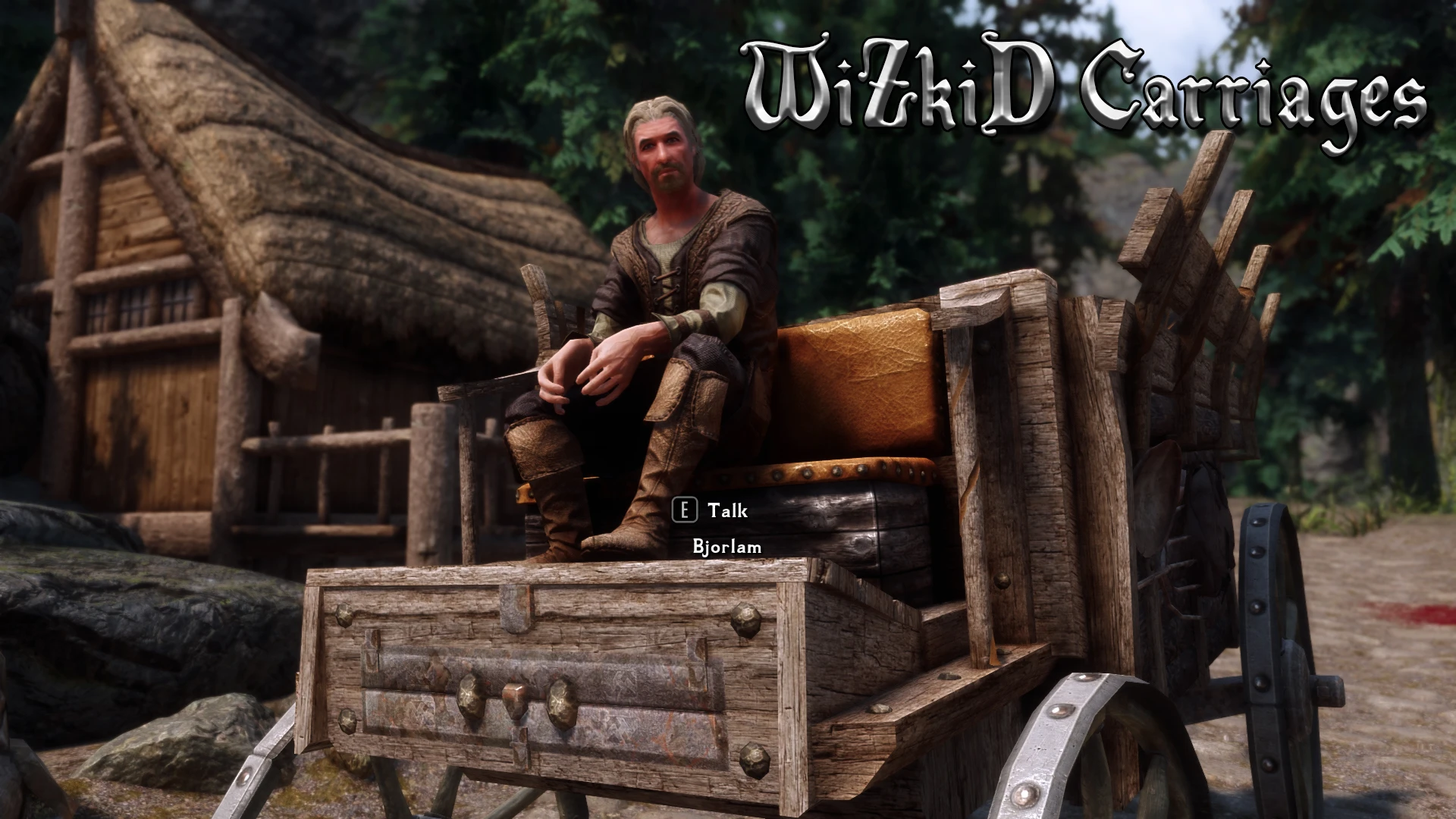
A complete replacer for all carriages with high quality textures.
Click here to manually download the mod OR here to automatically download the mod through Mod Organizer 2.
When downloaded go to the folder where the file has been downloaded, cut the file WiZkiD Carriages 2k-39640-1-3-1639916435.7z and copy it to your NOLVUS\ARCHIVE\5_VISUALS\5.17_OBJECTS & MODELS directoryNexus mod page here
In Mod Organizer 2 click on add mod button
Browse to NOLVUS\ARCHIVE\5_VISUALS\5.17_OBJECTS & MODELS\WiZkiD Carriages 2k-39640-1-3-1639916435.7z and select OK
Fill informations as shown and click on OK
 Drag and drop WiZkiD Carriages above OUTPUTS and check the mod.
Adds Armored Horses buyable from each of the City Stable master, each of them selling oen different Armor.
Click here to manually download the mod OR here to automatically download the mod through Mod Organizer 2.
When downloaded go to the folder where the file has been downloaded, cut the file Horse Armors SSE-4354-1-5.7z and copy it to your NOLVUS\ARCHIVE\5_VISUALS\5.17_OBJECTS & MODELS directoryNexus mod page here
In Mod Organizer 2 click on add mod button
Browse to NOLVUS\ARCHIVE\5_VISUALS\5.17_OBJECTS & MODELS\Horse Armors SSE-4354-1-5.7z and select OK
Fill informations as shown and click on OK
 Drag and drop Horse Armors above OUTPUTS and check the mod.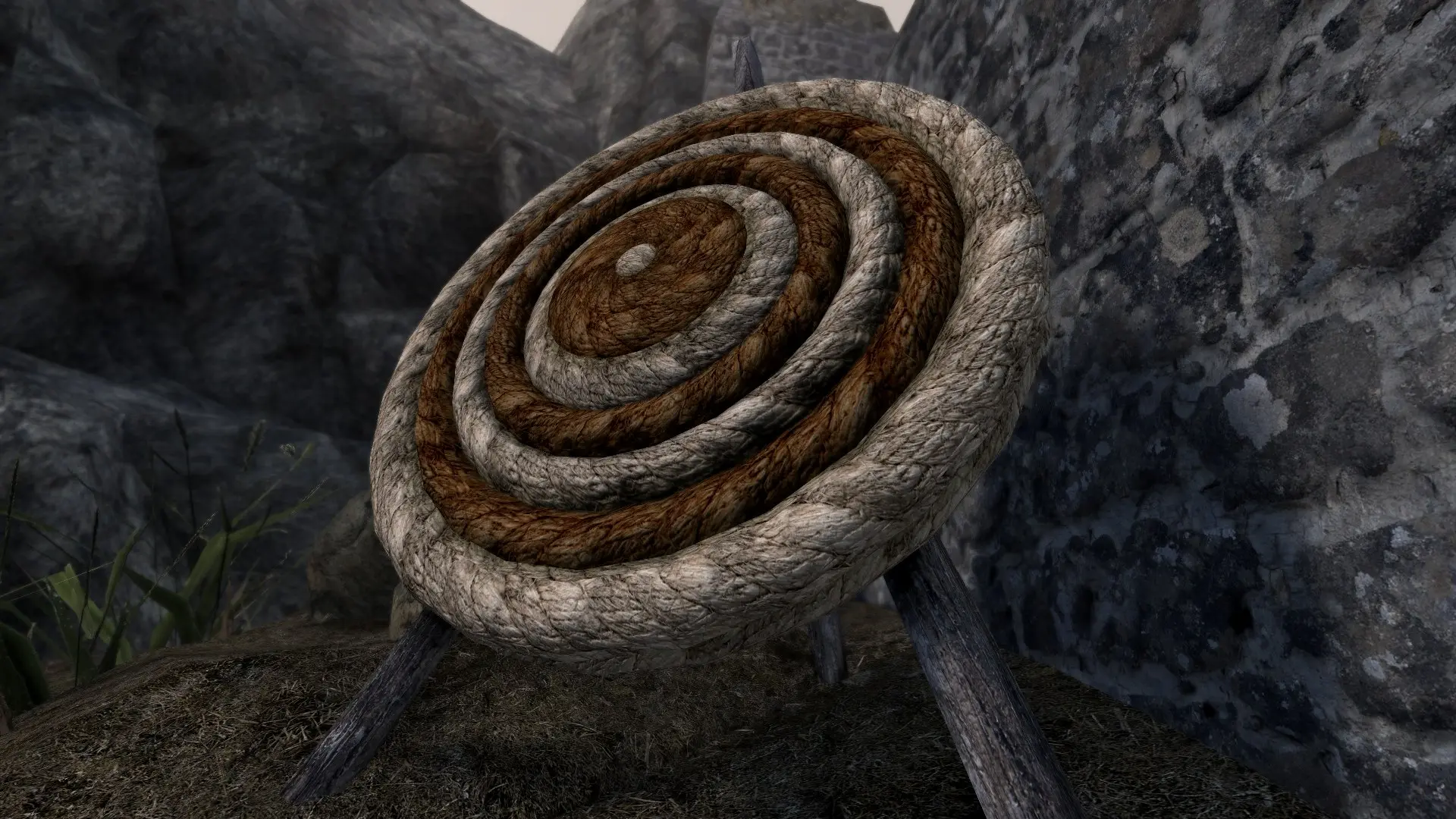
Retextures the SMIM archery targets with high-quality 2K textures.
Click here to manually download the mod OR here to automatically download the mod through Mod Organizer 2.
When downloaded go to the folder where the file has been downloaded, cut the file Archery Target Retexture-21726-1-0-1544401542.7z and copy it to your NOLVUS\ARCHIVE\5_VISUALS\5.17_OBJECTS & MODELS directoryNexus mod page here
In Mod Organizer 2 click on add mod button
Browse to NOLVUS\ARCHIVE\5_VISUALS\5.17_OBJECTS & MODELS\Archery Target Retexture-21726-1-0-1544401542.7z and select OK
1. Select options as shown and click on Install.
 Drag and drop Jabber's Archery Targets above OUTPUTS and check the mod.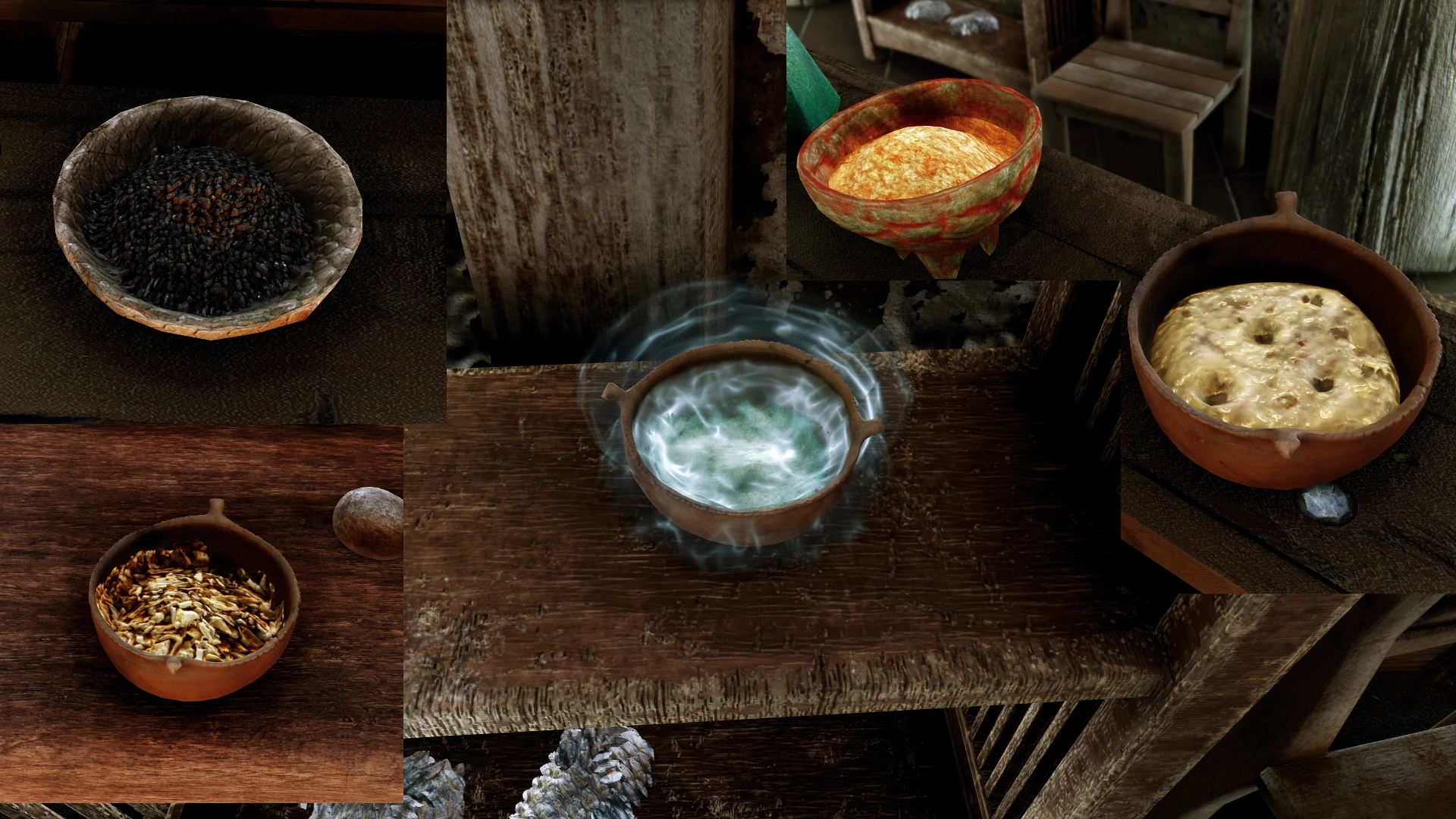
Better Ingredients
High poly, new textures, Parallax, ai upscale, everything
Click here to manually download the mod OR here to automatically download the mod through Mod Organizer 2.
When downloaded go to the folder where the file has been downloaded, cut the file Ingredients-40777-6-0-1601558843.7z and copy it to your NOLVUS\ARCHIVE\5_VISUALS\5.17_OBJECTS & MODELS directoryNexus mod page here
In Mod Organizer 2 click on add mod button
Browse to NOLVUS\ARCHIVE\5_VISUALS\5.17_OBJECTS & MODELS\Ingredients-40777-6-0-1601558843.7z and select OK
Fill informations as shown and click on OK
 Drag and drop Ingredients above OUTPUTS and check the mod.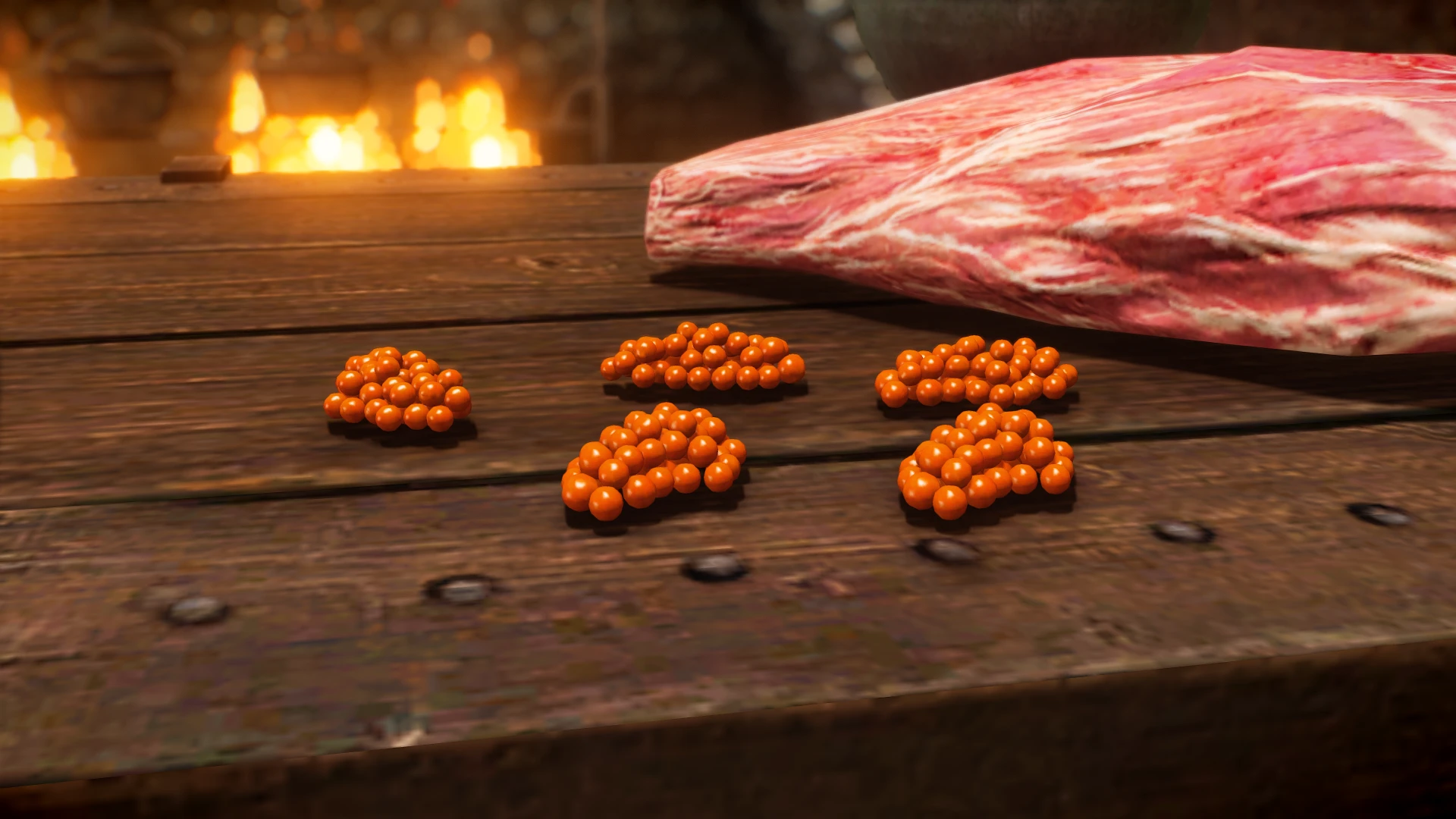
A remodel (with new textures) for the Salmon Roe ingredient.
Click here to manually download the mod OR here to automatically download the mod through Mod Organizer 2.
When downloaded go to the folder where the file has been downloaded, cut the file Salmon Roe Replacer-42074-1-1-1604732478.7z and copy it to your NOLVUS\ARCHIVE\5_VISUALS\5.17_OBJECTS & MODELS directoryNexus mod page here
In Mod Organizer 2 click on add mod button
Browse to NOLVUS\ARCHIVE\5_VISUALS\5.17_OBJECTS & MODELS\Salmon Roe Replacer-42074-1-1-1604732478.7z and select OK
Fill informations as shown and click on OK
 Drag and drop Salmon Roe Replacer above OUTPUTS and check the mod.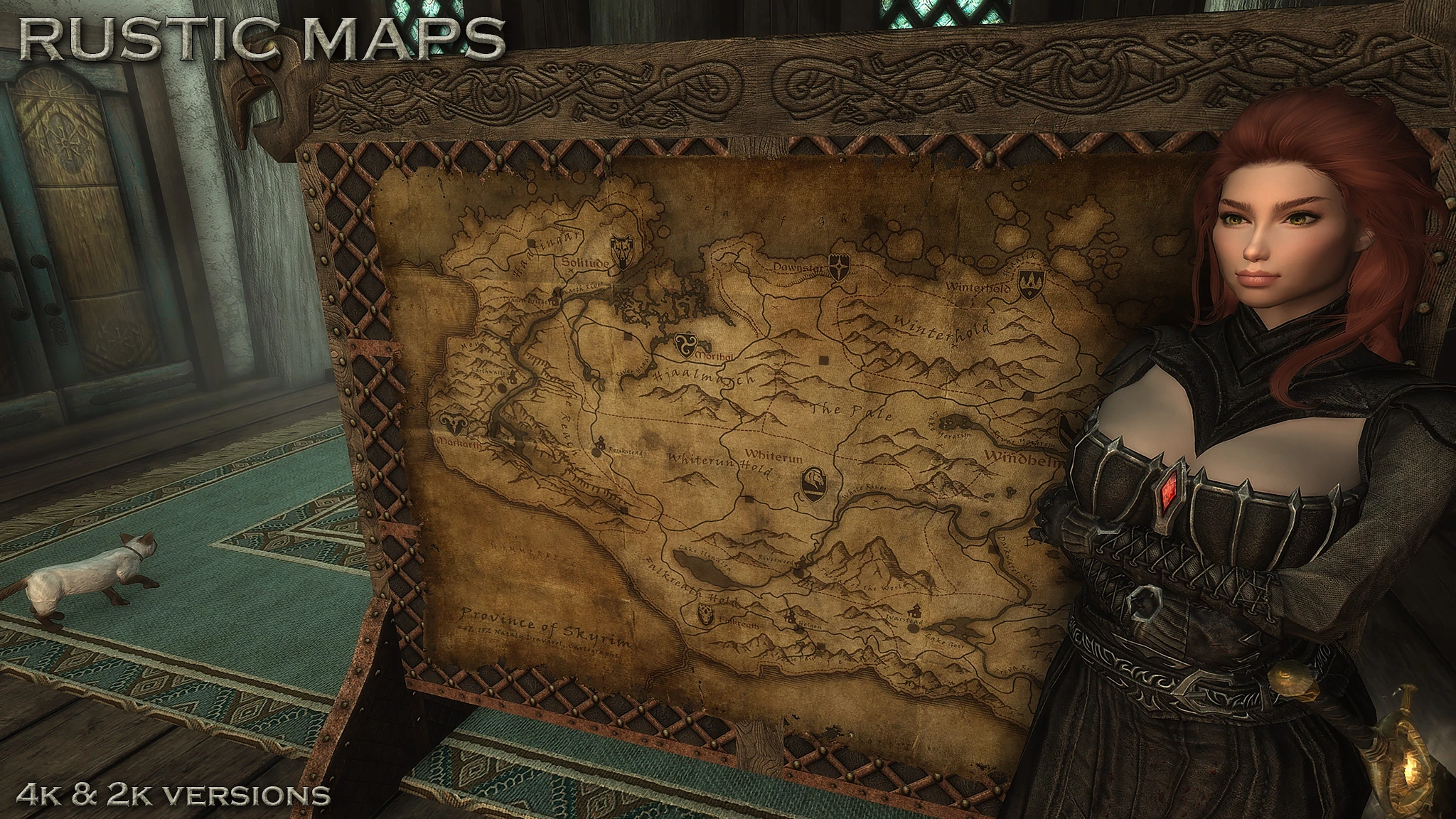
Hi-res retexture of the two battle maps in Skyrim. Now you can read all the map information in game, if you choose the 4K version. Now with the Solstheim map included.
Click here to manually download the mod OR here to automatically download the mod through Mod Organizer 2.
When downloaded go to the folder where the file has been downloaded, cut the file RUSTIC MAPS - 4K-42614-2-0-1606434383.7z and copy it to your NOLVUS\ARCHIVE\5_VISUALS\5.17_OBJECTS & MODELS directoryNexus mod page here
In Mod Organizer 2 click on add mod button
Browse to NOLVUS\ARCHIVE\5_VISUALS\5.17_OBJECTS & MODELS\RUSTIC MAPS - 4K-42614-2-0-1606434383.7z and select OK
Fill informations as shown and click on OK
 Drag and drop Rustic Maps above OUTPUTS and check the mod.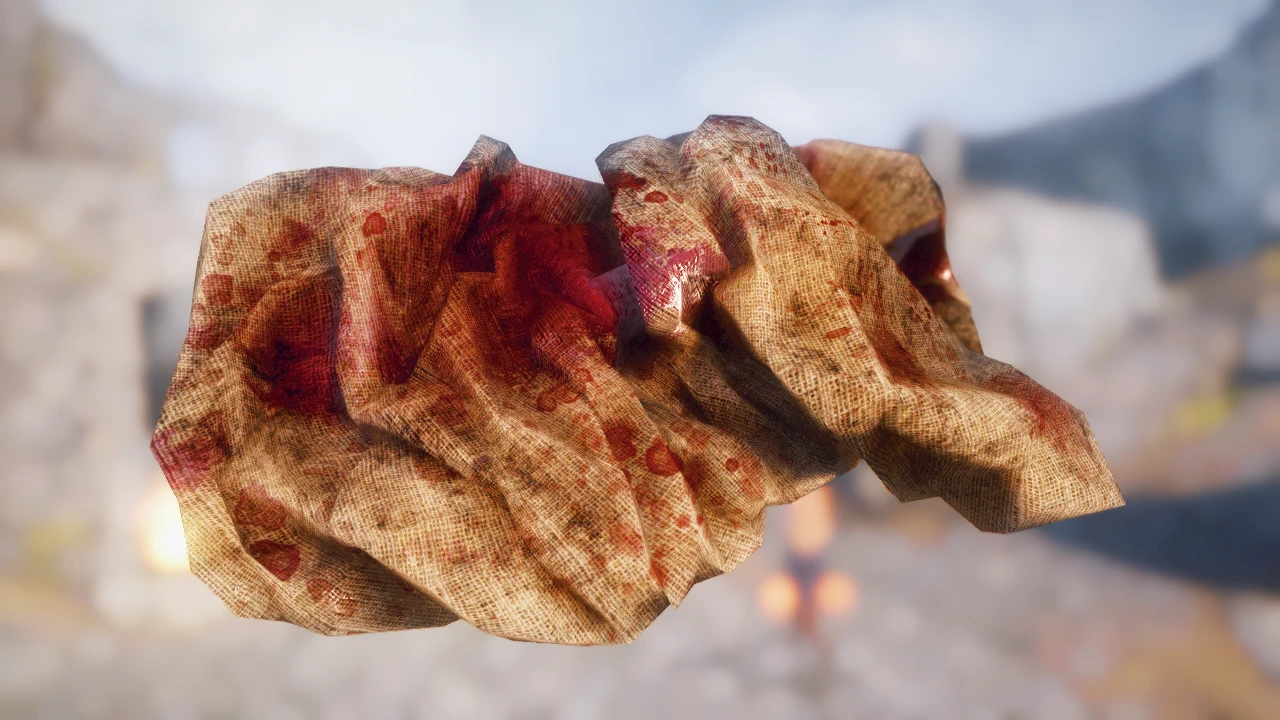
No More Blurry And Simply Bloody Rags - New Model And New Textures
Click here to manually download the mod OR here to automatically download the mod through Mod Organizer 2.
When downloaded go to the folder where the file has been downloaded, cut the file ElSopa - HD Better Bloody Rags 2k-44059-1-0-1609951714.7z and copy it to your NOLVUS\ARCHIVE\5_VISUALS\5.17_OBJECTS & MODELS directoryNexus mod page here
In Mod Organizer 2 click on add mod button
Browse to NOLVUS\ARCHIVE\5_VISUALS\5.17_OBJECTS & MODELS\ElSopa - HD Better Bloody Rags 2k-44059-1-0-1609951714.7z and select OK
Fill informations as shown and click on OK
 Drag and drop ElSopa - HD Better Bloody Rags above OUTPUTS and check the mod.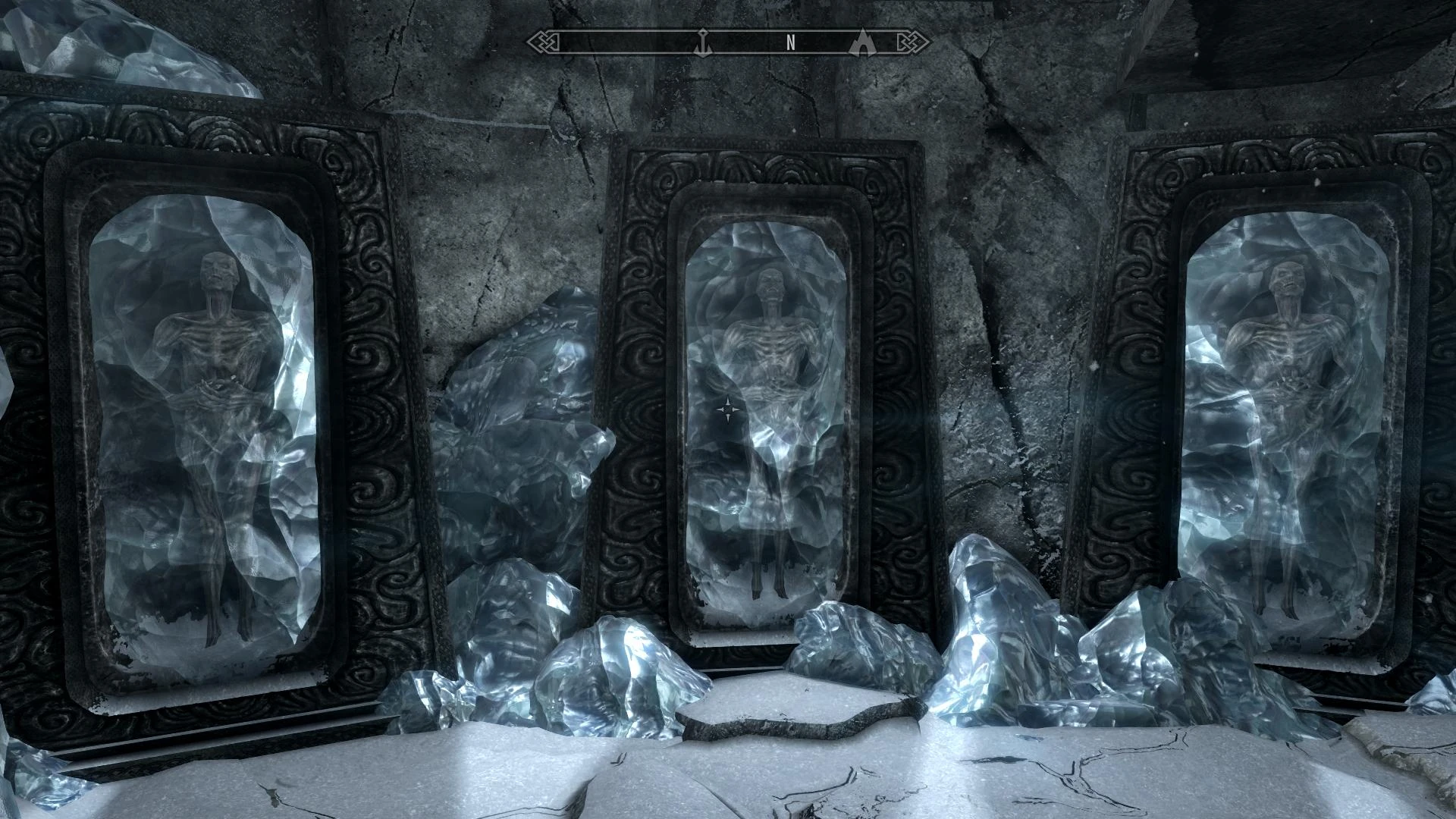
Retexture of the stalhrim ore from the Dragonborn DLC.
Click here to manually download the mod OR here to automatically download the mod through Mod Organizer 2.
When downloaded go to the folder where the file has been downloaded, cut the file Stalhrim Source 2K v3.1-9447-3-1-1567549245.7z and copy it to your NOLVUS\ARCHIVE\5_VISUALS\5.17_OBJECTS & MODELS directoryNexus mod page here
In Mod Organizer 2 click on add mod button
Browse to NOLVUS\ARCHIVE\5_VISUALS\5.17_OBJECTS & MODELS\Stalhrim Source 2K v3.1-9447-3-1-1567549245.7z and select OK
Fill informations as shown and click on OK
 Drag and drop Stalhrim Source above OUTPUTS and check the mod.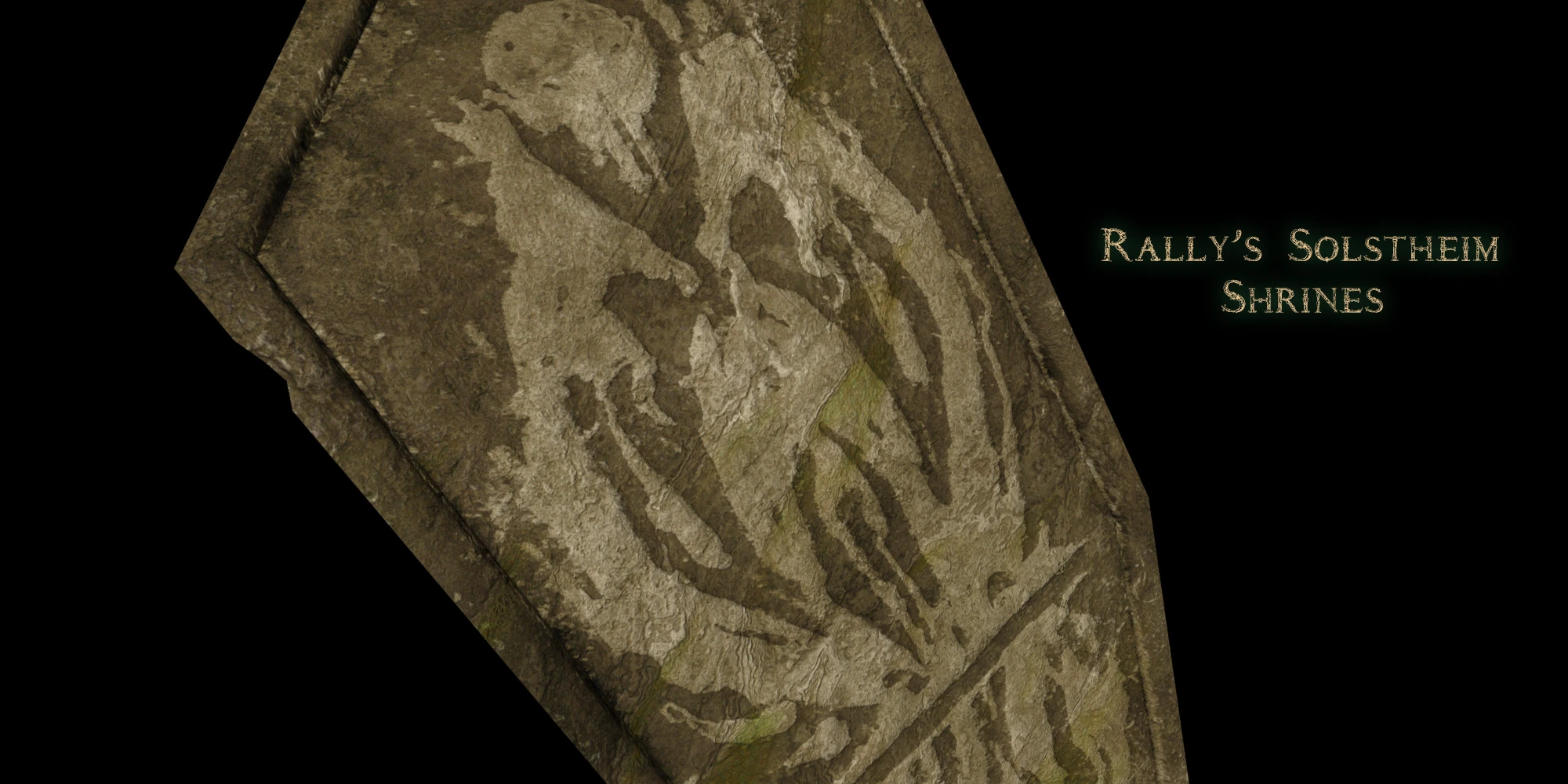
Replacer for the shrines of Azura, Mephala and Boethiah in Solstheim
Click here to manually download the mod OR here to automatically download the mod through Mod Organizer 2.
When downloaded go to the folder where the file has been downloaded, cut the file Rally's Solstheim Shrines-45867-1-1-1613679602.7z and copy it to your NOLVUS\ARCHIVE\5_VISUALS\5.17_OBJECTS & MODELS directoryNexus mod page here
In Mod Organizer 2 click on add mod button
Browse to NOLVUS\ARCHIVE\5_VISUALS\5.17_OBJECTS & MODELS\Rally's Solstheim Shrines-45867-1-1-1613679602.7z and select OK

1. Select options as shown and click on Next.
1. Select options as shown and click on Next.
Rally's Solstheim Shrines Setup

2. Select options as shown and click on Install.
2. Select options as shown and click on Install.
Rally's Solstheim Shrines Setup
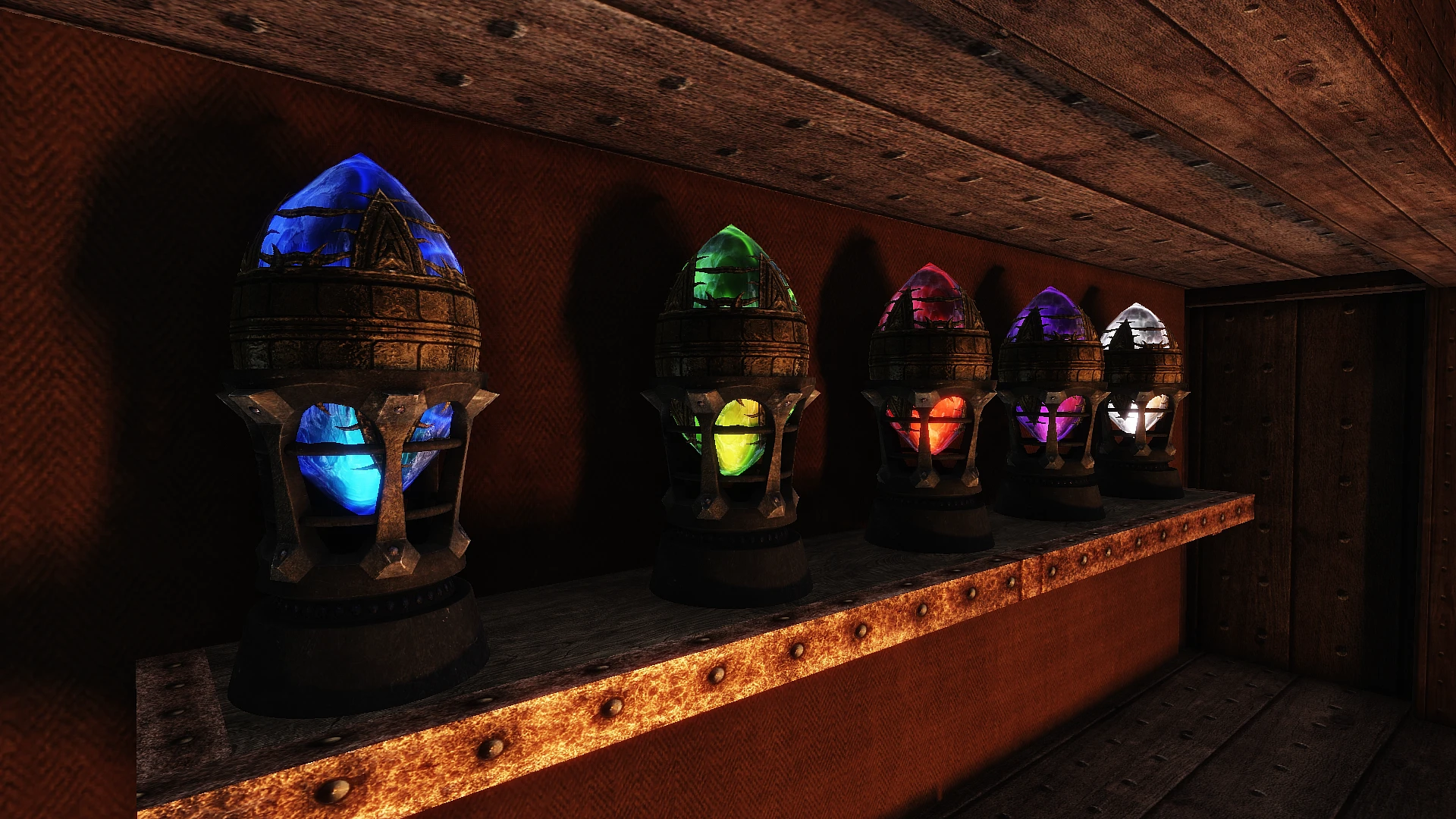
High quality remastered Paragon gems from the Forgotten Vale in the Dawnguard DLC. Available in 4K and 2K
Click here to manually download the mod OR here to automatically download the mod through Mod Organizer 2.
When downloaded go to the folder where the file has been downloaded, cut the file Remastered Paragon Gems-45734-1-4-1613500289.7z and copy it to your NOLVUS\ARCHIVE\5_VISUALS\5.17_OBJECTS & MODELS directoryNexus mod page here
In Mod Organizer 2 click on add mod button
Browse to NOLVUS\ARCHIVE\5_VISUALS\5.17_OBJECTS & MODELS\Remastered Paragon Gems-45734-1-4-1613500289.7z and select OK

1. Select options as shown and click on Next.
1. Select options as shown and click on Next.
Iconic's Remastered Paragon Gems Setup

2. Select options as shown and click on Install.
2. Select options as shown and click on Install.
Iconic's Remastered Paragon Gems Setup
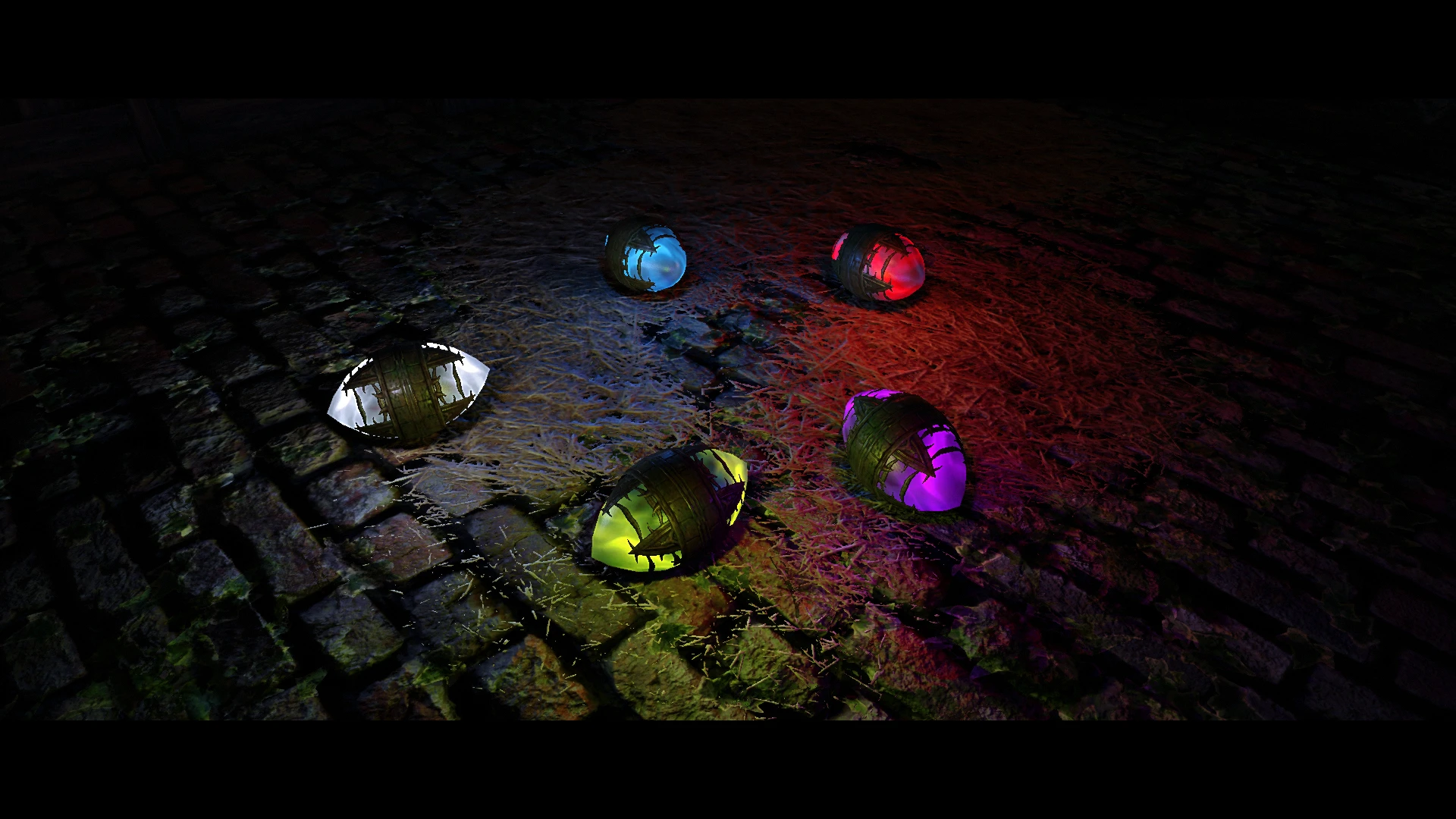
A simple replacer for the paragon gems from the Dawnguard DLC that utilizes the particle lighting effect from ENB (For 0.365 binaries or newer). Only for ENB users.
Click here to manually download the mod OR here to automatically download the mod through Mod Organizer 2.
When downloaded go to the folder where the file has been downloaded, cut the file Particle Lights For ENB SE - Paragon Gems - Iconic's Gems Patch-45761-1-2-1613552014.7z and copy it to your NOLVUS\ARCHIVE\5_VISUALS\5.17_OBJECTS & MODELS directoryNexus mod page here
In Mod Organizer 2 click on add mod button
Browse to NOLVUS\ARCHIVE\5_VISUALS\5.17_OBJECTS & MODELS\Particle Lights For ENB SE - Paragon Gems - Iconic's Gems Patch-45761-1-2-1613552014.7z and select OK
Fill informations as shown and click on OK
 Drag and drop Iconic's Remastered Paragon Gems - Particle Light Patch above OUTPUTS and check the mod.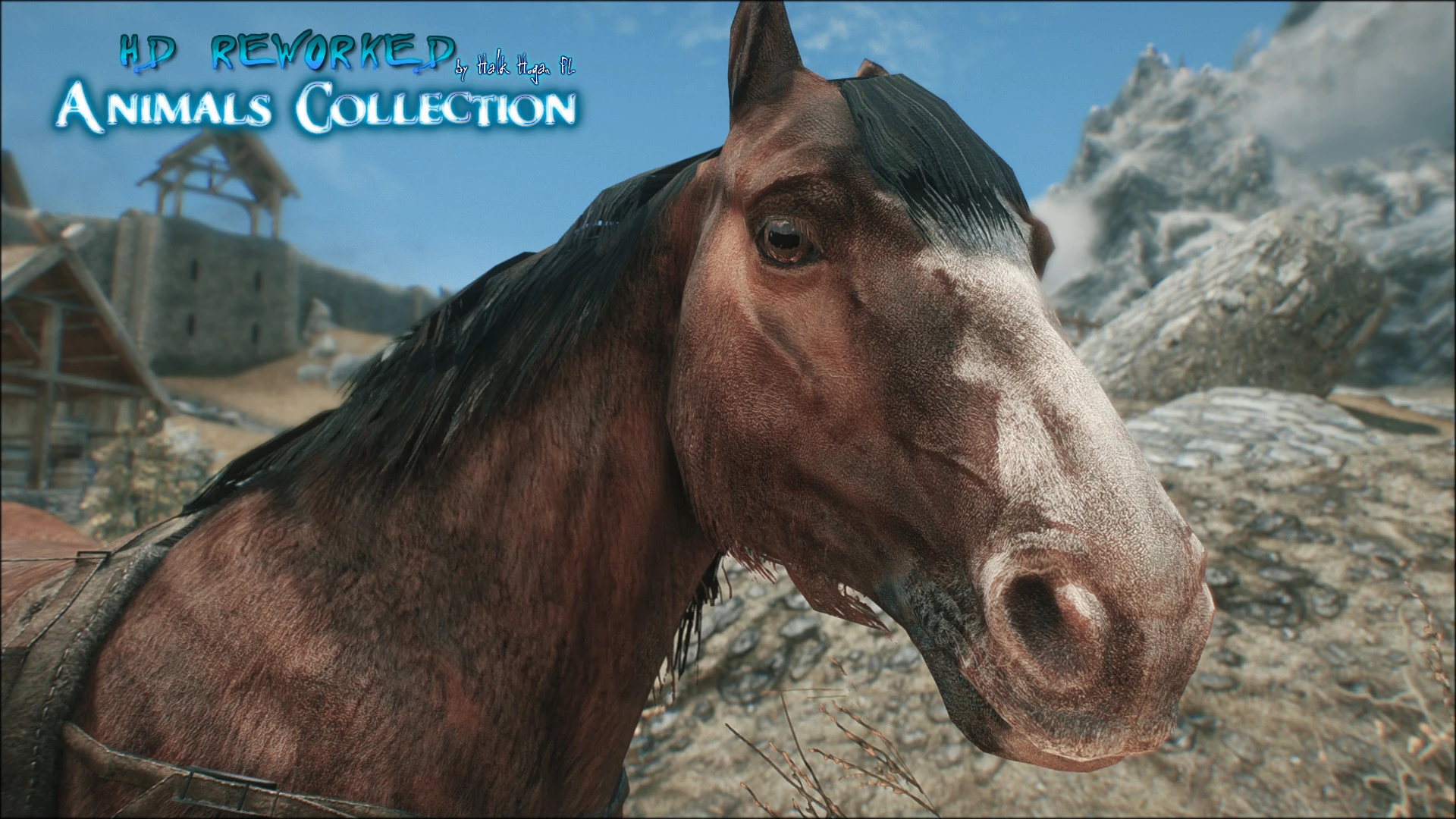
100% vanilla friendly reworked 4K/2K Horses for Skyrim SE.
Click here to manually download the mod OR here to automatically download the mod through Mod Organizer 2.
When downloaded go to the folder where the file has been downloaded, cut the file SkyrimSE HD Reworked Horses-28249-1-0-1565810425.7z and copy it to your NOLVUS\ARCHIVE\5_VISUALS\5.17_OBJECTS & MODELS directoryNexus mod page here
In Mod Organizer 2 click on add mod button
Browse to NOLVUS\ARCHIVE\5_VISUALS\5.17_OBJECTS & MODELS\SkyrimSE HD Reworked Horses-28249-1-0-1565810425.7z and select OK
Fill informations as shown and click on OK
 Drag and drop HD Reworked Horses above OUTPUTS and check the mod.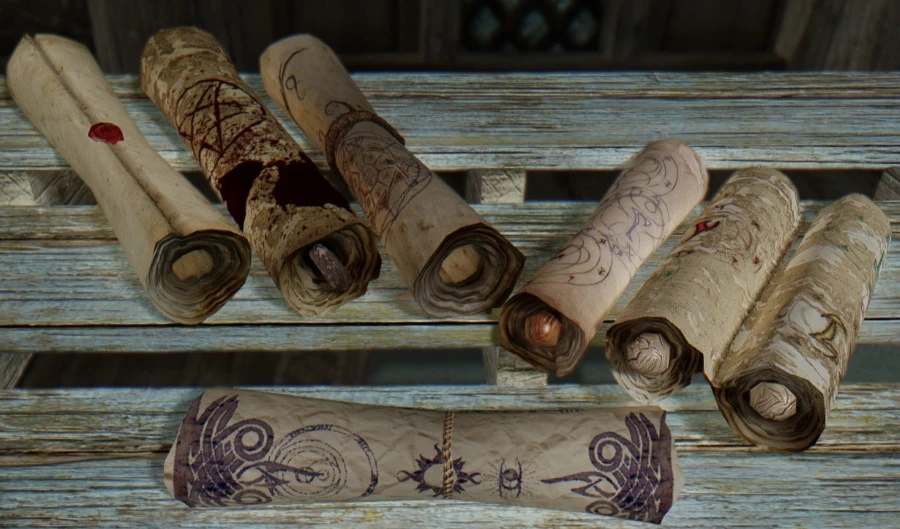
This mod changes the textures of magic scrolls.
Click here to manually download the mod OR here to automatically download the mod through Mod Organizer 2.
When downloaded go to the folder where the file has been downloaded, cut the file Retexture for The Scroll FOMOD by -ren- SE-46612-2-5-3ren-1615034781.zip and copy it to your NOLVUS\ARCHIVE\5_VISUALS\5.17_OBJECTS & MODELS directoryNexus mod page here
In Mod Organizer 2 click on add mod button
Browse to NOLVUS\ARCHIVE\5_VISUALS\5.17_OBJECTS & MODELS\Retexture for The Scroll FOMOD by -ren- SE-46612-2-5-3ren-1615034781.zip and select OK

1. Select options as shown and click on Next.
1. Select options as shown and click on Next.
Retexture for The Scroll Setup

2. Select options as shown and click on Install.
2. Select options as shown and click on Install.
Retexture for The Scroll Setup
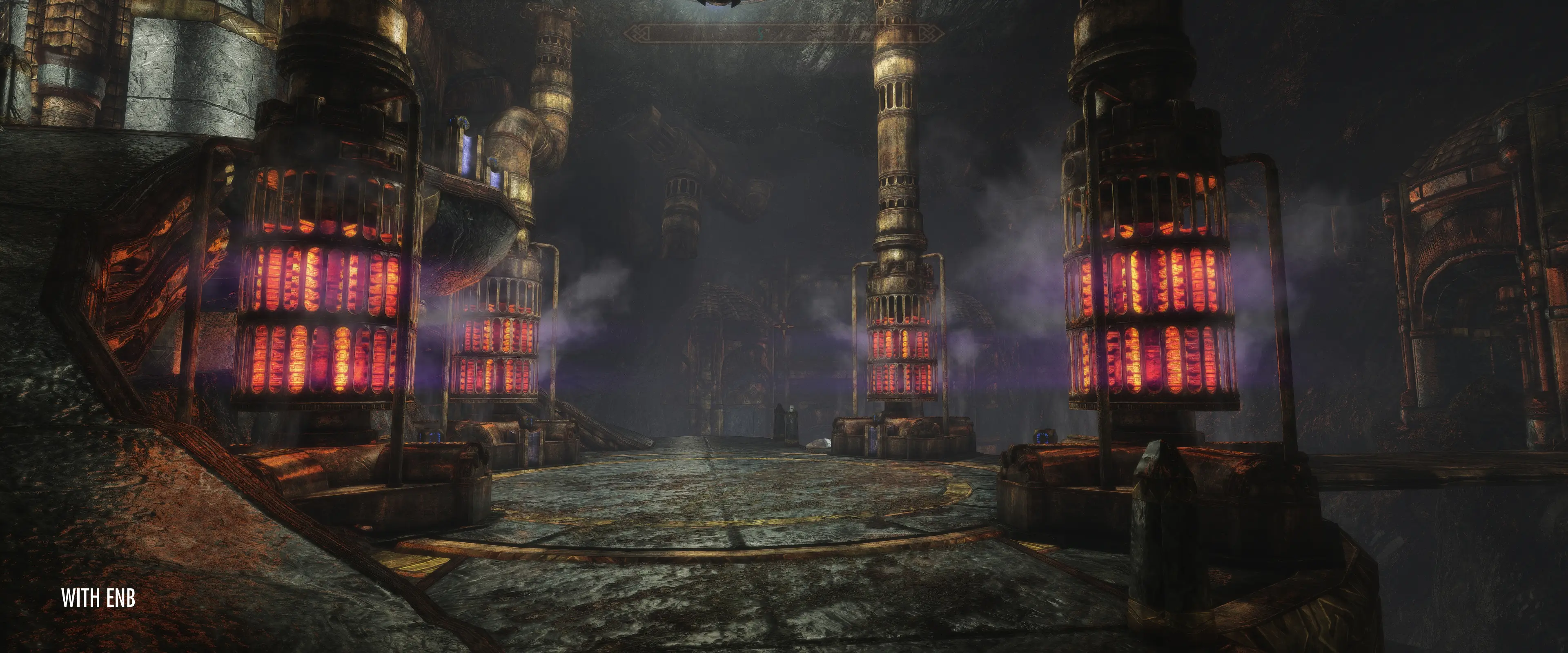
Rework of Dwemer pipes, including Dwemer boilers.
Click here to manually download the mod OR here to automatically download the mod through Mod Organizer 2.
When downloaded go to the folder where the file has been downloaded, cut the file Dwemer Pipework Reworked 4-46507-4-1631021604.rar and copy it to your NOLVUS\ARCHIVE\5_VISUALS\5.17_OBJECTS & MODELS directoryNexus mod page here
In Mod Organizer 2 click on add mod button
Browse to NOLVUS\ARCHIVE\5_VISUALS\5.17_OBJECTS & MODELS\Dwemer Pipework Reworked 4-46507-4-1631021604.rar and select OK
Fill informations as shown and click on OK
 Drag and drop Dwemer pipework reworked above OUTPUTS and check the mod.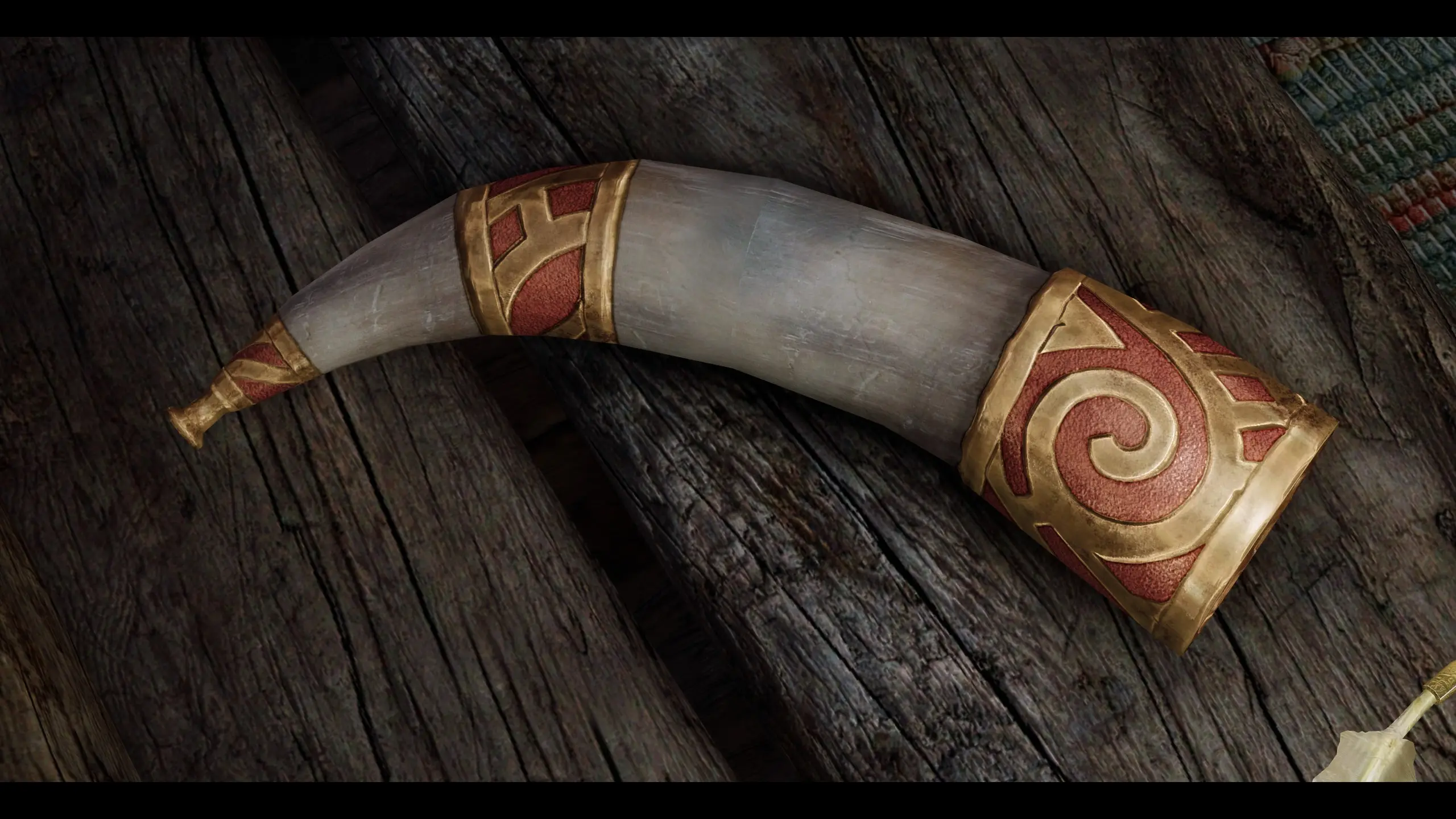
Replacer for the Nord War Horns, available in 5 different colors
Click here to manually download the mod OR here to automatically download the mod through Mod Organizer 2.
When downloaded go to the folder where the file has been downloaded, cut the file Rallys Nord War Horns-46872-1-2-1620029294.7z and copy it to your NOLVUS\ARCHIVE\5_VISUALS\5.17_OBJECTS & MODELS directoryNexus mod page here
In Mod Organizer 2 click on add mod button
Browse to NOLVUS\ARCHIVE\5_VISUALS\5.17_OBJECTS & MODELS\Rallys Nord War Horns-46872-1-2-1620029294.7z and select OK

1. Select the option(s) you want and click on Next.
1. Select the option(s) you want and click on Next.
Rally's Nord War Horns Setup

2. Select the option(s) you want and click on Install.
2. Select the option(s) you want and click on Install.
Rally's Nord War Horns Setup
Improves museum interior and exterior dome with meshes that reduce distortion.
Click here to manually download the mod OR here to automatically download the mod through Mod Organizer 2.
When downloaded go to the folder where the file has been downloaded, cut the file Legacy of The Dragonborn museum dome improved-45655-0-2-1613251689.rar and copy it to your NOLVUS\ARCHIVE\5_VISUALS\5.17_OBJECTS & MODELS directoryNexus mod page here
In Mod Organizer 2 click on add mod button
Browse to NOLVUS\ARCHIVE\5_VISUALS\5.17_OBJECTS & MODELS\Legacy of The Dragonborn museum dome improved-45655-0-2-1613251689.rar and select OK
Fill informations as shown and click on OK
 Drag and drop Legacy of The Dragonborn museum dome improved above OUTPUTS and check the mod.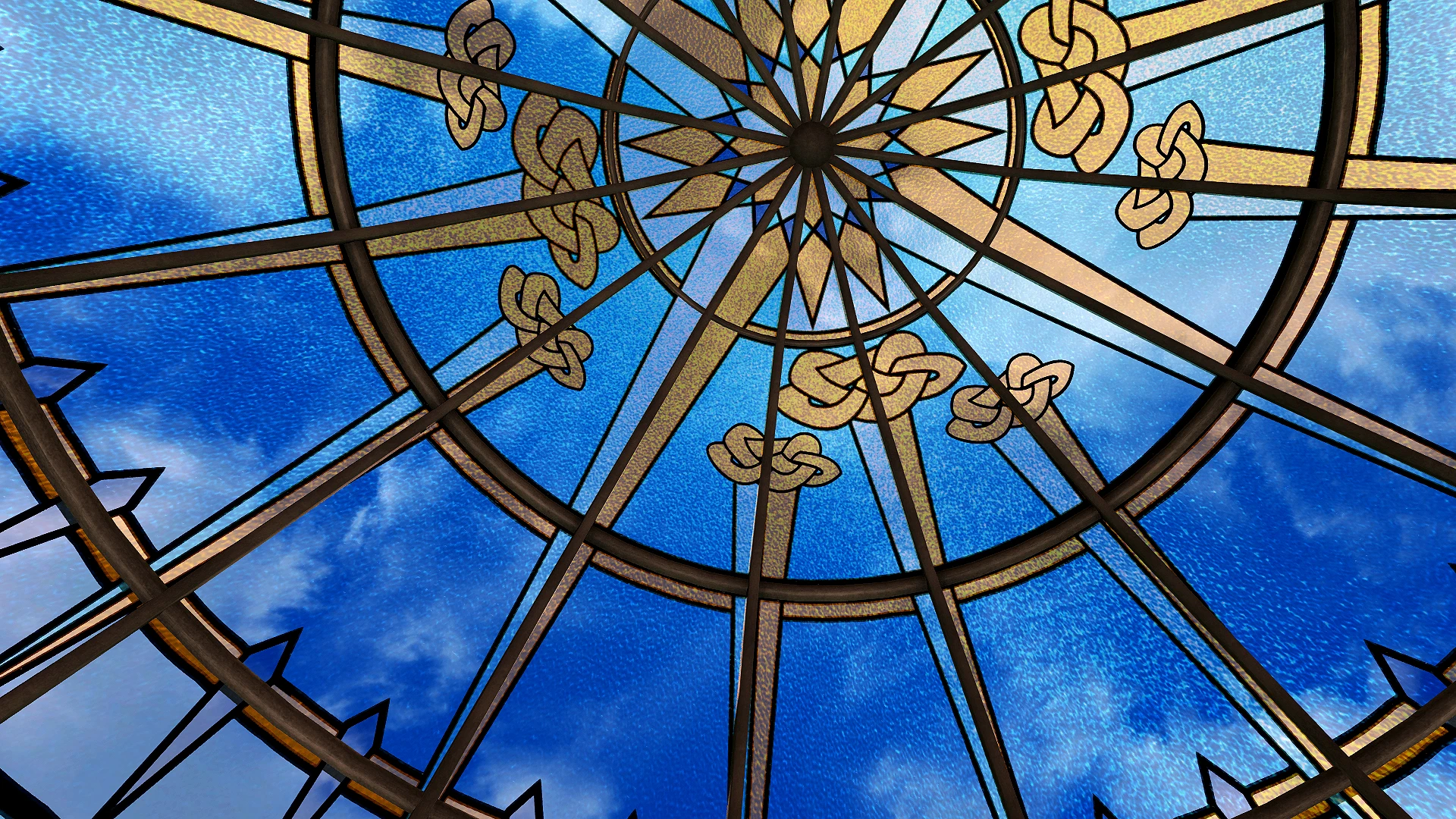
Retexture of LotD glass dome window. Only textures, no .esps
Click here to manually download the mod OR here to automatically download the mod through Mod Organizer 2.
When downloaded go to the folder where the file has been downloaded, cut the file LotD Dome retexture-46452-1-0-1614719554.zip and copy it to your NOLVUS\ARCHIVE\5_VISUALS\5.17_OBJECTS & MODELS directoryNexus mod page here
In Mod Organizer 2 click on add mod button
Browse to NOLVUS\ARCHIVE\5_VISUALS\5.17_OBJECTS & MODELS\LotD Dome retexture-46452-1-0-1614719554.zip and select OK
Fill informations as shown and click on OK
 Drag and drop Legacy of the Dragonborn Dome Retexture above OUTPUTS and check the mod.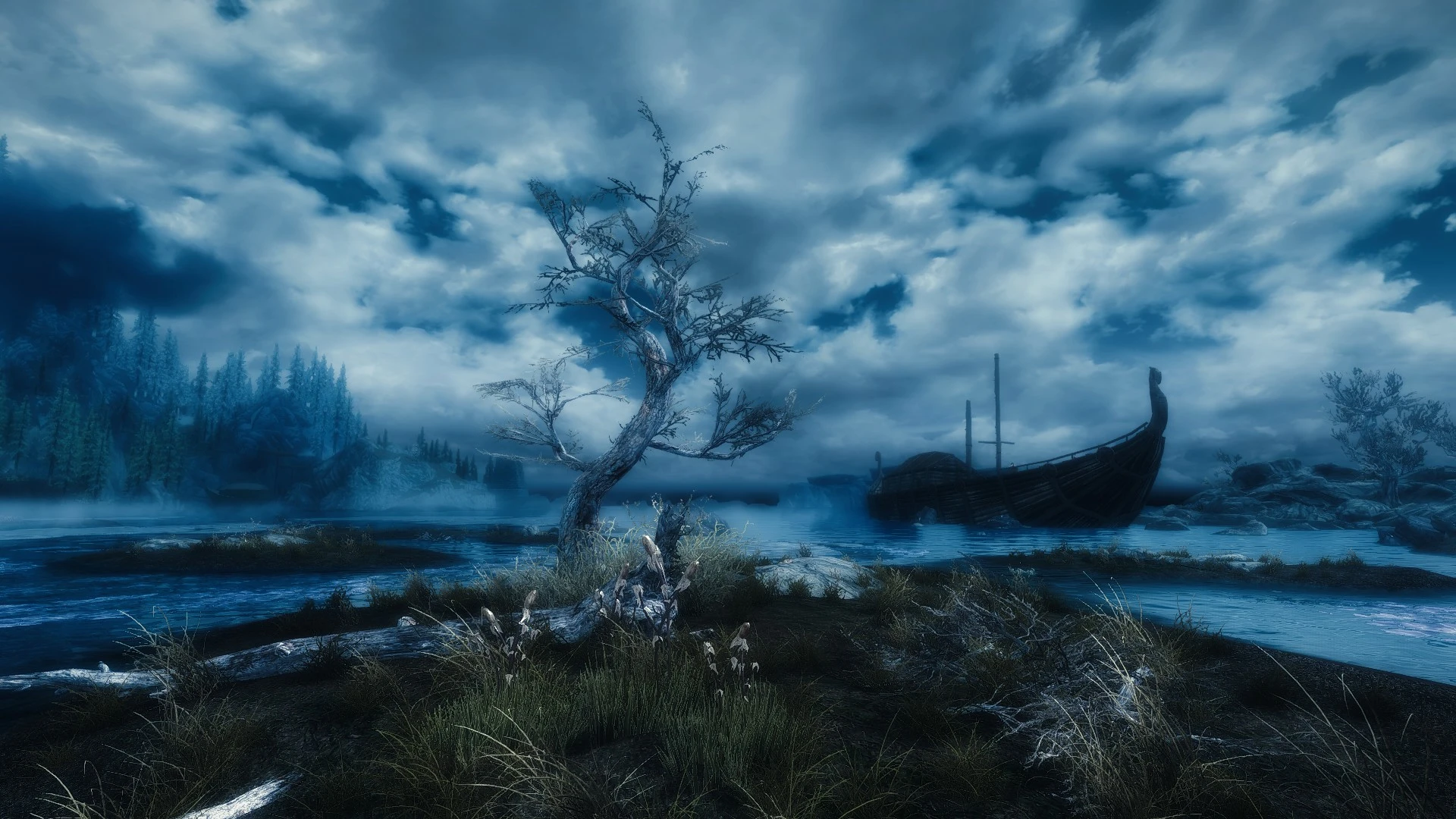
Lore-friendly replacements for the paintings in Legacy of the Dragonborn's museum and safehouse. Enjoy as-is or use this mod structure to customize your paintings with your own screenshots or artwork.
Click here to manually download the mod OR here to automatically download the mod through Mod Organizer 2.
When downloaded go to the folder where the file has been downloaded, cut the file Paintings Replacer for Legacy of the Dragonborn.7z-13279-1-1.7z and copy it to your NOLVUS\ARCHIVE\5_VISUALS\5.17_OBJECTS & MODELS directoryNexus mod page here
In Mod Organizer 2 click on add mod button
Browse to NOLVUS\ARCHIVE\5_VISUALS\5.17_OBJECTS & MODELS\Paintings Replacer for Legacy of the Dragonborn.7z-13279-1-1.7z and select OK
Fill informations as shown and click on OK
 Drag and drop Paintings Replacer for Legacy of the Dragonborn SSE above OUTPUTS and check the mod.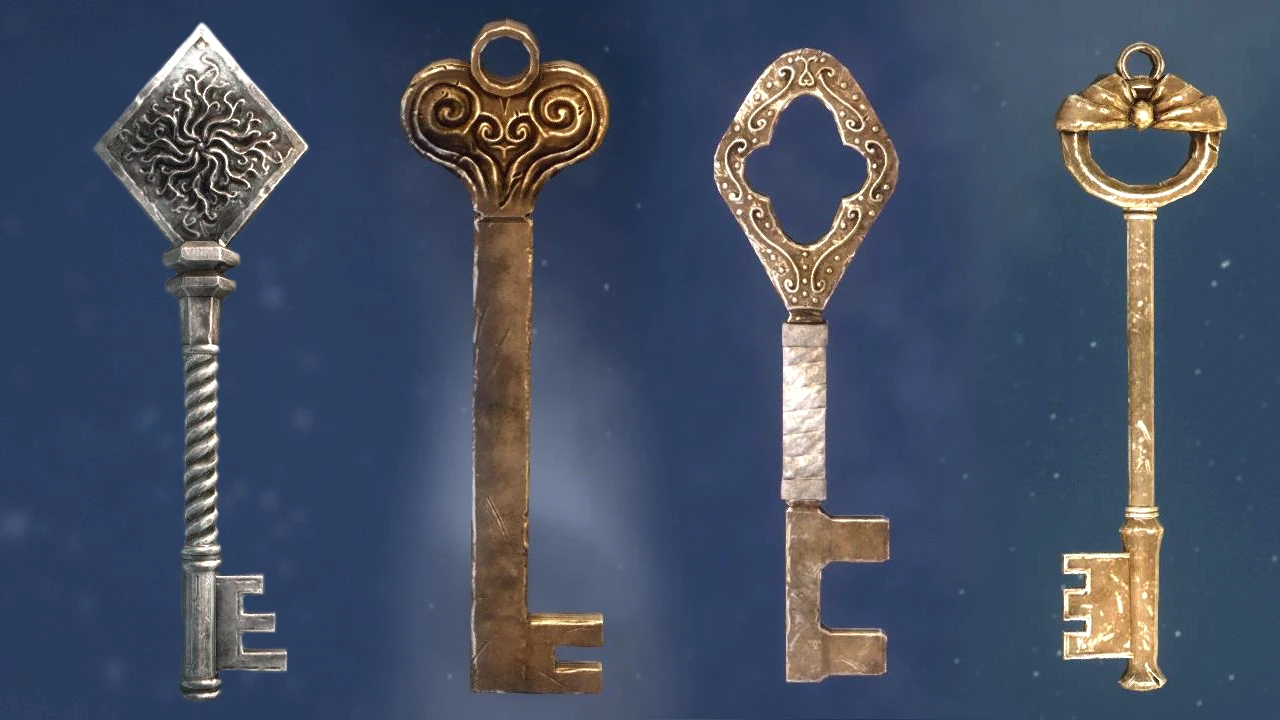
New High Quality Models And Textures For The Keys. All Resolutions. No ESP
Click here to manually download the mod OR here to automatically download the mod through Mod Organizer 2.
When downloaded go to the folder where the file has been downloaded, cut the file ElSopa - HD Keys Redone 2k-48209-1-0-1617725975.7z and copy it to your NOLVUS\ARCHIVE\5_VISUALS\5.17_OBJECTS & MODELS directoryNexus mod page here
In Mod Organizer 2 click on add mod button
Browse to NOLVUS\ARCHIVE\5_VISUALS\5.17_OBJECTS & MODELS\ElSopa - HD Keys Redone 2k-48209-1-0-1617725975.7z and select OK
Fill informations as shown and click on OK.
 Drag and drop ElSopa - HD Keys Redone SE above OUTPUTS and check the mod.
New Model And Textures For The Giant Mortar. Performance Friendly. Ultra Immersive. All Resolutions. No ESP.
Click here to manually download the mod OR here to automatically download the mod through Mod Organizer 2.
When downloaded go to the folder where the file has been downloaded, cut the file ElSopa - HD Giant Mortars Redone 2k-49384-1-0-1620004519.7z and copy it to your NOLVUS\ARCHIVE\5_VISUALS\5.17_OBJECTS & MODELS directoryNexus mod page here
In Mod Organizer 2 click on add mod button
Browse to NOLVUS\ARCHIVE\5_VISUALS\5.17_OBJECTS & MODELS\ElSopa - HD Giant Mortars Redone 2k-49384-1-0-1620004519.7z and select OK
Fill informations as shown and click on OK.
 Drag and drop ElSopa - HD Giant Mortars Redone SE above OUTPUTS and check the mod.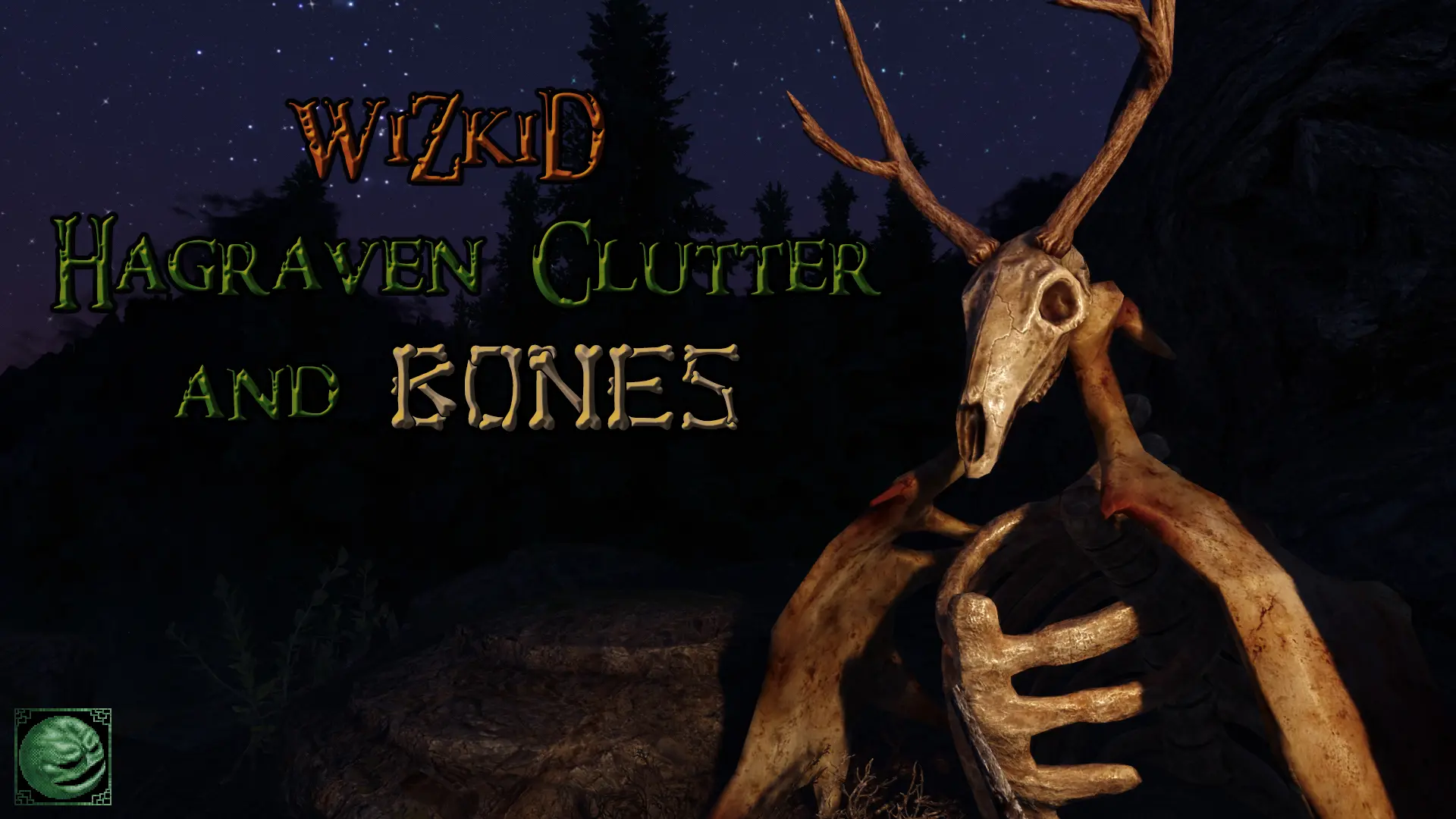
This mod replaces the texture of all the hagraven clutter and animal bones, including trophies with antlers that can be found hanging on the walls of many Skyrim buildings.
Click here to manually download the mod OR here to automatically download the mod through Mod Organizer 2.
When downloaded go to the folder where the file has been downloaded, cut the file WiZkiD Hagraven Clutter ad Bones-49277-1-1-1619891432.7z and copy it to your NOLVUS\ARCHIVE\5_VISUALS\5.17_OBJECTS & MODELS directoryNexus mod page here
In Mod Organizer 2 click on add mod button
Browse to NOLVUS\ARCHIVE\5_VISUALS\5.17_OBJECTS & MODELS\WiZkiD Hagraven Clutter ad Bones-49277-1-1-1619891432.7z and select OK
1. Select options as shown and click on Install.
 Drag and drop WiZkiD Hagraven Clutter and Bones above OUTPUTS and check the mod.
Select LOOT from the right combobox and click on Run button (Always run it from Mod Organizer)

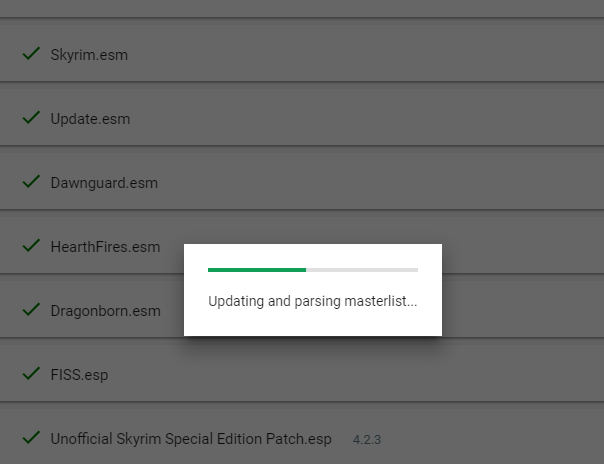
Click on the sort button
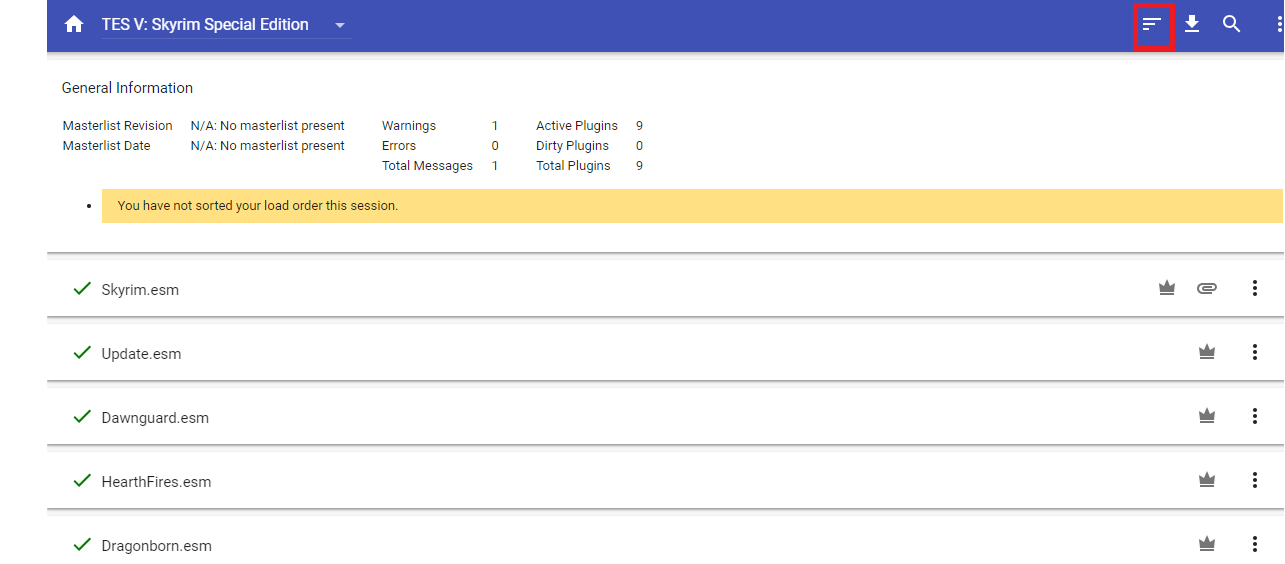
You will get this screen
Click on Apply
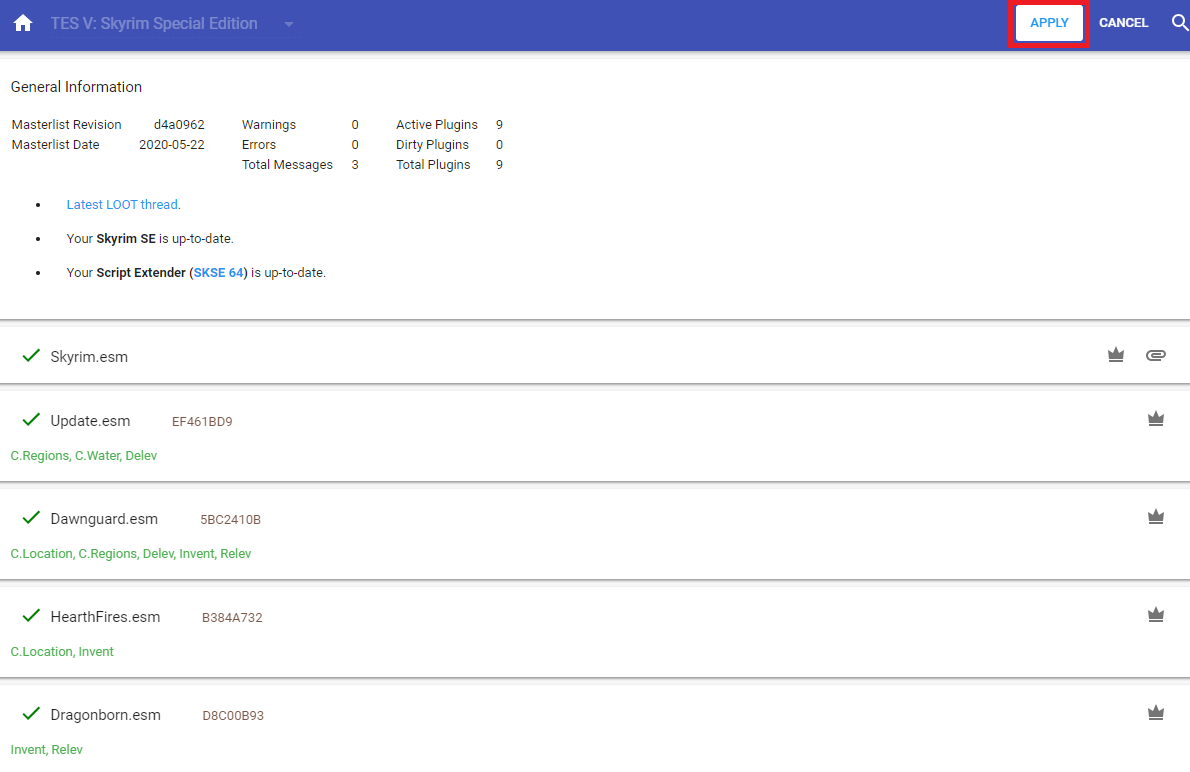
Your mods plugins are now ordered correctly.
Skyrim SE plugins architecture allows a maximum of 255 ESP plugins(Mod Organizer 2 right plane).
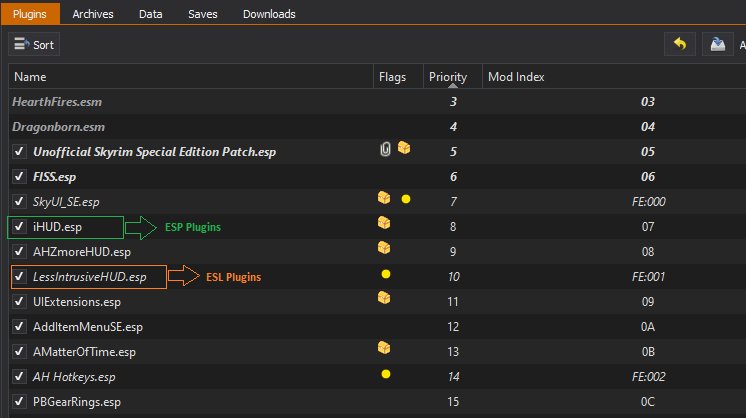
An ESL plugins does not count for this 255 plugins limit.
At this point we can convert some ESP plugins to ESL plugins to save some space.
Select SSEEdit from the right combobox and click on Run button (Always run it from Mod Organizer)

Make sure all mods are selected and click on OK
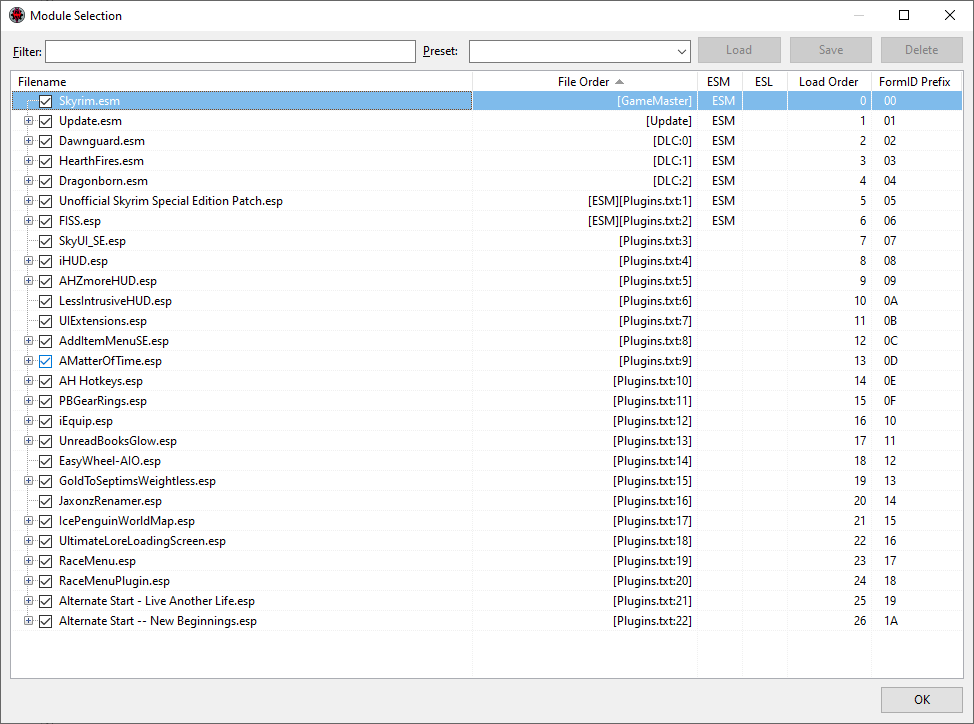
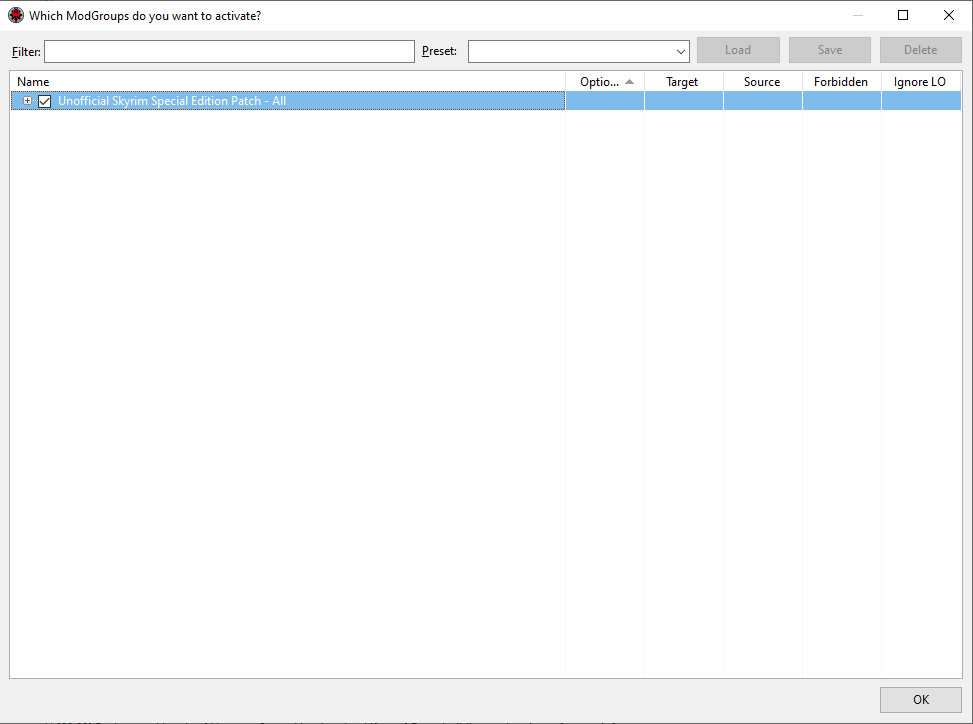
Let the program process data and click on OK when you get this window
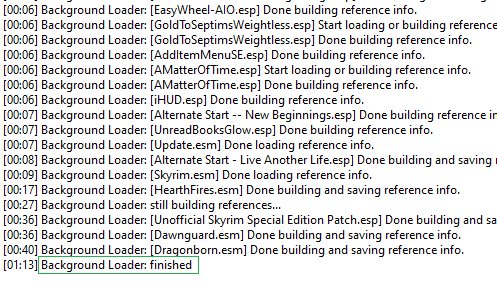
You should get the message "Background Loader: finished" in the right pane
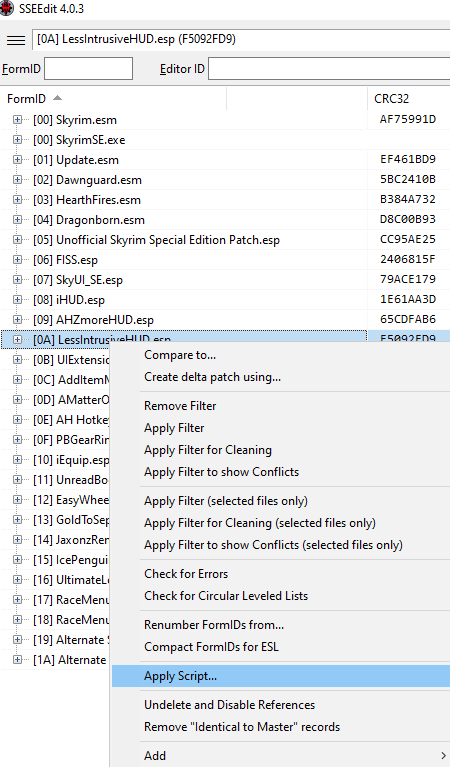
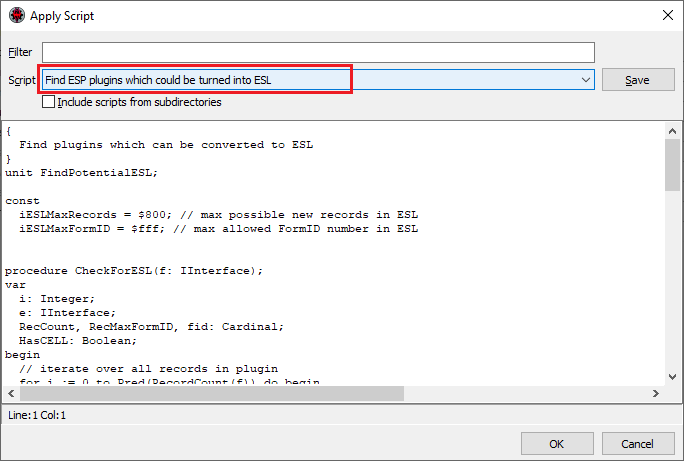
On the left pane right click on any mod and select Apply Script
Select Find ESP plugins which could be turned into ESL and click on OK
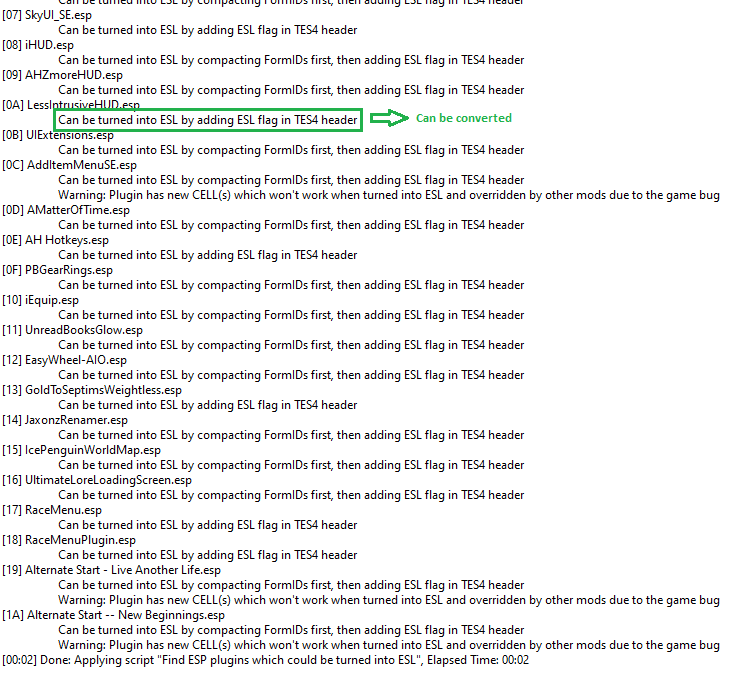
On the right pane you should get messages telling you which plugin can be converted
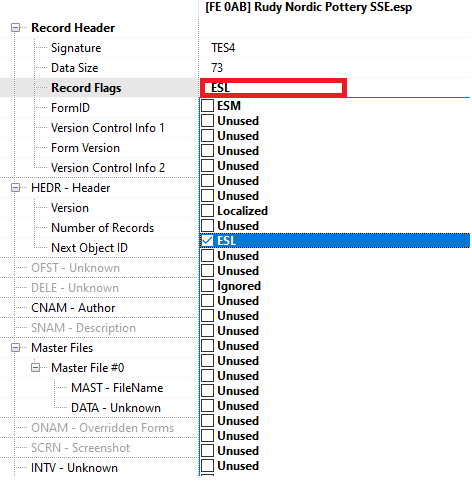
On the left pane, expand Rudy Nordic Pottery SSE.esp and select File Header

On the right pane, double click on Record Flags, you will get a warning then click Yes i'm absolutely sure and check ESL
You should get this result
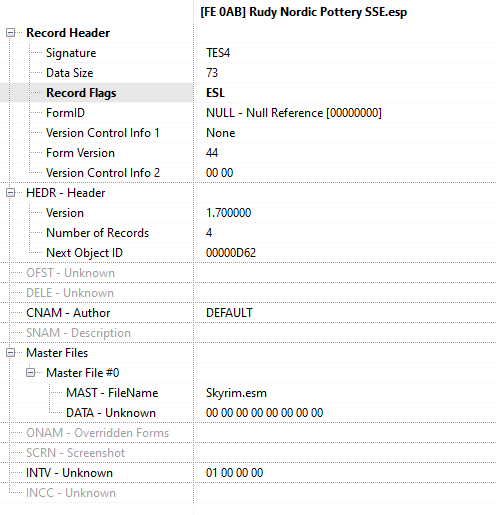
Repeat the previous steps for all mods mentioned below
When done close SSEEdit, you should get this window.
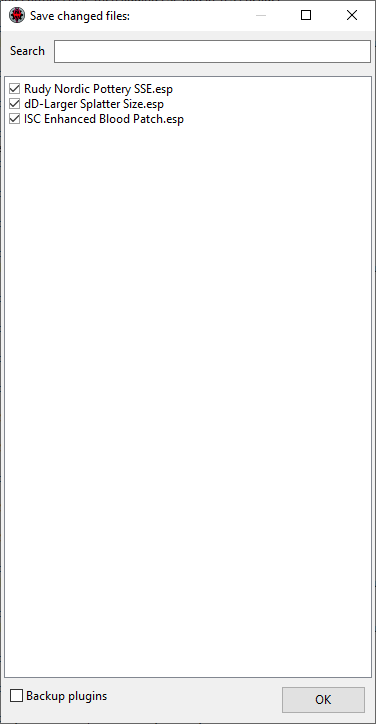
Make sure all the modified mods are checked and click on OK.
Select SKSE and click on Run

In the game main menu load your last saved game.
Start to test if all the mods have been installed correctly.
Make a save game and exit the game.
If you like my work please subscribe to my Youtube chanel, it helps a lot!
If you want to actively support Nolvus, you can become a Patreon and get more benefits!
PatreonIf you want to give some support to help keep this web site running and constantly updated click on the button below.
Donations are not mandatory but highly appreciated
DONATEVMP Corporation 200,00 EUR
SebCain 181,44 EUR
Ragnar the Red 153,39 EUR
Jerilith 130,00 EUR
Dark Dominion 110,00 USD
aMasTerMiiNd 100,00 USD
werwin1 100,00 EUR
Bazhruul 100,00 EUR
TheGeorge1980 100,00 EUR
lxlmongooselxl 100,00 USD
Kevin K 88,00 EUR
Corrupt Bliss 80,67 EUR
Halo 80,00 EUR
CYRIL888 60,00 EUR
Illusive Bro 60,00 EUR
renekunisz 50,00 EUR
Discrepancy 50,00 EUR
Lodreyon 50,00 EUR
Daskard 50,00 EUR
GarbrielWithoutWings 50,00 USD
Vonk 50,00 USD
Bryan W 50,00 USD
Thanks a lot to all of them!
Subscribe to our News letter if you want to be noticed for guide updates.